Home lighting help and advice required.

GR3Z

Suspended / Banned
Messages
706
Name
Graeme
Edit My Images
Yes
A friend of mine has asked me to take some pictures of him and his son, against a White background, and he has a friend that can put them to a canvas for him, I'm still new to photograpghy and have very little experience, but told him I'll have a go but not expect anything great, I see it as an opportunity to test myself and get some practice.

Another on of my hurdles is my kit and lack of it. So far I have a Single speedlight with a White shoot through brolly and a wireless trigger for it, I've got a reflector ring about 80 cm and a 2x2 meter White backdrop with a set of stands and crossbar. I have no soft boxes or fill in lamps. But thought maybe I could use a builders halogen lamp which I can get hold off if needed.

I have a reasonable size living room with just average natural light, I'm going to be using my 50mmf1.8 lens and possible a tripod if required.

I'm after advice on what would be the best way to set it all up, will I need the flash behide the back drop in order to light it up or will a halogen lamp do

All advice welcome and needed

Regards
Graeme
 
You might experience colour balance problems if you try to use the halogen with either flash or natural daylight. The flash will be closer to natural light (depending on time of day) so should give you least problems if you try to mix those two sources.
 
I would check with your local hardware store because you may be able to get white halogen bulbs that will not cause as much problems with the white balance
 
Halogen lamps will fry the subjects and not give you enough light to shoot. You just don't have the equipment to do what your friend is asking. You'd need four studio flash heads to do this properly - with a selection of modifiers.
 
A friend of mine has asked me to take some pictures of him and his son, against a White background, and he has a friend that can put them to a canvas for him, I'm still new to photograpghy and have very little experience, but told him I'll have a go but not expect anything great, I see it as an opportunity to test myself and get some practice.

Another on of my hurdles is my kit and lack of it. So far I have a Single speedlight with a White shoot through brolly and a wireless trigger for it, I've got a reflector ring about 80 cm and a 2x2 meter White backdrop with a set of stands and crossbar. I have no soft boxes or fill in lamps. But thought maybe I could use a builders halogen lamp which I can get hold off if needed.

I have a reasonable size living room with just average natural light, I'm going to be using my 50mmf1.8 lens and possible a tripod if required.

I'm after advice on what would be the best way to set it all up, will I need the flash behide the back drop in order to light it up or will a halogen lamp do

All advice welcome and needed

Regards
Graeme

The problem is the 'white' background. If you mean the pure white-all-over look, then you need several lights for that, and also a fair amount of knowledge to set them up. With just one light on your subject, the light fall-off due to the extra distance to the background will turn it grey.

However, you can take great portraits with just one shoot-though brolly and a reflector, as presumably you have already discovered. But for pure white, you need two more lights just for the background.
 
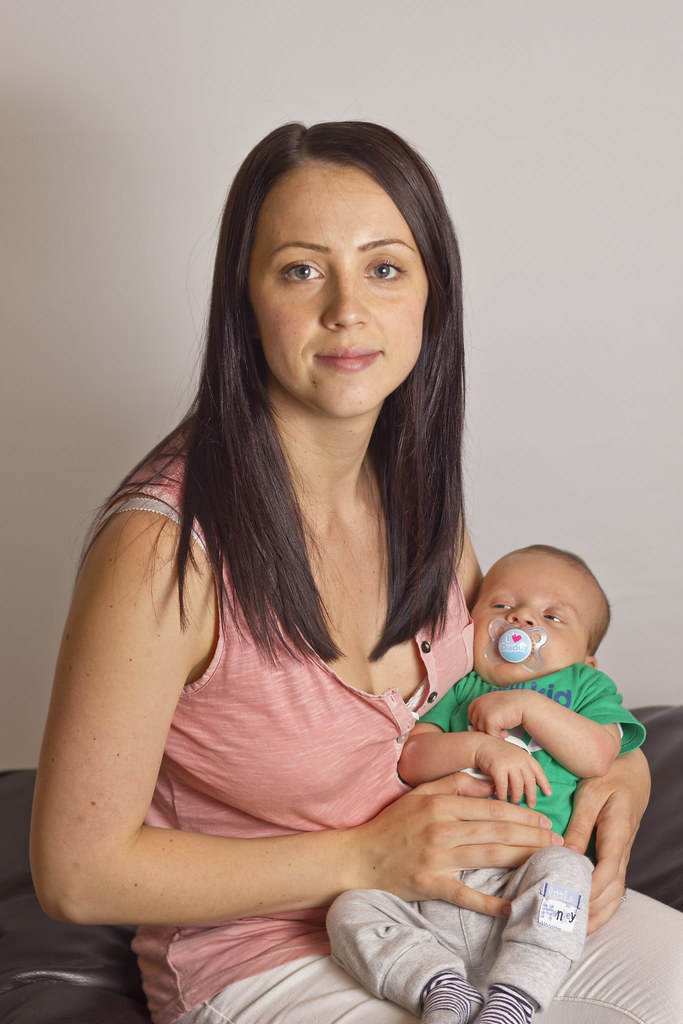
Heres my practice shots on my family, i appreicate i need more flashes to achieve what im after.

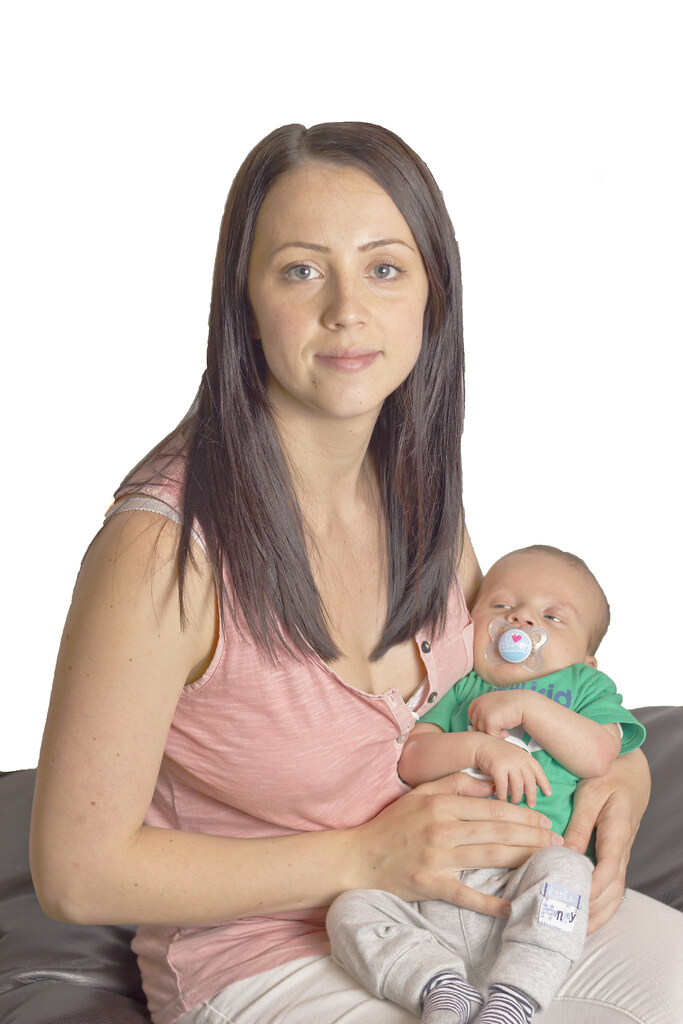
Ive got photoshop cs5 and rather a novice at it and still learning how to use properly, i thought it may be possible using the software to acheve a pure white background but the edges look crap, feel free to have a go at editing as im interested how someone with good photoshop skill would do it

original

lois and eddy original by GR3Z, on Flickr

My edit

lois and eddy edit by GR3Z, on Flickr
 
Last edited:
It isn't just the edges you've destroyed, it's the whole thing...

IMO the original photo is a pleasant shot, it looks fine against it's natural background and doesn't need 'improving'.
Some people seem to think that a pure white background looks 'professional' in some way - but even if that's true, it only looks good if it's done well.

If you really do want a white background then part of the answer is another couple of flash heads to light the background separately. But it doesn't end there, because you also need quite a lot of space between the subject and the background. Doing it it PS is no substitute for lighting it correctly, even if the PS work is done well.
 
I totally understand what your saying but things are tight at the mo, new baby, nappies clothes etc etc.....

what sort of flashes will I need, will an extra speed light be sufficient and where would I position it My living room is a decent size what sort of distances are we talking.

That picture was taken with just one speedlight through a brolly and I didn't use the reflector either, go easy on me as I only just bought the camera back in June to snap our little boy as he grows up, but I'm getting rather into it :)
 
Last edited:
If you really want to go with the white background look, then a couple of hotshoe flashguns will be needed (as a minimum). You can probably pick them up for almost nothing from a car boot sale. You'll need radio triggers to fire them.

As for space, the more the better, but personally I feel that 8' is about the minimum between subject and background. The greater the distance, the better it gets and the easier it gets.
 
The problem with your edit is the image lacks 'wrap' - that is, the white background should be reflecting off the sides/cheeks/hair which wraps around the subject. It's a fundamental part of the effect, and because that's missing from the original shot, the cut-out appears unnatural.

I have to agree with Garry that it looks nice enough with the background as shot, but if you want the pure white look - and I think it's terrific when done well, it's mainly photographers who've done it a million times before that are fed up with it ;) - then two basic manual hot shot guns plus triggers should do it.

If you stick to head and shoulders, or 3/4 length max, you should be okay. Getting the light coverage even on the background, and careful balancing of the background/foreground brightness ratio is the key (it's got to be over-exposed, but only very slightly). Be prepared for a bit of trial and error - lots of threads on here about that.

Yongnuo guns are very popular, and great value. Check out the Yongnuo YN460-II, which is about £40 on Amazon. It has a built in optical slave so will fire off your main flash without any extra triggers. Get a couple of cheap Konig stands, also Amazon :thumbs:
 
Thanks for in depth reply guys
I've got a similar flash gun already I've have the yn 468 flash with a rf 603 trigger, I'm a right in thinking, if I was to get two yn 460 to light the the background from either side, and then use my other flash gun to shoot through a brolly to light up person would this be ok and will optical slave firing of the background flashes be sufficient, what's the sync speed? Would I best getting some triggers... As I'm trying to keep the cost down
 
Last edited:
Thanks for in depth reply guys
I've got a similar flash gun already I've have the yn 468 flash with a rf 603 trigger, I'm a right in thinking, if I was to get two yn 460 to light the the background from either side, and then use my other flash gun to shoot through a brolly to light up person would this be ok and will optical slave firing of the background flashes be sufficient, what's the sync speed? Would I best getting some triggers... As I'm trying to keep the cost down

Yes, that's the idea. I think it's the YN 460MkII which has the better slave, but optical slaves fire instantly - no change in sync speed.
 
HoppyUK said:
yongnuo guns are very popular, and great value. Check out the Yongnuo YN460-II, which is about £40 on Amazon. It has a built in optical slave so will fire off your main flash without any extra triggers. Get a couple of cheap Konig stands, also Amazon :thumbs:

Iv just been practicing using my Flash gun in slave mode, as I only have one at the mo, and using the flash built into the camera to trigger it. My subject is lit but the back ground is grey, Is this because the on camera flash fires first, would I not have the same problem if I has two guns lighting up the background using them in slave mode. Am I right in thinking I'll need extra triggers to fire the rear guns to keep them in sync or am I missing something?
 
Iv just been practicing using my Flash gun in slave mode, as I only have one at the mo, and using the flash built into the camera to trigger it. My subject is lit but the back ground is grey, Is this because the on camera flash fires first, would I not have the same problem if I has two guns lighting up the background using them in slave mode. Am I right in thinking I'll need extra triggers to fire the rear guns to keep them in sync or am I missing something?

It sounds like a simple sync problem.

If you're triggering off the pop-up, then you need a slave with an S2 mode, which ignores the camera's pre-flash. You cannot disable the pre-flash on your camera.

Well, you can sort of. Try this: press the FEL* button which will fire the pre-flash. The slave will also fire, so allow it to recharge, then take the picture and this time only the main flash will fire from the pop-up so the slave will then be in sync.

Basically, you either need a slave with an S2 mode, or use a radio trigger.
 
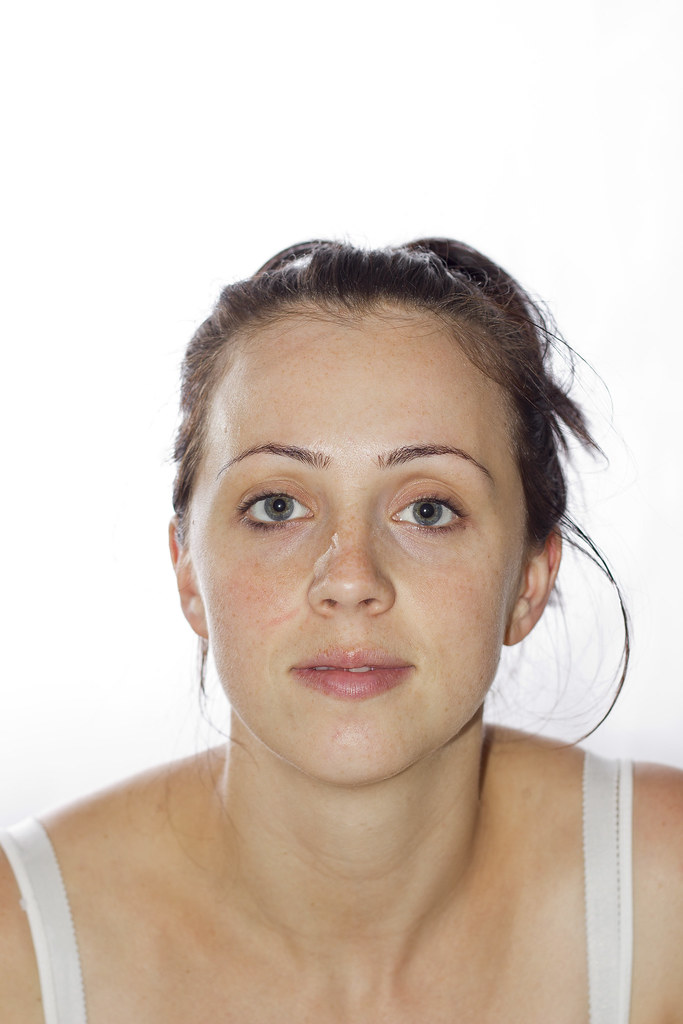
Tried it with the s2 option and it works but im lacking a flash from the other side and the pop up flash is to direct, I need to experement with flash powers too.


lois practice by GR3Z, on Flickr

I think im gonna get a pair of yn460 II for the background lighting and play around with shooting through a brolly for the subject light, would you say im heading in the right direction?
 
You're getting there, but a way to go yet. It looks like you are using the pop-up as both a main light and a trigger for the slaves - that's no way to go. Just forget the pop-up completely.

You need three guns, a shoot-through brolly and a reflector (DIY card and kitchen foil is fine). One radio trigger set (RF-602) for the main front light and, if the other two guns have integral slaves they'll fire off that. If not, receiver units also for those without.

Camera at eye height, position the brolly close to the camera, just above and to one side. You may or may not need the reflector, depending on how much light bounces back from around the room and the effect you want. Try it.

Make sure the background lights don't spill directly on to the subject (as they have done above). Shield them with bits of card and BluTack. Get the background as evenly lit as possible, and adjust the exposure so the background is a tad over exposed relative to the front. Half a stop over should do it (blown is blown) one stop max. When you get it right, the blinkies should be just flashing, but don't blitz it.

Those are the basics. The rest, in terms of positioning and ratios and distances etc etc, is down to you. BTW what focal length lens are you using there? It looks too close - try 50-100mm-ish.
 
For that shot I was using 50mm f1.8, I have the kit 18-55 and a 70-300.

As regards sticking card to my flashes, Is this to stop the light spilling sideways on to the subjects hair and face, do I need card on just the inside edge of the flashes more like a deflector, and how big do they need to be, would a snoot DIY snoot be ok?

What sort of aperture would you recommend?
 
For that shot I was using 50mm f1.8, I have the kit 18-55 and a 70-300.

Maybe it's just the square-on pose that's making me think it's wider than that. 50 1.8 is a good lens for portraits.

As regards sticking card to my flashes, Is this to stop the light spilling sideways on to the subjects hair and face, do I need card on just the inside edge of the flashes more like a deflector, and how big do they need to be, would a snoot DIY snoot be ok?

Size of a playing card, to just completely shield the subject from the background flash.

What sort of aperture would you recommend?

Start around f/5.6, and moderate with ISO according to exposure and the DoF you want.
 
Back
Top