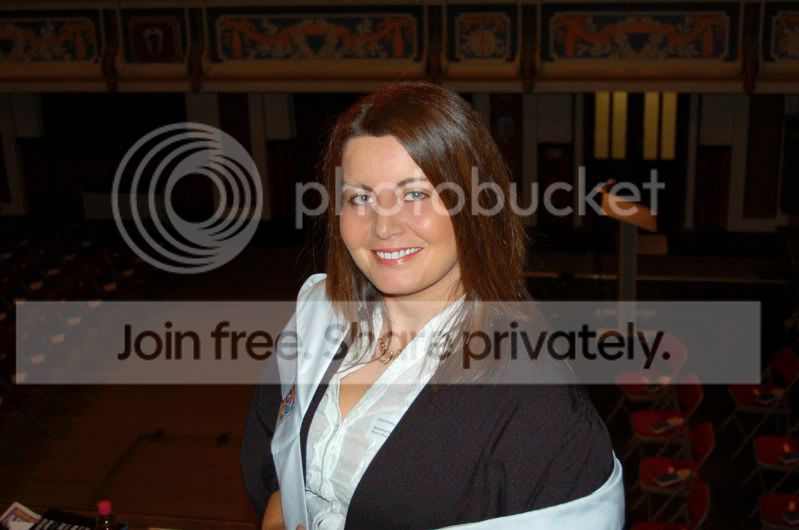
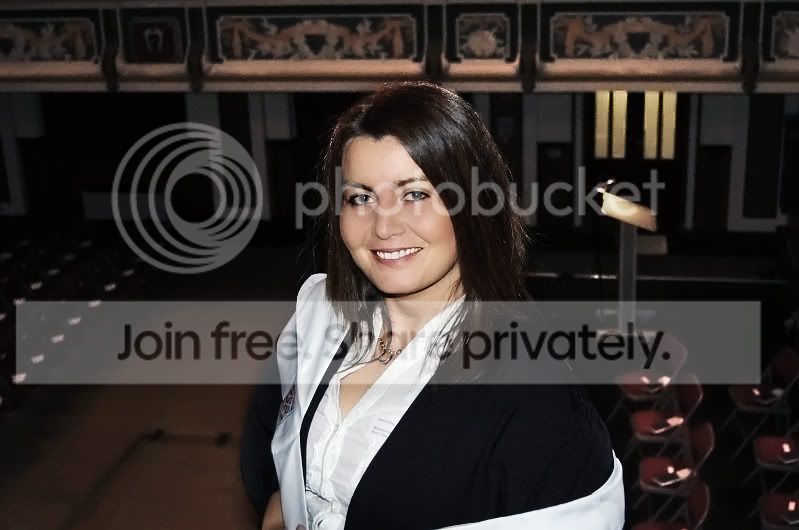
Help with this pic

markyboy.1967

Suspended / Banned
Messages
8,171
Name
Mark Molloy
Edit My Images
Yes
A while back my wife was studying Science and i was just got my first camera ( Nikon D50 ), i took this pic of the wife which she likes but often comments on the redness and roughness of her skin. She was all stressed at the time and broke out in a rash. Can anyone fix this for her especially around her forehead and nose area. I was only shooting in Jpeg at the time and even now i have little skills with photoshop..

Any other adjustments you think would help would be appreciated as well folks. Thanks...

Here goes-
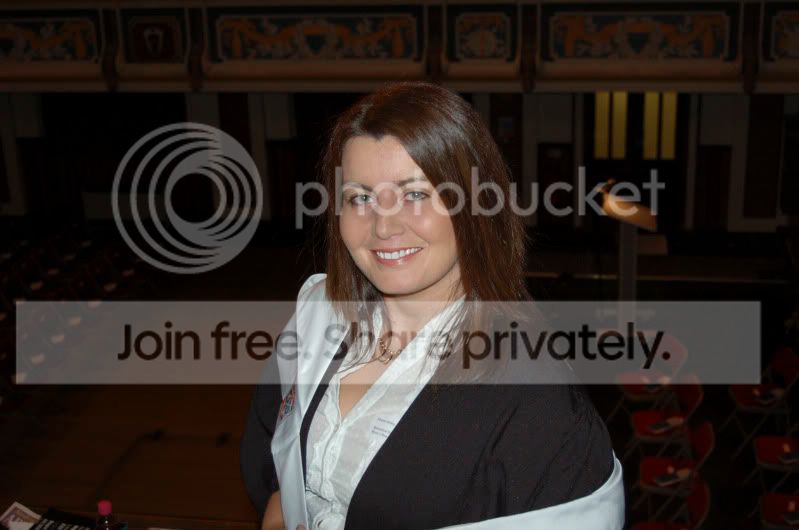
Shazzapic.jpg
 
Is that the original image or do you have a larger version?
 
Sorry not a member of flickr--any other way?


Thanks for the comments Rob , i think the same but she hates the redness and her teeth look yellowish ( i have adjusted slightly now ). She thinks her eyes are yellowish and i agree as she normally has a sparkle but she is tired and stressed and thinks the pic shows that---so any help would be great.
 
She looks fine to me too, I've softened her skin a bit but her eyes and teesth look perfectly white to me? Not sure if this is an improvement or not TBH

shazzapic.jpg
 
Here you go, soft light blend, blur layer and levels adjusted. Ran through neat image with level turned down to soften skin quickly and lightly.

4049968167_a4a59786f7_o.jpg
 
She was all stressed at the time and broke out in a rash. Can anyone fix this for her especially around her forehead and nose area.

Yes, but I'd want a bigger image.

The one you've posted looks fine to me. Good natural colour, and texture. I can see where there may be issues with the larger image, but it's fine as it is at this size.
 
The original looks fine to me, are you viewing it on a calibrated monitor?
 
Hope you dont mind but here are a couple from me

Shazzapic.jpg
Shazzapic-2.jpg
 
Not sure if I have pushed this one a little to far in the re-touch stakes, touched the skin tones with paint tool levels and curves adjustments, used imagenomic plug in to help even the tones a little more:

retouched-1.jpg
 
Not often I try portraits but does this help?
modelTP_edit.jpg


For the record I used LightZone software this has soem very nice ways IMO of handling such images that in PS are beyond me ~ everything I PP is done KISS method :lol:

If you get a trila version of the software I have saved my edit in form (I hope?) that I can send you that will open in LZ and show you the edits I made.

Edit ~ I think I have overcooked the 'skin glow' but do say what you think?

HTH :)
 
I think that ALL of the edits are poor (alby is the bestof a bad bunch). The original is fine.

The main problem is lighting and exposure.
 
Back
Top