
help with masks

neilr

Suspended / Banned
Messages
414
Name
Neil
Edit My Images
Yes
hi all, first attempt at masks, how do I stop getting a split line round the parts I have masked?
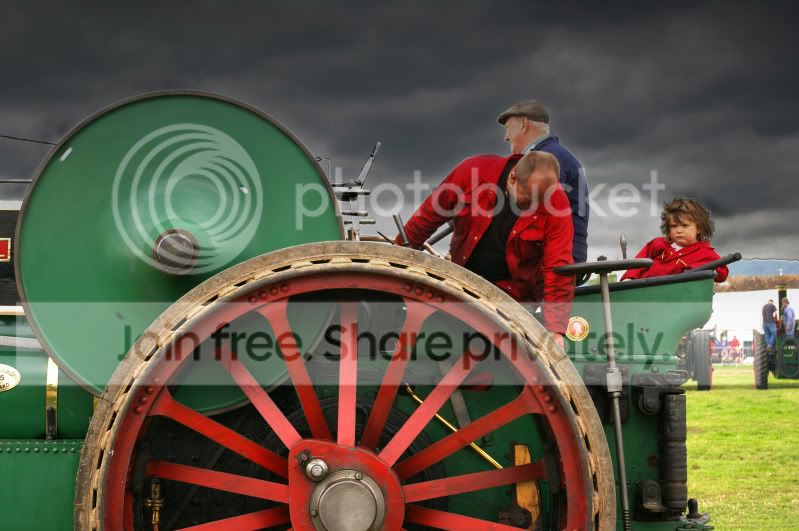
IMGP3110acopy.jpg


been working on the sky as it was very light. with a livels adjust on the forground. I know the tent in the background it too burnt out but think I can fix that.

hits and tips please.

cheers Neil
 
Get a medium sized soft brush, with a low flow (20%ish) and airbrush button on, zoom right in and brush the edges in / out as desired.

This should help blend the edges together softly, the low flow means it's not just dumping solid black/white and a a soft brush should give a nice gradient
 
You could also try clonning a small amount of background into the highlighted area.It can be a bit of a pain with a big job.

Try adding a soft edge to your mask. It doesn't need to be big a few pixels may be all you need. This will give a softer transition from foreground to background.
 
After you have a pretty good solid mask using whatever method you choose. Select the mask and go to Filter > Blur > Gaussian Blur. Apply a radius of 1 pixel, now go to Image > Adjustments > Levels, playing with the midpoint of your mask will allow you to control very finely, the transition areas of your mask, great for hair and other fiddly bits.

Taken from this thread:

http://www.talkphotography.co.uk/forums/showthread.php?t=139288

HTH
 
thanks for the replys guys, I will give it a go later.

Chaz I have used elements 3 for this but have just got CS3 at home not used either of them much due to the kids taking most my free time at home.

Jayst84 that clears it up a bit for me, working blind most of the time and guessing:thinking:, must get a book or something:)
 
Back
Top