Help with Instagram Images.

russellsnr

Suspended / Banned
Messages
3,121
Name
Russell
Edit My Images
Yes
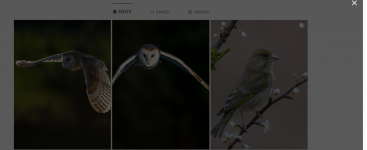
Hi, Help, for some reason when I click to enlarge my image/s on Instagram the page goes dark with a cancel X in top right corner, (see images below) and cannot see an enlarged version, worked OK before and not changed anything.
Thanks.
Russ.
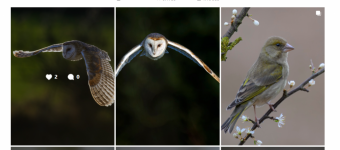
Screenshot 2025-03-27 125746.pngScreenshot 2025-03-27 125816.png
 
Have you tried all the obvious things.
Different browser, Clear Cache, Reboot PC etc.
Two different browsers, Reboot done Cache not done yet but will be thanks for suggestion.
 
If it's across browsers, it's unlikely to be cache.
Which browsers? Edge and Chrome are basically the same. Mozilla has a different code base.

Just so you are aware, Meta regularly do A/B Testing live and it could simply be that you are part of the test pool this time around, for an update that hasn't worked properly. I would suggest reporting it.
 
If it's across browsers, it's unlikely to be cache.
Which browsers? Edge and Chrome are basically the same. Mozilla has a different code base.

Just so you are aware, Meta regularly do A/B Testing live and it could simply be that you are part of the test pool this time around, for an update that hasn't worked properly. I would suggest reporting it.
Use DuckDuckGo, Firefox and have Google Chrome same on all of them. Thank You.
 
I have the same problem on my account. I can click on images of other users but I just get the empty shadow top layer with an X when I click on my own.

It happens on several systems I use. It's been happening for several days.

My suspicion is Instagram is a bit broken again. I had issues with logging in late last year that lasted a few weeks and then magically went away.
 
suspicion is Instagram is a bit broken again. I had issues with logging in late last year that lasted a few weeks and then magically went away
It takes took them a year to send me login passcode
 
Back
Top