

mikeyw
Suspended / Banned
- Messages
- 1,436
- Edit My Images
- Yes
Guys,
I'm pp'ing some images in LR for a client after a portrait shoot. They want them in B&W but when i do a greyscale conversion and print to a printer to test, 2 look blueish and 2 have a browny /sepia tint.
Is there a way to bring them all closer together....i'd rather not send prints out that are not consistent. On screen this subtle difference isn't visible only when printing.
I thought the temp setting in LR might help here but there are all fairly close on that front.
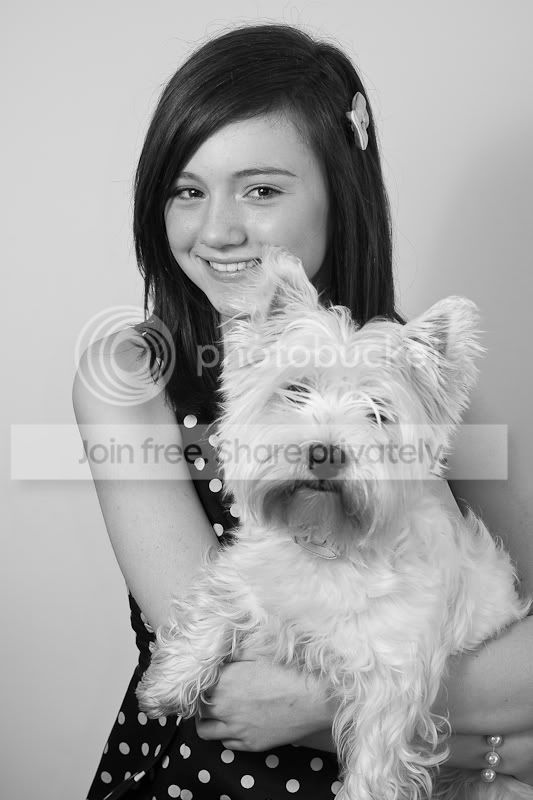
This one has a blue tinge when printed :-
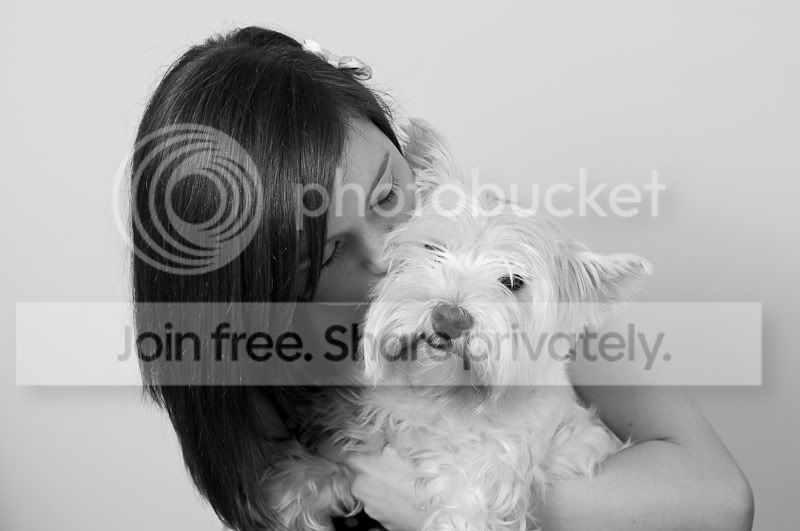
And this a browny tinge :-
While i'm here do you think they need vignettes ?
TIA,
Mike.
I'm pp'ing some images in LR for a client after a portrait shoot. They want them in B&W but when i do a greyscale conversion and print to a printer to test, 2 look blueish and 2 have a browny /sepia tint.
Is there a way to bring them all closer together....i'd rather not send prints out that are not consistent. On screen this subtle difference isn't visible only when printing.
I thought the temp setting in LR might help here but there are all fairly close on that front.
This one has a blue tinge when printed :-
And this a browny tinge :-
While i'm here do you think they need vignettes ?
TIA,
Mike.

