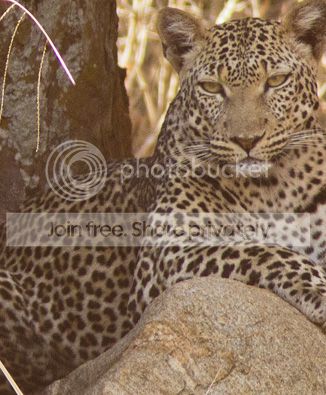
Help removing burnout/highlight on Leopard picture

dixon

Suspended / Banned
Messages
368
Name
Nigel
Edit My Images
Yes
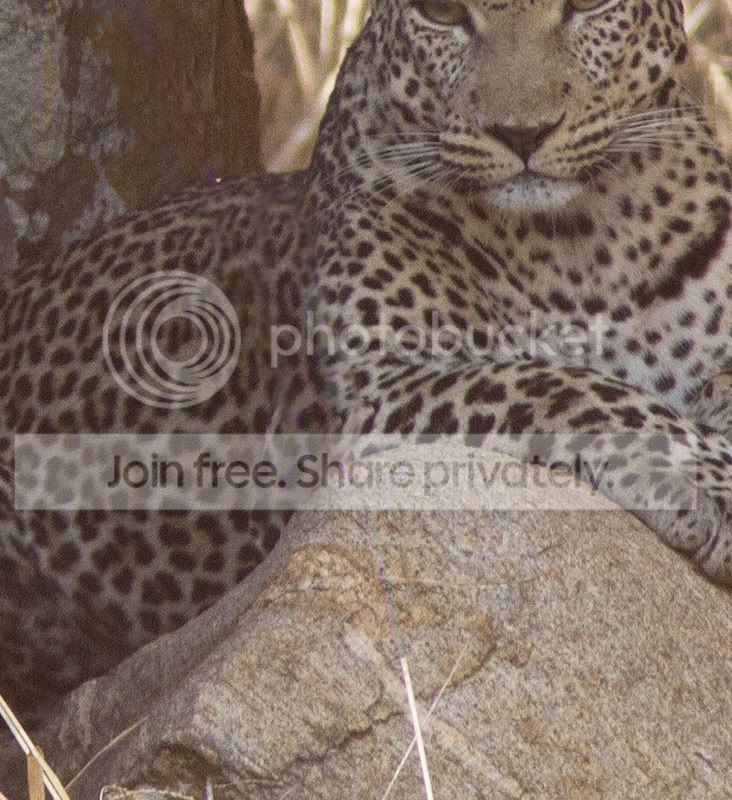
I am trying to clone out the large blade of grass which goes through the Leopards body. I can clone it out as in pic 2 but get this horrible pink line which remians.
Is there any way of removing this? I have used the recovery slider to full Photoshop CS5 but to no avail.
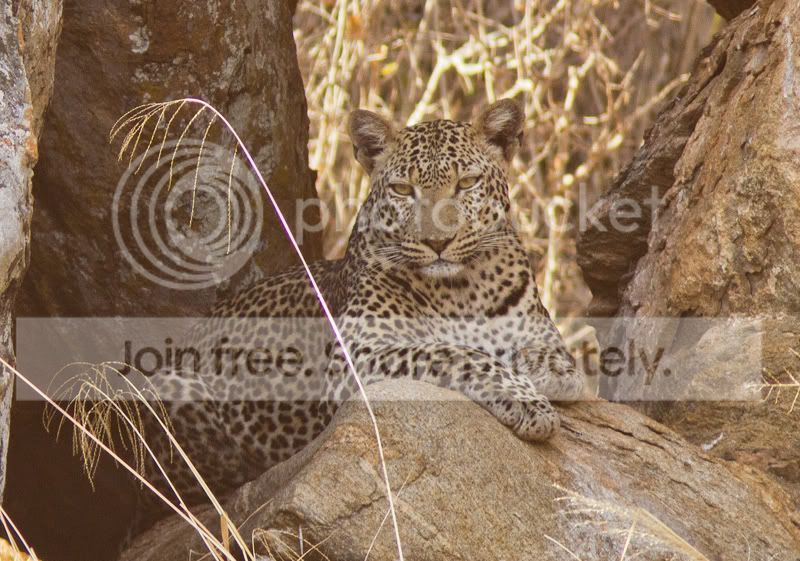
example_zps7cc1fa0e.jpg


example2_zps5009e8f9.jpg


Thanks for looking
Nigel
 
Have you tried content aware fill?
 
As you cloned out the blade can't you just do the same with the rest of it?
 
Thanks for the replies guys.

johnnypanic you're a star! That worked perfectly.

graphilly, U get the pink lines after cloning which were unmovable until I tried the above method of content aware fill.

Happy bunny now
Nigel
 
Thanks for the replies guys.

johnnypanic you're a star! That worked perfectly.

graphilly, U get the pink lines after cloning which were unmovable until I tried the above method of content aware fill.

Happy bunny now
Nigel

You've got me puzzled as to how you do your cloning now. I've never had pink lines. The idea of cloning is it clones a piece of the image that is there already. Unless it has pink lines in the area you clone from I can't think why you would get some added. I'm puzzled?
 
You've got me puzzled as to how you do your cloning now. I've never had pink lines. The idea of cloning is it clones a piece of the image that is there already. Unless it has pink lines in the area you clone from I can't think why you would get some added. I'm puzzled?

Sorry for the late reply bud but I work shifts. The problem stems from over exposure on the left hand side of the blade of grass I think, as I have never had this before either.
Feel free to have a go on the top image and see what results U get.

Cheers
dixon
 
Sorry for the late reply bud but I work shifts. The problem stems from over exposure on the left hand side of the blade of grass I think, as I have never had this before either.
Feel free to have a go on the top image and see what results U get.

Cheers
dixon

It wasn't so much why the pink line was there I understand that, it was more your cloning method. You've obviously cloned the bulk of the grass out but didn't continue to do the aberration.

I use the clone tool, set it to 'normal' set a size slightly bigger than the blade of grass, select an area adjacent to it and then clone in a line down over the grass, touch up selective areas of it to hide any 'obvious duplication'.

I'll give it a go and post back.
 
Content aware is the way to go ;)


example_zps7cc1fa0e1.jpg


Decided to do a bit of sharpening on it as well
 
Last edited:
It wasn't so much why the pink line was there I understand that, it was more your cloning method. You've obviously cloned the bulk of the grass out but didn't continue to do the aberration.

I use the clone tool, set it to 'normal' set a size slightly bigger than the blade of grass, select an area adjacent to it and then clone in a line down over the grass, touch up selective areas of it to hide any 'obvious duplication'.

I'll give it a go and post back.

I did no different to what U did so suspect I might need a reinstall of Photoshop as it seems to lock itself up a fair bit :bang:
 
Hi Dixon

The clone tool works well you need to work close and small, its a bit laborious but well worth the effort, not too keen on content aware, it does a job but for better results try persevering with the clone tool.
I did have some pink left around the fixed area, I just selected the are affected area and used Hue/Saturation selected the reds and desaturated, after that I colour corrected the image, a bit of dodge and burn and sharpen.

examplezps7cc1fa0ecopy.jpg


Wayne
 
Last edited:
Back
Top