
Help please

Crazyhorse

Suspended / Banned
Messages
1,331
Edit My Images
Yes
Hi

Is there any way of somehow copying the sea and pasting it so I have more sea and less sky in this pic? Or could anyone suggest another way?

If anyone could help me, it would be appreciated. I know its not the best pic in the world but I'm on a learning curve.

Many thanks.
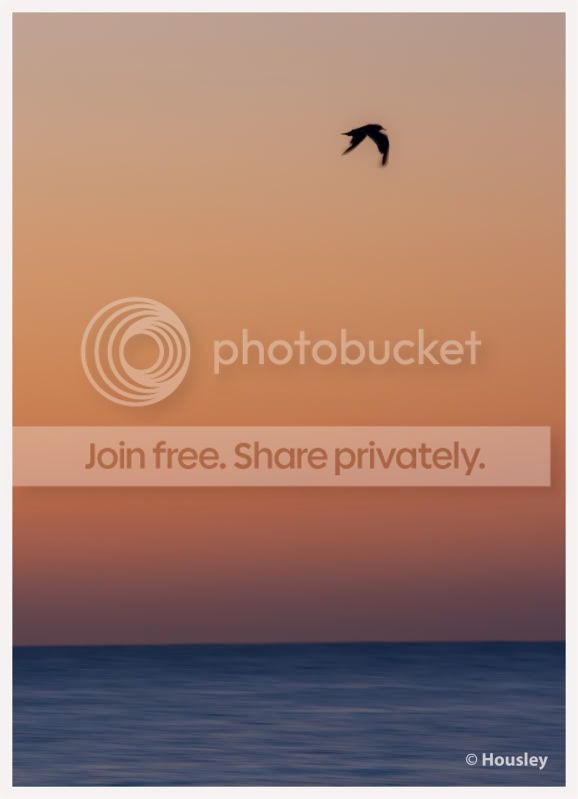
sky5.jpg
 
From the shot you have posted, adding more sea is going to be a problem IMHO.
The colour cast and light gradient changes with the distance from the horizon.

What you could do is use a 2nd layer and selective mask to select the birdy and move that down then you can crop off some of the sky and thereby "increase" the relative proportion of sea to sky.

Actually in this case I'm not sure that it's needed. I'd be tempted to make it taller and thinner by cropping a slice of the left edge.

NB: Your horizon is wonky
 
you can copy and paste the sea one on top of the other then run a
fine clone brush over the joins
but it looks a little odd


sky5.jpg


or select the bird onto a new layer, drop it down and tidy up the image
with a different crop
just a couple of quick efforts
it will look better if you spend a little time with it


sky5a.jpg
 
Oh, thanks ever so much guys.

p.s. I know the horizon is wonky, I'll try and sort it tomorrow.

Thanks ever so much again.

Lisa xx
 
another option, might be to copy the bird to a new layer. Then select the old layer, free transform tool, and stretch the sea upwards? This would compress the sky.
 
Back
Top