Help - Gaming monitor for ps5 & pc

scottduffy

Suspended / Banned
Messages
3,348
Name
Scott
Edit My Images
Yes
Hi Guy's,

My son is having his room redesigned and wants a gaming set up. We originally discussed an L shaped desk with one side dedicated to his laptop and a new monitor and the other side his PS5 and 47 in tv that he already has. I am however wondering whether to ditch the tv idea altogether and either use one or two monitors for both the laptop and PS5.

Are there advantages to doing this and if so what spec of monitor would give him the best experience for these two?

The main reason i thought of this is because in this room he'll be much closer to his screen so doesn't need a huge tv.

Secondly i assume the graphics on a monitor will be better.

Any recommendations appreciated. I can go two side by side or one curved. I will consider anything. He has his laptop. His keyboard and mouse in cupboard waiting on Santa bringing them.
 
Last edited:
I'm in a similar situation where I've got a cheap 4K 42" TV hooked up for my son's PC and Xbox, but I want to change both to a single monitor instead. The main reason is that the TV seems to emit more pollution than a monitor, although maybe that's down to it being a cheapo one and like you I feel that a 42" TV so close is not good.

For my own setup I took a chance and get a curved monitor and it's turned out great for both movies and games because you are close enough to get the immersive experience. Handy for business use as well as it means data at the edges are not further away and harder to read. It's a 34" Gigabyte G34WQC A and so far has been great so I'll probably get another one for him.
 
I'm in a similar situation where I've got a cheap 4K 42" TV hooked up for my son's PC and Xbox, but I want to change both to a single monitor instead. The main reason is that the TV seems to emit more pollution than a monitor, although maybe that's down to it being a cheapo one and like you I feel that a 42" TV so close is not good.

For my own setup I took a chance and get a curved monitor and it's turned out great for both movies and games because you are close enough to get the immersive experience. Handy for business use as well as it means data at the edges are not further away and harder to read. It's a 34" Gigabyte G34WQC A and so far has been great so I'll probably get another one for him.
Thanks mate. I'll check this out asap.
 
The main reason is that the TV seems to emit more pollution than a monitor
Crt and plasma days are long gone, unless you just mean cheap ones with that usual "Chinese plastic" smell.
 
Crt and plasma days are long gone, unless you just mean cheap ones with that usual "Chinese plastic" smell.

It's just that nasty pollution type smell. It's a cheap JVC but served us well.
 
For the ps5 you want a 120hz monitor with vrr/g-sync and would probably be looking at 1440p.

Ideally you would want 4k but very few monitors have hdmi 2 unless you want to pay 1k plus.

Other option but again pricey (1k plus)would be a LG c1/c2 which you can get as small as 48c1/42c2 and work well as a pc monitor, just don’t leave anything on with a static image as there’s a chance of burn in with oled.
This also offers the best experience for watching movies especially if you go larger.

I run a 55 c1 for my series x and while people say competitively that smaller is better I love it even with fast fps games like war zone . 4k 120hz with vrr and Dolby vision
 
I thought HDMI 2.0 ports were pretty common now, the monitor I listed above has two of them as well as a Display Port 1.4?
 
You need hdmi 2.1 for VRR/ALLM and 4k 120hrz

Jeez, I can't keep up all this! lol

I think the monitor I have does some trickery to be able to quote 1ms and 144Hz, maybe that's why it can use 2.0?
 
How old is he - the 120hz vrr tvs would be optimal for PS5 but if hes young enough he wont be able to tell the difference probably. If hes coming to secondary school I would say what you have already works and perhaps involve him in the design choices. The desk will be mainly used for surfing and school work?

The tv can be away from that area and somewhere he can break out to when not studying/working . When I was young we played multiplayer n64 on a 14 inch CRT( ive no idea how) so the 47 inch tv will be a god send when his mates are around playing fifa
 
My Samsung TV does 4k 120hz but has no 2.1 ports.
If you can make your own profile and change to 4:2:0 croma with 8 bit colour it’s possible. Which would max out 2.0b 18gbps capacity.

While 2.1 is 48gbps

this would mean no vrr and obviously hdr , and I think to be fair vrr is more important, I can definitely notice this when it doesn’t turn on sometimes when I first load my xbox
 
Last edited:
If you can make your own profile and change to 4:2:0 croma with 8 bit colour it’s possible. Which would max out 2.0b 18gbps capacity.

While 2.1 is 48gbps

this would mean no vrr and obviously hdr , and I think to be fair vrr is more important, I can definitely notice this when it doesn’t turn on sometimes when I first load my xbox
It has VRR and HDR in 4K out of the box :)
 
Last edited:
Well it either has hdmi 2.1 or can’t do the above all at the same time.
It’s not possible due the the amount of data needed.

Which model is it?
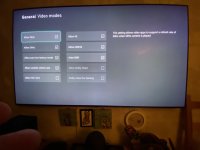
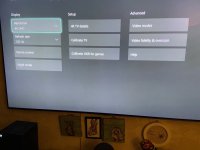
samsung qe65q85r excuse the crappy photo and the fingers :lol:

IMG_0414 2.jpgIMG_0413.jpg
 
Last edited:
samsung qe65q85r excuse the crappy photo and the fingers :LOL:

View attachment 370556View attachment 370557
You are right it is hdmi 2.0 and offers vrr and allm

And can offer all these but still not sure it can do 4k and 120hza with hdr
If you go to 4k tv details all should be green ticks bar Dolby vision( Samsung don’t support it) but I have it turned off anyway as it can cause issue on some games

Edit… looking into it hdmi port 4 on the connect box has a non standard hdmi. Somewhere between 2.0&2.1 runnning 25gbps
 
Last edited:
Back
Top