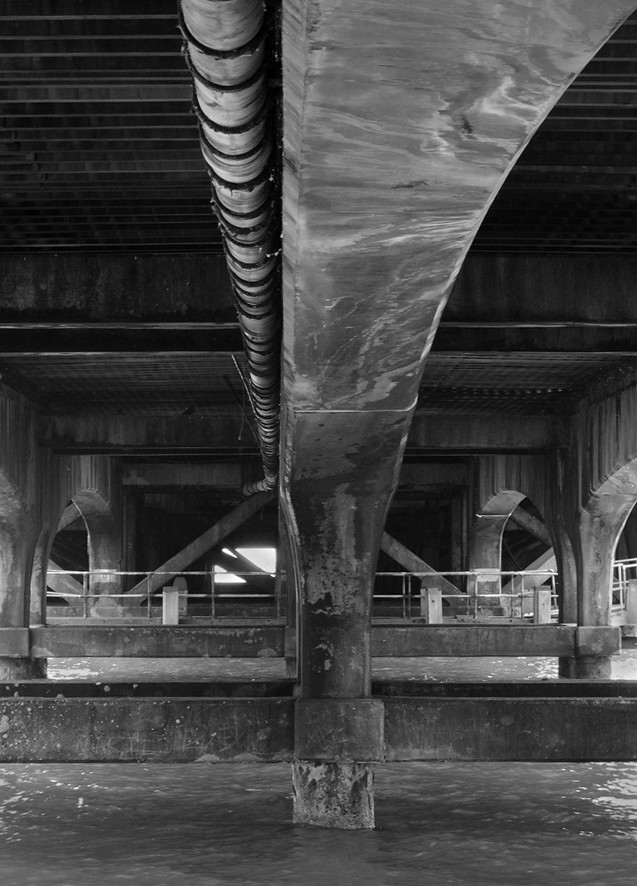
Help editting this image

greenoak

Suspended / Banned
Messages
1,221
Name
Carl
Edit My Images
Yes
My camera club topic for September is Black and white and I feel that this image would look really good b & w
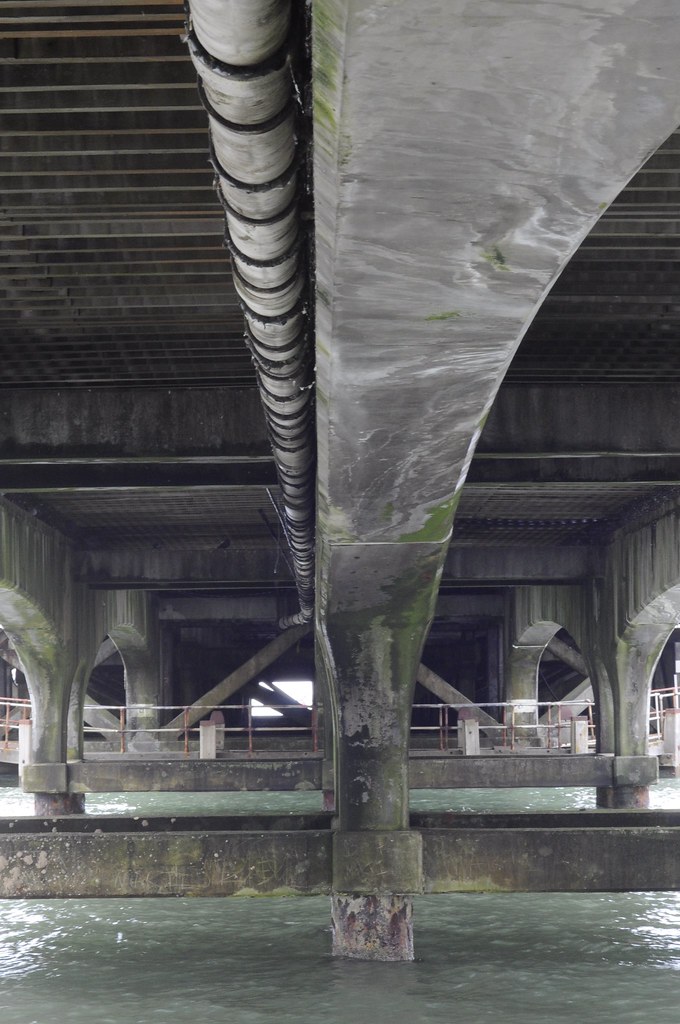
7997490306_45a31cf061_b.jpg


I have lightroom 3 but my friend told me Convert to mono - straighten it, crop it, sharpen it, tweak the levels and good to go. Well I can do the crop bit I am a bit lost after that.

Can anyone help point me in right direction.

Thanks
 
Last edited:
Well for starters it don't look black and white to me?
 
Sorry cant help LR, but it must be similar to PS,first I used the ruler tool and rotated arbitrary, cropped to the post, so its coming from the corner, then level for contrast, then desaturated and used levels to add more contrast, sharped it with high pass filter, changed layer mode to overlay, then lens correction to add a slight vignette, I would also like to do it a bit more grittier, but not sure about the edit rules for your club

7997567448_3ee327baea_b.jpg
 
Last edited:
Ah, sorry :lol:
 
Thanks Dave.

Sounds a lot more than a 3 minute task my friend suggested.

I loved all the marble like staining on the overhead pillar together with the pipe

gritty is good. I know the old boys in the club will hate it as far to "ARTTY" They never like my photos anyway. Give them a crisp ultra sharp clean image and that will get thumbs up from them but I dont care.
 
Thanks Dave.

Sounds a lot more than a 3 minute task my friend suggested.

I loved all the marble like staining on the overhead pillar together with the pipe

gritty is good. I know the old boys in the club will hate it as far to "ARTTY" They never like my photos anyway. Give them a crisp ultra sharp clean image and that will get thumbs up from them but I dont care.

it only took about 3mins, maybe less, it took longer for me to type it :lol: forgot to say I did a bit of burning and cropped to the column on the left
 
My camera club topic for September is Black and white and I feel that this image would look really good b & w

7997490306_45a31cf061_b.jpg


I have lightroom 3 but my friend told me Convert to mono - straighten it, crop it, sharpen it, tweak the levels and good to go. Well I can do the crop bit I am a bit lost after that.

Can anyone help point me in right direction.

Thanks

For a start lightroom hasn't got levels so he's probably talking about photoshop.
You can do the straighten in the crop, just move the curser outside a corner of the crop box and rotate.
The black and white option is at the top right (above white balance) click that then on the HSL/colour palette you have the b+w options ajust the various sliders ontill you like to look.
Sharpening is the detail palette, again ajust to suit your taste.
Levels you haven't got but you do have a tone curve, try a gentle S shape and see if that helps boost contrast a bit, I'd also try a bit of clarity but don't go too far.
 
7997490306_45a31cf061_b.jpg


1) Straightened
2) Converted to black and White (Used channel mixer, dropped reds increased blues...I know there are better ways but was going for quick and easy :) )
4) Added detail
5) Added a slight flare just for the 'ell of it
5) sharpened

2 to 3 mins for the whole lot...(i used photoshop)
 
Last edited:
I think that looks good.

For me it looks so much better b and w.

So how do you mount b and whites. Black frame with white bevel.?
 
I did mention I was using PS

Then why does it say I have lightroom 3 on the OP?

"I have lightroom 3 but my friend told me Convert to mono - straighten it, crop it, sharpen it, tweak the levels and good to go. Well I can do the crop bit I am a bit lost after that.

Can anyone help point me in right direction."
 
Last edited:
For camera club you have to print and mount so I need to get a correct size frame... Old fashioned club...
 
For camera club you have to print and mount so I need to get a correct size frame... Old fashioned club...

I don't think mounted prints are that 'old fashioned' for clubs, are they? Or did you mean you can't show them as a PDI?

Most I know of run both print and PDI sections as a minimum.
 
Back
Top