Chris Fallon
Suspended / Banned
- Messages
- 493
- Name
- Chris
- Edit My Images
- Yes
Hey guys.
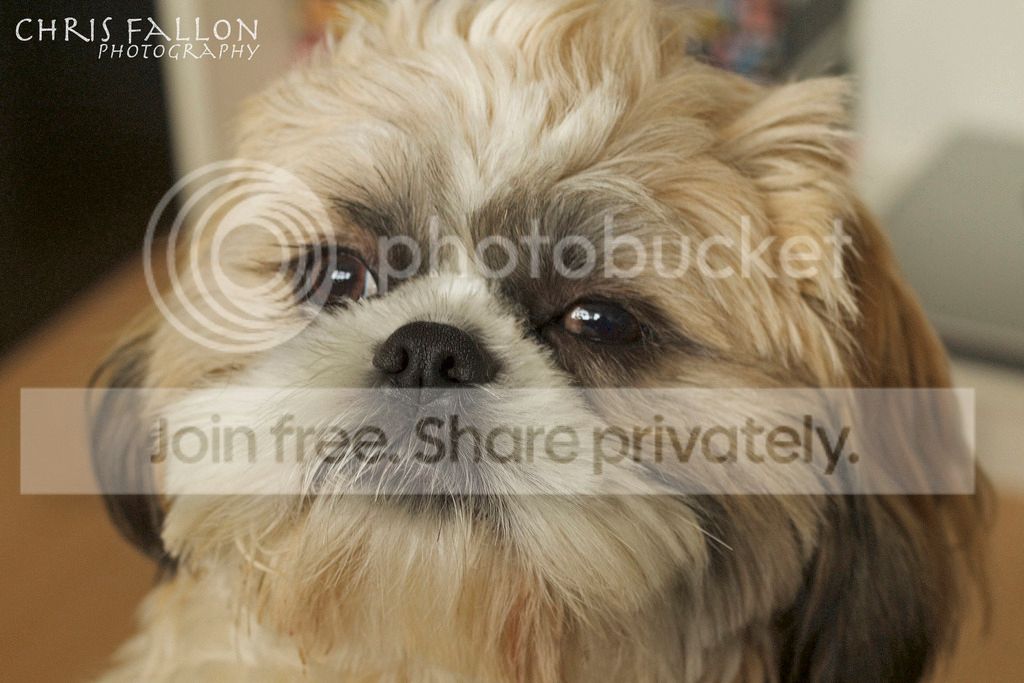
I've taken this shot of our little Shih Tzu puppy and need a little guidance removing a blade of grass that he had to the right of his mouth.
I am using Photoshop Elements 12 - I have had an attempt at removing it with the spot healing brush but as you can see it is still very noticeable.
Any help would me hugely appreciated.
Thanks.
 IMG_4007 by chris.fallon1982, on Flickr
I've taken this shot of our little Shih Tzu puppy and need a little guidance removing a blade of grass that he had to the right of his mouth.
I am using Photoshop Elements 12 - I have had an attempt at removing it with the spot healing brush but as you can see it is still very noticeable.
Any help would me hugely appreciated.
Thanks.
IMG_4007 by chris.fallon1982, on Flickr