HDR Help & Tips Please....

Trev Rich

Suspended / Banned
Messages
3,836
Name
Trev
Edit My Images
Yes
I'm a fan of HDR.. not teh massively over processed ones but the ones that are just right :thumbs:
I have Lightroom and Photomatrix, I shoot in raw to get the 3 images done in LR..

But I just cant seem to get the right look and its really frustrating me.
Anyone have any tips?
Like do you do any editing before putting it through photomatrix?
What sort of setting do you use in photomatrix?
(i just keep sliding everything back and forth but never really seem to hit the button)
And do you do much processing to the image obtained by photomatrix?

I have read PeteMC's guide in VanillaDays but feel I still need more help....

Thanks in advance :thumbs:
 
I normally add a bit of contrast back to an image by adjusting curves. And perhaps de-saturate a bit too
 
Here a a few of my before and afters..
all processed in Lightroom.. eported as 3 image (-2 0 +2 exp) from raw file then put through matrix. No photoshop.
Where am I going wrong?

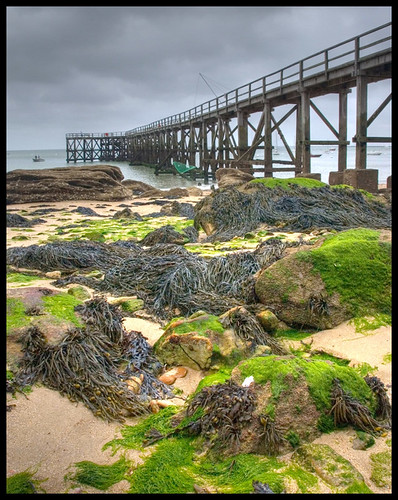
1. untouched coastguard
coastguardnd.jpg


2. HDR coastguard
coastguardhdr.jpg


3. courtyard Untouched
lulworthcastlecourtyardnd.jpg


4. courtyard HDR
lulworthcastlecourtyardhdr.jpg
 
I think they are just a bit over saturated, if you use the values suggested in the link i sent you, then you won't go far wrong...

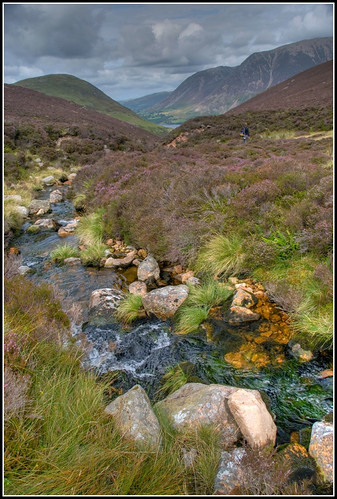
Here's a 2 of mine, these were first attempts but you get the idea.

JB

2292402586_151c25a167.jpg
2291620849_7e754c2285.jpg
 
Here a a few of my before and afters..
all processed in Lightroom.. eported as 3 image (-2 0 +2 exp) from raw file then put through matrix. No photoshop.
Where am I going wrong?

1. untouched coastguard
coastguardnd.jpg


2. HDR coastguard
coastguardhdr.jpg


3. courtyard Untouched
lulworthcastlecourtyardnd.jpg


4. courtyard HDR
lulworthcastlecourtyardhdr.jpg

I dont think you are going wrong anywhere really. Might be worth lowering the gamma a bit and using white level to bring up the brighness a bit in the sky on the first one. It is a bit hard to say really without being able to play with the sliders myself. If you want to send me the RAW of one of them I will try and processes it myself and then send you a save of the settings I use in photomatix so you can see how they differed to yours, if you like?

Also I dont tend to use a +2 exposure as I find it too noisy, so tend to use -2, -1, 0 and +1 - using 4 always seems to give me a bit to play with.
 
I dont think you are going wrong anywhere really. Might be worth lowering the gamma a bit and using white level to bring up the brighness a bit in the sky on the first one. It is a bit hard to say really without being able to play with the sliders myself. If you want to send me the RAW of one of them I will try and processes it myself and then send you a save of the settings I use in photomatix so you can see how they differed to yours, if you like?

Also I dont tend to use a +2 exposure as I find it too noisy, so tend to use -2, -1, 0 and +1 - using 4 always seems to give me a bit to play with.

I was thinking that +2 was a bit severe..
I wil try again later tonight when I get home from work.
I will post a link to a raw file here of the 1st shot so you or anyone else can have a go.:thumbs:

thanks
 
Had a pretty quick play in photomatix and using one of my presets of "Warm Landscape" I toned the warmth down a bit and increased the black levels a bit etc, and came out with this:
http://www.jimmylemon.co.uk/uploads/TP/coastguard/CoastGuardFiddle-tonemapped.jpg (Full Sized 10mb Jpeg)

Using this preset in Photomatix - http://www.jimmylemon.co.uk/uploads/TP/coastguard/Coastguard.xmp (which should be loadable in photomatix tonemapping window)

Then had a quick play in photoshop to get what I would probably have posted on here if it had been my shot:
CoastGuardFiddle-Web800.jpg


Hope that helps in someway :)
 
i actually liek your first attempts better than the pimped ones......... the colours are natural and at the end of the day thats what HDR is all about......... trying to reproduce an image with the dynamic range that the eye saw....... not replace the colours with over saturated painterly effects.......
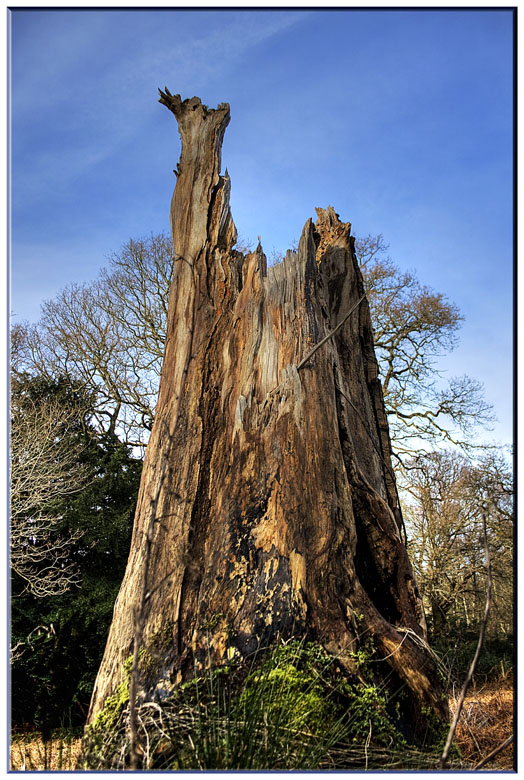
my latest attempt..........

2288987745_e9f214696b_o.jpg
 
Loving that one Jimmy!
I've tried downloading the preset but its a text file :(
but what I have noticed is that this image still doesnt seem to work as other peoples HDR's have turned out.
Maybe this just isnt the type of image that works in HDR.. if you know what I mean?
It has worked wonders on the pic.. yes. But it's still not the effect that im looking for to apply to other images.

If you wee to take an image that you are planning to do in HDR.. what would you think about when taking the shot?
 
Loving that one Jimmy!
I've tried downloading the preset but its a text file :(
but what I have noticed is that this image still doesnt seem to work as other peoples HDR's have turned out.
Maybe this just isnt the type of image that works in HDR.. if you know what I mean?

It is an odd text file thing but should still be able to be opened by Photomatix, when you go to the tonemap window there is a box that says "Previous" "Load" "Save" etc on the left somewhere, click load on there and navigate to that file I linked to on your HDD and it should work, it just moved the sliders to those values shown in the text file thing.

And yeah I know what you mean about some images working better than others. To be honest your shot doesnt have any harsh shadows or blown highlights which are the sort of shots I tend to HDR. You shot pretty much has the tones all covered as it is, HDRing shots like that do let you just tweak it really.

Give it a go with a shot that has a pretty much blown out sky and see what happens then :)
 
Good effort krazy horse, not enough dark tones though in my opinion.

Jimmy... I will have another go soon with a different shot and see how it goes.
i will post it here for your approval / disaproval :)
 
Back
Top