
Getting photoshop to match web?

thompo

Suspended / Banned
Messages
576
Name
Neil Thompson
Edit My Images
Yes
Hello

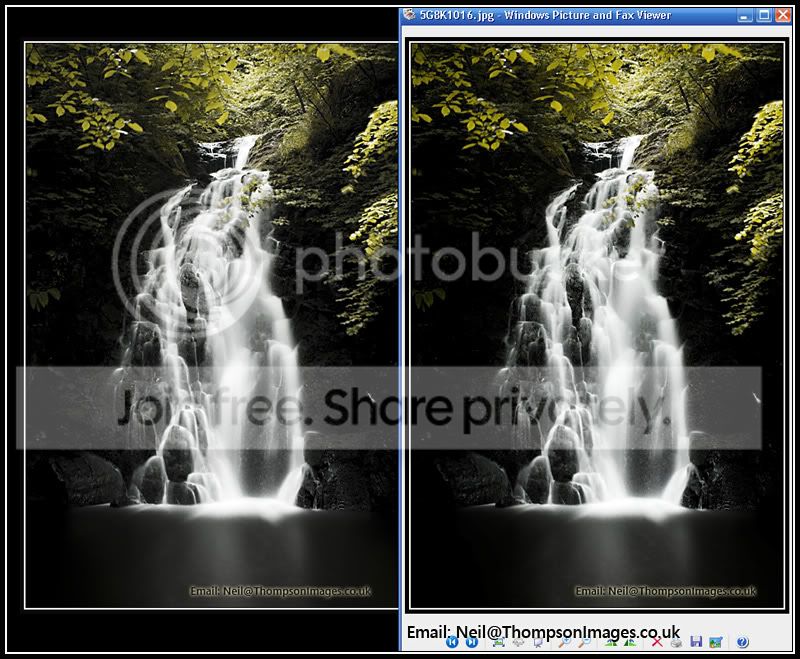
If i save a file i have worked on in CS3, the resulting jpeg never seems to be same as what ive created!

Ive tried to show this below. Its a screen dump with photoshop image open on the left and the same file just uploaded to the web on the right.
Untitled-1.jpg


It seems the saturation is pushed up and and the brightness and contrast are different too :(

Any ideas?

#Edit, reposted a better image. Also What i get when uploaded to web seems to match what i see when i open the jpeg in Windows image viewer.
 
By the way because it is a screen grab both images appear the same as it is not colour managed and is being viewed and saved in your monitors colour space.

If you are not saving your jpeg in the srg colour space and it has a embeded Adobe rgb colour space this is the probable reason you are seeing a difference, the world wide web is not colour managed and neither are the majority of browsers that people use. You need to convert your image to the srgb colour space before uploading to the web.

As a example the top image is in srgb and is displaying correctly on the web the bottom one has a Adobe RGB profile embeded and does not display correctly.

How much difference you see from a little to a lot will depend on your monitor .

122989201.jpg

122989200.jpg
 
How much difference you see from a little to a lot will depend on your monitor

And even more, it will depend on your web browser. Your two leaf examples look almost identical to me, but I'm using Safari which renders both photos using the embedded profiles in each one.

However, your advice is spot on. When uploading photos for viewing on the Internet, convert them to an sRGB colour space before saving a copy for the web.

Internet Explorer assumes everything uses sRGB and will render incorrect colours for any other colour profile. Firefox 3.5 and later have colour management enabled by default, so the last two examples should look the same, as they are in Safari.

Moreover, by saving with sRGB, if your file somehow later gets stripped of its colour profile tag, it will still display correctly where any browser (whether colour-managed or not) assumes an sRGB profile for untagged files.

p.s.

#Edit, reposted a better image. Also What i get when uploaded to web seems to match what i see when i open the jpeg in Windows image viewer.

Windows image viewer also ignores any colour tags, which is why it's doing the same thing
 
Back
Top