Flickr, how to copy the BBcode on an iPad.

Dave in Wales

Suspended / Banned
Messages
3,373
Edit My Images
Yes
Tap on the BBCode in the box once, it will flash grey once.

Then with two fingers at the 'same time' tap on the same BBcode in the box and iOS will select the entire text automatically and provide a 'copy' request.

It works for me....:banana:
 
Last edited:
Tap on the BBCode in the box once, it will flash grey once.

Then with two fingers at the 'same time' tap on the same BBcode in the box and iOS will select the entire text automatically and provide a 'copy' request.

Ii works for me....:banana:

Works for me too (using Flickr via the Safari browser).
 
Last edited:
Tap on the BBCode in the box once, it will flash grey once.

Then with two fingers at the 'same time' tap on the same BBcode in the box and iOS will select the entire text automatically and provide a 'copy' request.

It works for me....:banana:


You da man !! Just for you...:jaffa: :jaffa: :jaffa:
 
Anyone got this to work with ios9 ? Am having no luck this evening
 
Press and hold, you may need to wiggle your finger so all the text is highlighted and then the copy tab pops up

It's far from perfect
 
This only works if you access Flickr through your browser. I can't access the bb code in the app.
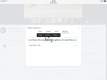
Press screen until a word highlights......
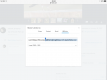
Then slowly drag the right hand "dot" downwards until it highlights everything to the right.....
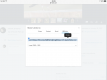
Then slowly drag the left hand "dot" upwards until it highlights everything to the left, then select "copy"

image.png image.png image.png
 
Last edited:
Press screen until a word highlights......
Then slowly drag the right hand "dot" downwards until it highlights everything to the right.....
Then slowly drag the left hand "dot" upwards until it highlights everything to the left, then select "copy"

View attachment 95651 View attachment 95652 View attachment 95653

Are you in the app or accessing through your browser? I cannot even find the BB code on the app, although I might be looking in the wrong place.
 
Are you in the app or accessing through your browser? I cannot even find the BB code on the app, although I might be looking in the wrong place.
Accessing through browser. The app is crap. :) I can't access the bb code in the app either.
 
Last edited:
Just use the desktop view and do it as you would normally. you will have to enter into the address bar www.flickr.com forward slash your username or it will direct you to the mobile view.
 
This only works if you access Flickr through your browser. I can't access the bb code in the app.
Press screen until a word highlights......
Then slowly drag the right hand "dot" downwards until it highlights everything to the right.....
Then slowly drag the left hand "dot" upwards until it highlights everything to the left, then select "copy"

View attachment 95651 View attachment 95652 View attachment 95653
Thanks for that, that way works for me in the browser and non mobile Flickr site. I've been using the Flickr stacker app since they made this change.
 
Back
Top