First desktop in a long time, will it fulfill my needs?

Cagey75

Suspended / Banned
Messages
17,146
Name
Keith
Edit My Images
No
I'm looking at buying a desktop, first time in a decade! been using a 1st gen i7 laptop for about 8 years now and it's dying hard. It was never impressive from the start tbh as it had a poor Gpu [640m] and slow HDD - over the years of course I've clogged it up with all kinds of junk and now it's time to upgrade

I want something mid range, will most likely buy used [from a trusted seller] - it's a total mind bender out there with so many varying secs. But have spotted one within budget that seems it could do the job for casual gaming and of course, LR and PS. It's got an i5 6500 3.2Ghz chip with a GTX 1060 3GB DDR5 [oc version I believe] , 120 SSD boot drive [windows and maybe stick LR & PS on there?] + 2TB HDD, plenty of space for storage and games. Any games I play would be a few years old, been wanting to try the Witcher III for example - not into all the Fortnite/Overwatch/Apex etc FPS types.

It comes with 8GB DDR4 RAM, and I would certainly try match the same stick to bring it to 16GB

The motherboard [one area I know nothing about] is a Gigabyte Hlbm - S2H 500w

Would this do the trick?

There's a bunch of other [better but pricier] options that I might be able to bump to [Ryzen chips with better GPU like Rx580 etc] but mostly they are missing extras like the HDD, wi-fi card or other bits n bobs. And I don't see myself hardcore gaming or doing any video editing any time soon so might be wasted on me when I can put the extra funds toward other gear [wireless mouse/kb, decent headset etc]
 
Last edited:
I think, in general, it should work for you. If you find the i5-6500 is insufficient then you can get an i7-6xxx or i7-7xxx from the likes of CEX.
I'd prefer to see 240GB or 256GB as the boot drive these days but, again, that's something that can be upgraded later.
There's something wrong with your description of the motherboard as it seems to be merged with the power supply.
 
@Cagey75 It will be fine. It can cope.

Any computers will do fine as long as it got more than enough memory and bigger storage space. Nowadays any computers could cope. It is the same with cameras, any cameras could do any job.

It is not like "Sorry, but an Intel i3 can't do that, only an i5 can do that." because that would be, in photography analogy, like saying "Sorry, but a Nikon D3 can't do that sort sport photography, only a Nikon D5 can do that."

Many, many, computers nowadays, are capable of doing most of the general software application. Usually the more powerful the computer, the better workflow, but generally most computers are fine for most people's need. Hollywood special effects people are the ones that want a more powerful supercomputer.

Please stop worrying, just make sure any computer you buy have to have at latest a minimum of 8GB of RAM, and minimum of 500GB SSD.

The 120GB SSD you mention may be fine, if you make sure you only limit the software you install on it, only Windows, Lightroom, Photoshop, and a very limited number of application software. You can always upgrade to a 250GB or 500GB SSD now or later if you wish, that's one of the desktop PC's main advantages, upgradeable. The more software you're likely to want to install, the bigger the storage space on the SSD, the better.

I have 250GB SSD, I only have Windows, Lightroom, Photoshop, InDesign, Illustrator, Premiere Pro, Office 365, Office 97, and iTunes on it, but the kids did somehow downloaded a lot of junk files on it, and yet, I still have about 35GB of storage space left. I'm hoping to uninstall some of the junk I no longer need. But if you're only after Lightroom and Photoshop, you may be fine as long as you make sure you keep housekeeping on your SSD (meaning make sure you uninstall software you never used, and delete junk files.)
 
You haven't said how much the computer is. The spec is ok albeit the processor is quite old (5 years) and we've moved on a long way since SkyLake., If your telling me it is anywhere near say £500 used it isn't a good deal imo. I'd be expecting that spec to be closer to 250-300 used for the desktop alone
 
120GB drive for Windows is on the small size, at least double it
 
Please be aware that pc components are built for a 5/6 year life.
I know we've all had components for much longer but after 5 years the mean failure rate goes through the roof.
And refurbished means"we've dusted it".
 
You haven't said how much the computer is. The spec is ok albeit the processor is quite old (5 years) and we've moved on a long way since SkyLake., If your telling me it is anywhere near say £500 used it isn't a good deal imo. I'd be expecting that spec to be closer to 250-300 used for the desktop alone

It was €500 all in inc keyboard, mouse and wi-fi dongle. That's about £430 or thereabouts. It's considered a good deal over here as prices are always higher than UK for any kind of tech gear, same for photography.
 
At the moment it's about €600 [£530-ish] but I might be able to bump it a little if I can wait another week or two. Or if I sell some gear.

The one I originally posted was withdrawn not long after I made this thread, maybe it's for the best, as I think I can do better - cheers for the suggestions. I have 2 decent looking towers in mind that are just a little above budget right now. They both have Ryzen chips, one 6 core [R5 3500x] the other is 8 [Ryzen 7 1700x] , and both have an RX580x GPU which is 8GB [well one is actually a 590 but I believe it's much the same] , both also have 250GB SSD [but no HDD, I could add later] and both come with 16GB RAM pre-installed. They are similar priced at €630 - 650 inc delivery which is around £560, but I think they're good spec for the money?

What's the budget?

£489 + VAT https://www.dell.com/en-uk/work/sho...i-tower/spd/optiplex-3070-desktop/s015o3070mt
9th gen i5-9500, 8GB, 256GB SSD, mini tower. OK for lightroom & PS.

I want a decent GPU included though, otherwise something like that would be plenty enough probably - maybe more RAM
 
Last edited:
I think, in general, it should work for you. If you find the i5-6500 is insufficient then you can get an i7-6xxx or i7-7xxx from the likes of CEX.
I'd prefer to see 240GB or 256GB as the boot drive these days but, again, that's something that can be upgraded later.
There's something wrong with your description of the motherboard as it seems to be merged with the power supply.

Yeah that'll be my noobishness, it's just how I jotted it down from the ad description :D Is changing out CPU an easy task?
 
Please be aware that pc components are built for a 5/6 year life.
I know we've all had components for much longer but after 5 years the mean failure rate goes through the roof.
And refurbished means"we've dusted it".

My laptop is 8yrs old at this stage, but it has had to have the monitor replace twice, and right now it's hooked up to a HDTV as it went yet again. I've had the keyboard and power supply changed over time also. It was an expensive lappy when I bought it, close to £1000, and things started to go wrong after about 2-3 years, been struggling on with it since. This is why I think a desktop makes more sense, I usually use the laptop in the one spot anyhow and desktops are much easier to upgrade/replace parts
 
I think they're different sizes? But I will inquire about that, not a bad idea as a lot of my images are on there

There are adapter kits, but TBH since the SATA connectors are the same you can just lay the drive in the bottom of the case provided you don't shake the computer while it's writing. FWIW I've done this for several years with a base unit here.
 
Yeah that'll be my noobishness, it's just how I jotted it down from the ad description :D Is changing out CPU an easy task?

It is relatively easy, however they change the pin configuration from chip to chip. A shiney new chip would probably not fit an older motherboard. You usually change them as a pair. Then your old ram probably wont fit, you get the picture? Almost never worth it.
 
Last edited:
There are adapter kits, but TBH since the SATA connectors are the same you can just lay the drive in the bottom of the case provided you don't shake the computer while it's writing. FWIW I've done this for several years with a base unit here.
I usually cable tie them somewhere out the way.
 
How would you feel about building it yourself? It is not as scary as it sounds at all and there are plenty of YouTube videos to talk you through it. Or do you have a trusted friend who could build it for you if you bought the components? It is 100% the cheapest way to do it. If I was building a PC today I'd go Ryzen 5 3600 (stay away from the older gens like the 1 and 2 series...3rd series has moved them on a lot in terms of performance), micro ATX board can be had for about £50. You could always buy a 1060 secondhand for perhaps 100-150.

It is always so much cheaper to build if possible.
 
How would you feel about building it yourself? It is not as scary as it sounds at all and there are plenty of YouTube videos to talk you through it. Or do you have a trusted friend who could build it for you if you bought the components? It is 100% the cheapest way to do it. If I was building a PC today I'd go Ryzen 5 3600 (stay away from the older gens like the 1 and 2 series...3rd series has moved them on a lot in terms of performance), micro ATX board can be had for about £50. You could always buy a 1060 secondhand for perhaps 100-150.

It is always so much cheaper to build if possible.

The most advanced thing I've done with any kind of PC was install new RAM :D I'd rather pay a little extra to have someone else do it proper. Is the Ryzen 5 3500x decent enough? That system comes with the 590x [Red dragon]

[eit] just having a quick look at benchmarks for gaming there seems not a lot in it, FPS wise on the same system they appear to have near identical results [stock at least]
 
Last edited:
The most advanced thing I've done with any kind of PC was install new RAM :D I'd rather pay a little extra to have someone else do it proper. Is the Ryzen 5 3500x decent enough? That system comes with the 590x [Red dragon]

[eit] just having a quick look at benchmarks for gaming there seems not a lot in it, FPS wise on the same system they appear to have near identical results [stock at least]

The Ryzen 3500X is a decent chip and trades benchmark wins with the Intel 9600K i5. Well worth the money. I recently built my brothers computer with that chip and it flies.
 
The Ryzen 3500X is a decent chip and trades benchmark wins with the Intel 9600K i5. Well worth the money. I recently built my brothers computer with that chip and it flies.

It's the most likely one I will go for, it's a little over budget so I hope it's still there once I gather the readies. I can just about buy the unit right now but I'll need to get a wi-fi dongle and KB/mouse set on top plus a decent HDD
 
Please be aware that pc components are built for a 5/6 year life.
I know we've all had components for much longer but after 5 years the mean failure rate goes through the roof.
And refurbished means"we've dusted it".

That depends on the usage. Not all 5 year old machines have been on for long hours every day. I have an i7 2600k (still a powerful cpu) that was used lightly for about 3 years and then went into storage.
 
Last edited:
That depends on the usage. Not all 5 year old machines have been on for long hours every day. I have an i7 2600k (still a powerful cpu) that was used lightly for about 3 years and then went into storage.

There was a few i7 2600K systems on my list too, but I was wary with it being a pretty old cpu, it was being paired with some decent GPU cards though [came across a couple with 1080Ti cards for example]

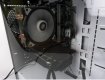
This is what comes with the system I am about ready to commit to:

"Arctic Edge AE-01 is a Sleek, High Performance Gaming PC with the latest 3rd Gen, 6 Core, Ryzen 3000 Series, 3500X Processor. The powerful CPU is cooled by an equally powerful 4 HeatPipe SNOWMAN Tower Cooler with a near Silent 120mm Fan. Gaming and GPU acceleration is powerd by PowerColor Radeon RX 590 RED DRAGON with 8GB Video Memory ideal for 1080p or 1440p Gaming. It is a powerhouse Desktop PC for most tasks including Gaming, Video & Photo editing, Rendering and much more.
System comes with plenty of memory with 16 GB 2400MHz DDR4 Dual Channel Team Group Vulcan T-Force Memory installed. Components are showcased in the minimalistic design Kolink Stronghold Midi Tower Gaming Case with Tempered Glass Side Window. To maximise system performance it comes with Gigabyte 256GB M.2 PCIe NVMe SSD/Solid State Drive which can transfer at blistering speeds of 1700MB/s (read) and 1100MB/s (write)."

Sound good?

Looks nice and clean too, as in tidy -

PC.jpg

pc2.jpg
 
Last edited:
There was a few i7 2600K systems on my list too, but I was wary with it being a pretty old cpu, it was being paired with some decent GPU cards though [came across a couple with 1080Ti cards for example]

This is what comes with the system I am about ready to commit to:

"Arctic Edge AE-01 is a Sleek, High Performance Gaming PC with the latest 3rd Gen, 6 Core, Ryzen 3000 Series, 3500X Processor. The powerful CPU is cooled by an equally powerful 4 HeatPipe SNOWMAN Tower Cooler with a near Silent 120mm Fan. Gaming and GPU acceleration is powerd by PowerColor Radeon RX 590 RED DRAGON with 8GB Video Memory ideal for 1080p or 1440p Gaming. It is a powerhouse Desktop PC for most tasks including Gaming, Video & Photo editing, Rendering and much more.
System comes with plenty of memory with 16 GB 2400MHz DDR4 Dual Channel Team Group Vulcan T-Force Memory installed. Components are showcased in the minimalistic design Kolink Stronghold Midi Tower Gaming Case with Tempered Glass Side Window. To maximise system performance it comes with Gigabyte 256GB M.2 PCIe NVMe SSD/Solid State Drive which can transfer at blistering speeds of 1700MB/s (read) and 1100MB/s (write)."

Sound good?

The 2600k is still a solid chip that's very cheap. They are still sought after because they can be heavily and easily over clocked to about 4.5 - 4.7 ghz on air.

I recently completed a new itx build, went ryzen, got everything I wanted and built it myself... wasn't cheap though.

Nice spec machine that, did you check the costs of parts only?
 
Last edited:
The 2600k is still a solid chip that's very cheap. They are still sought after because they can be heavily and easily over clocked to about 4.5 - 4.7 ghz on air.

I recently completed a new itx build, went ryzen, got everything I wanted and built it myself... wasn't cheap though.

Nice spec machine that, did you check the costs of parts only?


I'm kinda holding back on checking individual prices :D Because I'm a wuss when it comes to tech and know I won't dedicate the effort to putting it all together myself. Just prefer it ready set, I'll add in the extras, I can manage that - like add an extra HDD - though no doubt I'll need to watch a YT tutorial of several!
 
I'm kinda holding back on checking individual prices :D Because I'm a wuss when it comes to tech and know I won't dedicate the effort to putting it all together myself. Just prefer it ready set, I'll add in the extras, I can manage that - like add an extra HDD - though no doubt I'll need to watch a YT tutorial of several!

What's your budget and how much is the ryzen build? I've helped a few people with builds.
 
When I inquired about adding extra HDD and also hooking up to a HDTV until I get a better monitor I got this response: "Hi, yes there are 2x 3.5" HDD slots as well as 2x 2.5" slots. It has Display port + HDMI port so can hook up TV or monitor or even both at the same time for dual display setup. "

Sounds good, means I should be able to easily add the HDD from my old laptop in there right?
 
What's your budget and how much is the ryzen build? I've helped a few people with builds.

That system above is €645 [about £560] inc delivery, but I feel I can get a little off that. This is pretty much tipping the ceiling of my budget, just need enough over to get a wireless kb/mouse set and the wi-fi card or usb connector, and then I'll get the extra HDD later on

I can sell on some stuff, like my 35 1.4, for now to buff it up, but I'm hoping not to have to. Priorities though, a desktop is more of an essential to me right now than a lens, as my laptop is about to die any day I feel - can always replace a lens anytime
 
Last edited:
When I inquired about adding extra HDD and also hooking up to a HDTV until I get a better monitor I got this response: "Hi, yes there are 2x 3.5" HDD slots as well as 2x 2.5" slots. It has Display port + HDMI port so can hook up TV or monitor or even both at the same time for dual display setup. "

Sounds good, means I should be able to easily add the HDD from my old laptop in there right?

Yes, a laptop takes a 2.5 drive, you connect a spare cable from the power supply and a spare sata 2 or 3 from the motherboard. Make sure the drive is clean or connect and clone... I'd clean install rather than clone.
 
Last edited:
Yes, a laptop takes a 2.5 drive, you connect a spare cable from the power supply and a spare sata 2 or 3 from the motherboard. Make sure the drive is clean or connect and clone... I'd clean install rather than clone.

By clone, you mean if I have data already on the HDD, like image folders, the new PC will have to clone the HDD? rather than simply just allow it as an extra drive? The only reason I would want to hook the old HDD from the laptop up is so that I'll have all the same folders [photos, movies, games etc]
 
By clone, you mean if I have data already on the HDD, like image folders, the new PC will have to clone the HDD? rather than simply just allow it as an extra drive? The only reason I would want to hook the old HDD from the laptop up is so that I'll have all the same folders [photos, movies, games etc]

That's okay, would be as simple as plugging it in, as long as it doesn't have windows on.
 
That's okay, as long as it doesn't have windows on.

Nah, the laptop has 2 drives, 500GB each, one with the OS and my most used apps like LR/PS/main games etc, the second is just folders - I would just transfer all the stuff I wanted to carry over to that one for now. Hopefully then add a 1 or 2TB Baracuda and just transfer all to that. The HDD on the laptop are slow, think 5600rpm? so definitely in need of an upgrade.
 
Last edited:
Nah, the laptop has 2 drives, 500GB each, one with the OS and my most used apps like LR/PS/main games etc, the second is just folders - I would just transfer all the stuff I wanted to carry over to that one for now. Hopefully then add a 1 or 2TB Baracuda and just transfer all to that. The HDD on the laptop are slow, think 5600rpm? so definitely in need of an upgrade.

If the laptop isn't going to be used anymore put all your apps and OS on the new machines NVME. Format both old drives and fit them in the 2.5 bays and later you can buy large capacity 3.5 drives, they are cheaper than 2.5.
 
If the laptop isn't going to be used anymore put all your apps and OS on the new machines NVME. Format both old drives and fit them in the 2.5 bays and later you can buy large capacity 3.5 drives, they are cheaper than 2.5.

Now that, sounds like a good plan! thanks for the advice, all makes sense :)
 
That depends on the usage. Not all 5 year old machines have been on for long hours every day. I have an i7 2600k (still a powerful cpu) that was used lightly for about 3 years and then went into storage.

Yes you have to assume average use. It still doesn't change the fact that thats the lifespan components are designed for. Games machines have a very stressful life.

Of course If you dont use it.....
 
Last edited:
Yes you have to assume average use. It still doesn't change the fact that thats the lifespan components are designed for. Games machines have a very stressful life.

Of course If you dont use it.....

Assuming it was a gaming machine. Not everyone uses a decent desktop for gaming.
 
@Cagey75 The other thing you could do is look into a motherboard combo, all the difficult bits are already pre assembled (MB, CPU, RAM), you just install the PSU and bundle into your chosen case, then add your own drives and wifi card. Gives you the option of a part build and you get to choose some of the bits.
 
Assuming it was a gaming machine. Not everyone uses a decent desktop for gaming.
It had a decent graphics card, which is an indication.
The point is when buying second hand you dont know. Even if you think you do.
 
I needn't worry on that front, if I do opt for the system I posted earlier at least. All parts are new, it's basically someone who builds these systems to order, they fetch all the parts and put it together then sell on - obviously they make a little profit doing so and I'm good with that - I'd rather have someone who knows what they're doing put the rig together than fumble about and possibly break something myself. I am really not good with cable management for one!

The seller has 100% positive feedback and communication has been good, any noob question I threw at them had a solid response right away, that's promising. Also they offer to guide you through any issues should they arise once you receive the system.

The only frustration for me right now is that it could be a couple weeks before they have one set to go for me, I have money at the ready and this is the one I want - but they are on a bit of a back order just now. I'll have to resist hard on just opting for another system that may not be as good, or will very possibly be used - as I'm also very bad with money management and fear I might start eating away at my PC fund.

There is another system that is available and also all new parts in the same price bracket, very different make up though:

Intel Core i7-3770
PALIT GeForce GTX 1650 SUPER 4GB StormX OC GDDR6
Storage:
SSD - 240GB Patriot Burst SATA III for OS
HDD - 1TB 7200rpm for DATA
PSU: 450W Okia
OS: Win 10 PRO 64bit (fresh)

This guy offers to personally deliver and help set up if needed, which can't happen right now with the lockdown restrictions - we have checkpoints in and out of all entries into town here atm, they're turning everyone who doesn't have legit reason to be travelling back home. So Unless the guy could convince them he's on an essential run, that's a no go, I don't really fancy having a stranger in my house right now either. I also feel this one isn't quite as good as the Ryzen system? The GPU is about par judging on some comparisons I've watched today, it's the cpu - will that match a Ryzen 3500x?
 
Last edited:
I needn't worry on that front, if I do opt for the system I posted earlier at least. All parts are new, it's basically someone who builds these systems to order, they fetch all the parts and put it together then sell on - obviously they make a little profit doing so and I'm good with that - I'd rather have someone who knows what they're doing put the rig together than fumble about and possibly break something myself. I am really not good with cable management for one!

The seller has 100% positive feedback and communication has been good, any noob question I threw at them had a solid response right away, that's promising. Also they offer to guide you through any issues should they arise once you receive the system.

The only frustration for me right now is that it could be a couple weeks before they have one set to go for me, I have money at the ready and this is the one I want - but they are on a bit of a back order just now. I'll have to resist hard on just opting for another system that may not be as good, or will very possibly be used - as I'm also very bad with money management and fear I might start eating away at my PC fund.

There is another system that is available and also all new parts in the same price bracket, very different make up though:

Intel Core i7-3770
PALIT GeForce GTX 1650 SUPER 4GB StormX OC GDDR6
Storage:
SSD - 240GB Patriot Burst SATA III for OS
HDD - 1TB 7200rpm for DATA
PSU: 450W Okia
OS: Win 10 PRO 64bit (fresh)

This guy offers to personally deliver and help set up if needed, which can't happen right now with the lockdown restrictions - we have checkpoints in and out of all entries into town here atm, they're turning everyone who doesn't have legit reason to be travelling back home. So Unless the guy could convince them he's on an essential run, that's a no go, I don't really fancy having a stranger in my house right now either. I also feel this one isn't quite as good as the Ryzen system? The GPU is about par judging on some comparisons I've watched today, it's the cpu - will that match a Ryzen 3500x?

If it was my money I'd spend a little more, I know that's easier said than done. What is your max budget? Can you sell anything on ebay to give you a other 100 quid?
 
If it was my money I'd spend a little more, I know that's easier said than done. What is your max budget? Can you sell anything on ebay to give you a other 100 quid?

€650 This is my max budget without selling anything, I have the 35mm 1.4 I just bought recently and considering putting that up for now [as tbh, all I've been using lately is the Laowa 100mm macro, the 35 has sat in the bag since purchase] , use a slice of the funds from that and re-buy the lens when restrictions are loosened up again

What would you push for specifically with a higher budget?
 
Last edited:
Back
Top