"Fake" HDR?

Perhaps using one RAW file to generate up to 5 exposures from to blend into a HDR?

Whereas normally you'd shoot 3, 5 or 7 different exposures in camera and blend those together to create a HDR image.
 
You can get a HDR look in lightroom by setting fill light to 100 lowering the exposure, then setting contrast and clarity sliders on full. Obviously this is the extreme unnatural effect, never found much use for it, except brightening up the shadows in a photo of a hall.
Example:
img93992.jpg


img9399g.jpg
 
I seem to remember seeing a preset somewhere (possibly lightroom killer tips?) I think it took clarity all the way up recovery and fill all the way up and vibrance had a fair increase and black taken up to bring back the exposure and contrast, something like that anyway.
 
Ive found this

Clarity to 100

Vibrance to 100

Fill Light to 100

Contrast to 100

Noise reduction (both color and luminance to 100)

Then adjust Saturation down to acceptable color levels

Adjust exposure with Brightness slider

Pull Blacks slider up to correct level

Set as a preset that will give you a perfect starting point
 
Ive found this

Clarity to 100

Vibrance to 100

Fill Light to 100

Contrast to 100

Noise reduction (both color and luminance to 100)

Then adjust Saturation down to acceptable color levels

Adjust exposure with Brightness slider

Pull Blacks slider up to correct level

Set as a preset that will give you a perfect starting point

Right...... it's not that I atcually wanted to do it, by the way. But I'll try that and see what happens.

It depends on what you might want to achieve with HDR, I suppose.

If you want to expose all areas of an image correctly - ie the highlights and the shadows, I would suggest that the fill light and recovery sliders can do a very good job.

If you want to go all the way and create something ghastly, perhaps the method above will do the trick.;)
 
Dynamic Photo HDR does single image "Fake" HDR.
 
Have a look at Topaz adjust www.topazlabs.com the Mk4 version has an "HDR" setting, it's a free trial download plugin for photoshop.
 
I was curious about Fake HDR, given that HDR is fake anyway.....:naughty:

But if you can do Fake HDR in Lightroom, I'd quite like to know about it, not to create something that looks like HDR, but to create something that overcomes the limitations of film or digital capture.

If you can follow my drift....
 
You can create a psuedo HDR using a single file. Often when trying to rescue old photos from when i first started i'll load an original image into CS4, alter just the exposures by either 1 or 2 stops, saving each one then merge the three images using Photomatix with the strength set to zero.
Then once completed I just load the HDR image back in CS4 and complete the process.
Sounds a lot but takes about 4 minutes per image.
 
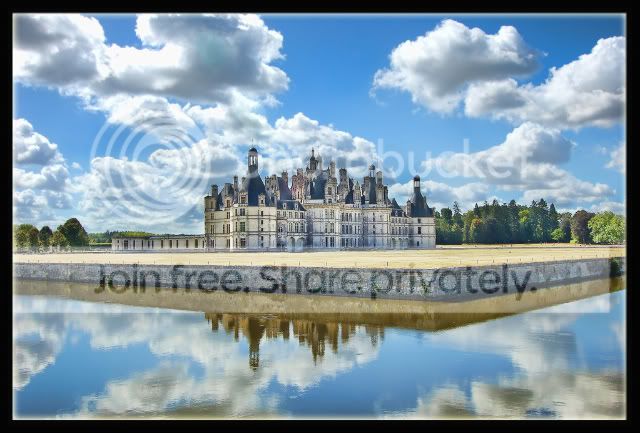
I used the Topaz plug in with HDR pop preset on the Chateau only,adjustment layers on sky and reflection.
Chambord.jpg

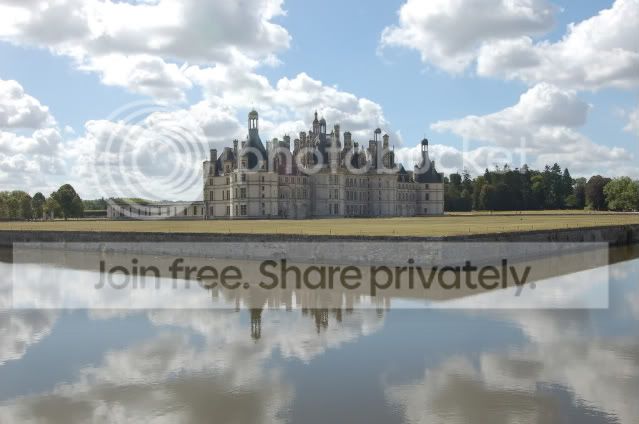
Original
DSC_0397.jpg
 
Just downloading that topaz express looks pretty good!
 
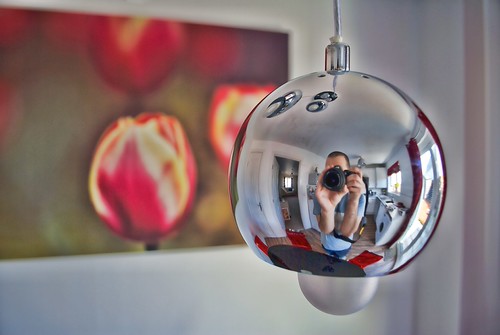
Just an update I used the Topaz Express that is a plug in for aperture and allows you to use all the functions.

Heres a quick image I tried this afternoon.

4481050051_a4c27bff60.jpg
 
Back
Top