Editing help

Craigt0912

Suspended / Banned
Messages
99
Name
Craig
Edit My Images
Yes
Hi,

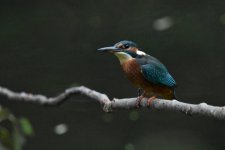
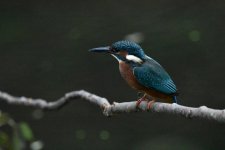
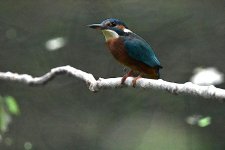
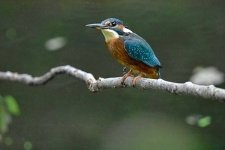
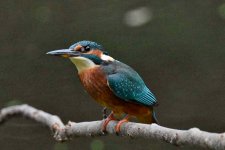
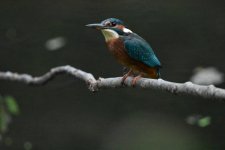
I took a couple of pictures this morning of a kingfisher, I would like to learn how to edit my photos and what can be achieved by doing so. If I posted them on here would some body be good enough to edit them so I could see the difference from the original just to give me an idea as to what can be done. Tia
 

Attachments

  • DSC_0923.JPG
    DSC_0923.JPG
    75.7 KB · Views: 38
  • DSC_0920_1.JPG
    DSC_0920_1.JPG
    74.6 KB · Views: 39
  • DSC_0921.JPG
    DSC_0921.JPG
    77.2 KB · Views: 34
Sorry it's copying 2 twice

(mod edit - fixed that for you)
 
Last edited by a moderator:
bird01.jpg
Edited to have a cross stroke paint effect, with the subject sharpened, the background given some basic noise reduction and Ryuk from Tokyo Ghoul added for dramatic effect.
Probably not the edit you were looking for though ;)

Seriously though, this should really be asked in the post processing section, not lighting, giving some idea of the edit you're after.
Also the jpgs are quite small and jpgs, so the latitude for editing is reduced.
The best thing to do is post links to the raw files hosted on dropbox / google drive or similar.
 
Bear with me, I'm not much of a "bird on a stick" shooter, so it's not going to be brilliant....


DSC_0923-edited.jpg

brightened it up a bit, tried to correct colour balance, but it was quite a way underexposed, and got too many artifacts from the JPG's if I pushed it much harder...

might be able to get a fair bit more out of a raw file, or at least the full size JPG (downsizing can help with losing some of the artifacts...)
 
Have you got the RAW files? Should be able to get something half decent out of it if you have.
 
The images at at best noisy and that's never good

Here's a quick 30 second edit in Photoshop- as Tom said a RAW file would be better

79O1ILd.jpg


Les
 
Sorry to sound stupid but where do I get the raw file from??
 
Only if you’ve set it to record raw though. If you have jpg only, then you won’t have a .Nef file.
 
Only if you’ve set it to record raw though. If you have jpg only, then you won’t have a .Nef file.
Which image quality would you recommend.

NEF (RAW) + JPEG FINE
NEF (RAW)
JPEG FINE
JPEG NORMAL
JPEG BASIC

Thank you
 
NEF, but only if you are happy editing every image. You might be better off with both jpg fine and nef until you get more comfortable with editing.
Raw images need to be edited, otherwise they look flat and lifeless. They can handle heavy editing as all the data captured by the camera in there, even if you can’t initially see it.
Jpgs are processed by the camera and discard all that information, so they fall apart very quickly when you try to edit them.
To get the most out of your photography, you should learn to shoot in RAW and learn to process the images.

Another advantage of raw, is as technology improves, you can go back and re edit files that maybe you couldn’t get the best from before. Ive recently redone a load of images from several years ago that I was never really happy with. Now topaz denoise, sharpen ai and gigapixel have made it possible to re edit them and get them looking much better.
 
NEF, but only if you are happy editing every image. You might be better off with both jpg fine and nef until you get more comfortable with editing.
Raw images need to be edited, otherwise they look flat and lifeless. They can handle heavy editing as all the data captured by the camera in there, even if you can’t initially see it.
Jpgs are processed by the camera and discard all that information, so they fall apart very quickly when you try to edit them.
To get the most out of your photography, you should learn to shoot in RAW and learn to process the images.

Another advantage of raw, is as technology improves, you can go back and re edit files that maybe you couldn’t get the best from before. Ive recently redone a load of images from several years ago that I was never really happy with. Now topaz denoise, sharpen ai and gigapixel have made it possible to re edit them and get them looking much better.
Thank you so much for explaining that, makes alot more sense now. Which software do you use for editing? I would like to do some research about it all.

Tia
 
Thank you so much for explaining that, makes alot more sense now. Which software do you use for editing? I would like to do some research about it all.

Tia
I personally use Adobe Lightroom and have done for longer than I care to remember. I also use Topaz labs plugins for noise reduction and sharpening. Lightroom is also a catalogue, so it keeps your images organised and easy to find. My catalogue dates back to about 2014 I think as I lost my original one in a hd crash. You can use keywords if you like or search via metadata to find an image.
It’s also non destructive when editing raw, so any change you make can be undone. Once you’ve edited, you export a jpg, tiff, png or dng image and leave the original raw file untouched.
 
Have a look at Nikon NX Studio, it's a free download from Nikon and will apply all the camera settings to the NEF files but these will still be editable, For example you can have the camera set to extra contrast but change it to what you like using NX Studio. That means that you do not have to edit the NEF files if you are happy with the initial result. You can also use NX Studio to edit JPEGs or TIFFs.
 
I'll get some of these apps downloaded to my laptop and have a play around just seems daunting with so much to learn
Don't worry, we all started somewhere.
One thing to consider is whether your editing software is destructive or not (e.g. lightroom is non destructive - you can always get back to the original file, whereas editing and saving in PS would result in not being able to return to the original image).
So... it's worth keeping the original photo untouched and editing a copy.
 
I'll get some of these apps downloaded to my laptop and have a play around just seems daunting with so much to learn
It all depends on wether you are the type of person who wants to pay for editing software or if you are a skinflint who wants to use free software. There are plenty (far too many really) of both free and pay for software.

Also it depends on what view you take on RAW v JPG. At on etime RAW was a lot better than JPG but the gap has closed in recent years, so much that some people don't bother with RAW and only use it for the most dire of lighting conditions.

RAW is very time consuming.

I use FastStone image viewer 7.5, it's free and easy to use. https://www.faststone.org/
 

Attachments

  • DSC_0920_1m2po.jpg
    DSC_0920_1m2po.jpg
    244 KB · Views: 11
The pictures you have uploaded are 70kb. This is peanuts, these are not the jpg picture your camera has taken but only some thumbnail.

Raw or jpg is debatable.
But if you shoot jpg shoot in jpg fine for sure.
 
The pictures you have uploaded are 70kb. This is peanuts, these are not the jpg picture your camera has taken but only some thumbnail.

Raw or jpg is debatable.
But if you shoot jpg shoot in jpg fine for sure.
Ok thank you I've set my camera to that. So hopefully going forward I do eventually want to use raw but at the moment I really don't think I'd have the time to do every photo.
 
It all depends on wether you are the type of person who wants to pay for editing software or if you are a skinflint who wants to use free software. There are plenty (far too many really) of both free and pay for software.

Also it depends on what view you take on RAW v JPG. At on etime RAW was a lot better than JPG but the gap has closed in recent years, so much that some people don't bother with RAW and only use it for the most dire of lighting conditions.

RAW is very time consuming.

I use FastStone image viewer 7.5, it's free and easy to use. https://www.faststone.org/
That looks so much better thanks, can you tell me what you have changed to get it to that?
 
Th
Don't worry, we all started somewhere.
One thing to consider is whether your editing software is destructive or not (e.g. lightroom is non destructive - you can always get back to the original file, whereas editing and saving in PS would result in not being able to return to the original image).
So... it's worth keeping the original photo untouched and editing a copy.
Anks for the advice and yes I will definitely keep a copy I'm unlucky at the best of times so I'd 100% lose them all.
 
Back
Top