Dance Floor - Slow Sync Flash

nickdancona

Suspended / Banned
Messages
109
Name
Nick
Edit My Images
Yes
Recently shot a 30th birthday party in a club. Everytime I think I've been challenged with venue lighting a tougher one comes along.

I had some time to experiment and played around with slow sync flash for the dance floor shots. I'd like to get some suggestions on how best to do these as I tried everything and got a mixed batch of results. I found it to be very hit and miss and ended up deleting a lot of images. My flash was on camera and I tried both front and rear curtain but not sure which gave better results. I also did the zoom effect also where you zoom through the exposure. For this front curtain worked best.

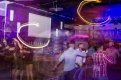
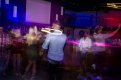
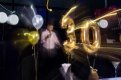
Would like to hear your comments. Below are a few of my results:

180 (15 of 25).jpg 180 (10 of 25).jpg 180 (9 of 25).jpg 180 (18 of 25).jpg 180 (19 of 25).jpg
 
First and last shots are the best.

It's always going to be hit & miss, but you can use some imagination regarding the outcomes. Key problems I see here are failure of composition, shots 2 and 3 being good examples - nothing interesting happening and people facing away from the camera - and intrusion of light across the subjects in a way that distracts in a more general sense. Where everything comes together, like in the last shot, then it works well. Planning and having an eye that can recognise and capture a scene as it comes together are what's needed for this kind of work.
 
It'll always be hit and miss, but...
I use 1st curtain because I want to pick a moment to shoot. With 2nd curtain your 'shot' moment isn't under your control.

I look to create trails into empty space, and avoid streaking across faces, it's more predictable than it appears.
 
Go wider, get in closer and reduce the distance between the subject and your flash.
At the moment your flash is trying to illuminate everything pretty evenly. What you want is for your flash to expose for the subject only without affecting the background ambient light.
 
Go wider, get in closer and reduce the distance between the subject and your flash.
At the moment your flash is trying to illuminate everything pretty evenly. What you want is for your flash to expose for the subject only without affecting the background ambient light.
Zooming in works too.
 
Zooming in works too.
Would that only be if you are using direct flash and therefore the zoom within the flash also?
I would tend to use a bounce card in most situations so the flash zoom isn't a factor. It's the relative distance between the light source, subject and background that is important which wont change when you zoom in.
 
Would that only be if you are using direct flash and therefore the zoom within the flash also?
I would tend to use a bounce card in most situations so the flash zoom isn't a factor. It's the relative distance between the light source, subject and background that is important which wont change when you zoom in.
I meant zooming the flash, and it can be done direct or bounced (with care).
 
O, interesting, I have never tried that. I always thought that as soon as you pointed the flash skyward it disabled the zoom. Something to try!
 
O, interesting, I have never tried that. I always thought that as soon as you pointed the flash skyward it disabled the zoom. Something to try!
It automatically jumps to 50mm but you can override it manually.
 
Back
Top