
and please use their services
You are using an out of date browser. It may not display this or other websites correctly.
You should upgrade or use an alternative browser.
You should upgrade or use an alternative browser.
Daft ? but how do you?
- Thread starter cason
- Start date
Do you mean "stitching"? I've never used the procedure myself but if you want to create, for example, a panoramic view from 2 or more photo's you would stitch them together. Usually you will find the camera maker has supplied software to do this.
Failing that, if you have Photoshop or similar you could create a large canvas and just merge the photo's onto that. Use layers to make aligning them simple.
HTH.
Failing that, if you have Photoshop or similar you could create a large canvas and just merge the photo's onto that. Use layers to make aligning them simple.
HTH.

Susane
Suspended / Banned
- Messages
- 2,103
- Name
- Susane
- Edit My Images
- Yes
If you don't mind adding another image editor onto your pc then Photoscape will do it and more.
I use it to make sample sheets for my family and friends
http://www.photoscape.org/ps/main/index.php
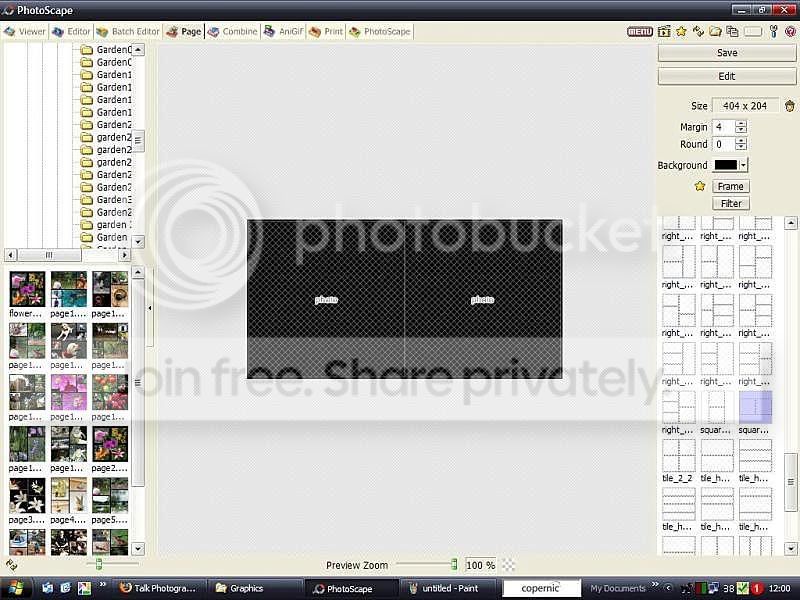
I use it to make sample sheets for my family and friends
http://www.photoscape.org/ps/main/index.php

brianfarrell
Suspended / Banned
- Messages
- 192
- Name
- Brian
- Edit My Images
- Yes
Put two photos together as one, Im having a website built and I need the front and back embroidery in one shot.
Thanks
Sorry Im so ignorant on this one.
cas
What software are you using?
OP

cason
Suspended / Banned
- Messages
- 2,525
- Name
- CAROL
- Edit My Images
- Yes
I will download that one it looks easier than the photoshop.
thanks
I have found the photostich that came with my camera, and i have adobe photoshop 7, I havent got a clue how to use it as yet!
I have just started to play around with it, it seems to be a good piece of software, or it will be once i can drive it!:bang:
cas
thanks
I have found the photostich that came with my camera, and i have adobe photoshop 7, I havent got a clue how to use it as yet!
I have just started to play around with it, it seems to be a good piece of software, or it will be once i can drive it!:bang:
cas

doozie
Suspended / Banned
- Messages
- 204
- Edit My Images
- Yes
Its really easy with photoshop.
Open both your files, double the width of the canvas on one of your images by going to Image, Canvas Size.
Then using the select/move tool at the top of the column on the left, click and drag your other image onto the one you have just increased the size of. Simple.
Open both your files, double the width of the canvas on one of your images by going to Image, Canvas Size.
Then using the select/move tool at the top of the column on the left, click and drag your other image onto the one you have just increased the size of. Simple.