CS5 Smudge Tool.....

Miss Moo!!

Suspended / Banned
Messages
774
Edit My Images
No
Help :(

I had it working and now it wont work... does anyone know how I can make it work again?

Thanks in advance :(
 
Are you on the right layer
Is there a selection active
is the mode and opacity correct (default opacity is 50%)
 
I don't have any layers just the layer of the pic and nothing selected... *confused*
 
Untick finger painting if it's ticked (is green your forground colour by any chance
 
No have no green in the pic... I had it working perfectly and now it just wont work. I can feel my blood pressure rising arrrrggghhh!!

Thanks for trying to help :)
 
Interesting... I've never actually used the smudge tool or know when I might use it LOL, I'd be interested to know what you are using it to do exactly
 
I use it to get rid of things I don't want in the pic ie - a lamp post or hair over lips etc :)

Try it, its a good tool.... When you can get it to work :lol:
 
I use it to get rid of things I don't want in the pic ie - a lamp post or hair over lips etc :)

I'd use the clone tool for that. The only times I've used it (sucsessfully) in editing is to click and drag, stretching a point out, similar to the liquify tool.
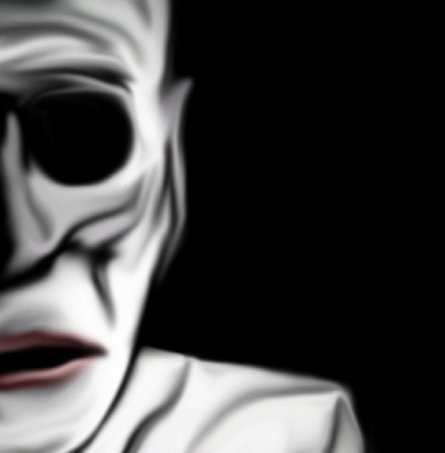
Or just for drawing with. Blob of colour on a blank background and drag it around to create a picture. One of my first attempts:

face by Andy_S_C, on Flickr
 
I'd use the clone tool for that. The only times I've used it (sucsessfully) in editing is to click and drag, stretching a point out, similar to the liquify tool.
Or just for drawing with. Blob of colour on a blank background and drag it

CS5, Id use the patchmatch :thumbs::thumbs::thumbs: or CAF depending on the subject
 
Back
Top