Cropping and resizing q

Hertsman

Suspended / Banned
Messages
3,243
Name
Mark
Edit My Images
Yes
I generally use LR for everything and crop to get the image I want.

I then resize to 1200 px wide for web viewing.

This quite often leads to odd sized images, and I was wondering of in LR there was a way to ensure I kept the image lookking more like a 6x4 or example.
 
Mark, if you crop in Lightroom, are you using a standard crop ratio?
I find once I crop, then export from Lightroom I generally set my export size, 1200 in your case and it maintains the crop ratio.
 
That makes sense, can you now expailn how I do that pleasee?
 
Ive cropped to maintain the image I want, but the finished size isnt a standard looking size and "people" complain....
Who cares? If it's the image you want, that's all that matters. (unless selling and framing is an issue for clients)
 
Who cares? If it's the image you want, that's all that matters. (unless selling and framing is an issue for clients)

Its kinda where I am tbh,but I can understand the crit as some sizes are "non standard"......
 
It does look rather random, looking at that set they images would look more cohesive (i.e. like they belonged to the same set) if they shared a common aspect ratio. For those images 16:9 would probably work well.

I agree, bu tdont know how to maintain that ?
 
I agree, bu tdont know how to maintain that ?
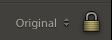
When you crop, select "16:9" as your chosen aspect ratio and make sure the padlock symbol is shut/closed.

The resize on Export doesn't change the aspect ratio, as long as you restrict it to "longest edge".
 
I generally use LR for everything and crop to get the image I want.

I then resize to 1200 px wide for web viewing.

This quite often leads to odd sized images, and I was wondering of in LR there was a way to ensure I kept the image lookking more like a 6x4 or example.

For me personally, If I want resize images for the internet, I choose 'Long edge'. Seems to do the trick :)
 
Back
Top