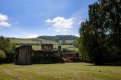
Coping with difficult lighting conditions.

Shots like this can be difficult to use filters on, i.e. ND grads as the tree on the right would have a darkened top half! Even using soft grads at an angle may not help too much. Looks a good candidate for blending, i.e. taking two (or more) exposures one for the bright areas and one for the dark areas then blending in post.

The sky could be tweaked a little to make it more blue, select it and increase saturation a tad - I doubt using the grad tool in LR would help for the same reasons as using an ND won't.
 
Pains me to say it, but this is the sort of conditions where HDR could be a useful tool.
 
I guess it would depend on the HDR tool you used and the tools that came with it. As long as it doesn't carry out any bizarre tone mapping.
Personally i would blend it if using PS create a couple of layer masks then you can selectively address the sky and the castle.
In LR i would probably run over the castle with the adjustment brush then you can selectively adjust the exposure, shadows etc. Same with the sky. Alternately pull a grad down over the sky and get that correct, (which will of course effect the tree) then run the adjustment brush over the tree and lift that back up with exposure / shadows.
In either case you'd have to be careful not to raise up the castle too much to look unnatural in that light.
 
Personally i think you have lifted the castle i little too much
 
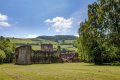
An improvement?

Created two layers in ACR and blended in photomatix and then did some other adjustments in CS6

Skenfrith Castle by Jeff, on Flickr


No! The original looks quite natural, this looks well over processed. You could lighten the shadows a bit in the original (try shadows/highlights tool in PS with a large radius and be gentle with the sliders).

In this sort of light it may be better to concentrate on smaller scenes, wider shots usually benefit from softer, more golden light with longer shadows. Infrared can work well in the middle of the day, but the scene has to be simplified
 
I agree that best to keep it looking natural and not over process. Keeping transformations as simple as possible usually does this. Hope ok, I've taken your image and did just three small adjustments. To get the bluer sky just played with the Hue & Saturation. So this pic boosts the blue saturation while simultaneously reducing the lightness of the blue channel by quite a bit. Then took the yellow channel and just reduced its brightness so it looked more in balance with the sky and this also brought out the cut grass clippings on the lawn from the mowing, which again keeps it real. Finally, just took the magic want tool in PS, made tolerance low at 10 and clicked on one of the brighter bricks on the left side of the structure. With those now highlighted increase the brightness and contrast just +2, so very minimal to bring out a little more detail. Had to be real careful with the structure as it needs to stay in balance with the tree to the right, so can't over lighten it otherwise it looks out of place.
Scene copy3.jpg
 
Last edited:
In ACR adjusted shadows and highlights, added a little Dehaze and adjusted contrast ... opened in PS and added saturation and darkness to blue and cyan ... with a little more work with the RAW, could be improved :)

26898285974_a4916d8dfc_b.jpg
 
Back
Top