Convert RAW files

Richard Clements

Suspended / Banned
Messages
83
Name
Richard Clements
Edit My Images
Yes
Hi there,

Sorry if this is in the wrong place, what is the best wayto convert RAW files without loosing the quality?

Im using the Nikon software that came with the camera and it seems to loose quality in the convertion process so I am wondering what I am doing wrong.


Cheers

Richard
 
Which Nikon software is this, Capture NX2, View VX?

When you say convert, do you mean convert RAW for screen display, or convert to e.g. Jpeg?

Can you show an example?

Ed
 
Hi Ed, this is view VX

I should have said convert to Jpeg
DSC_0060-1.jpg


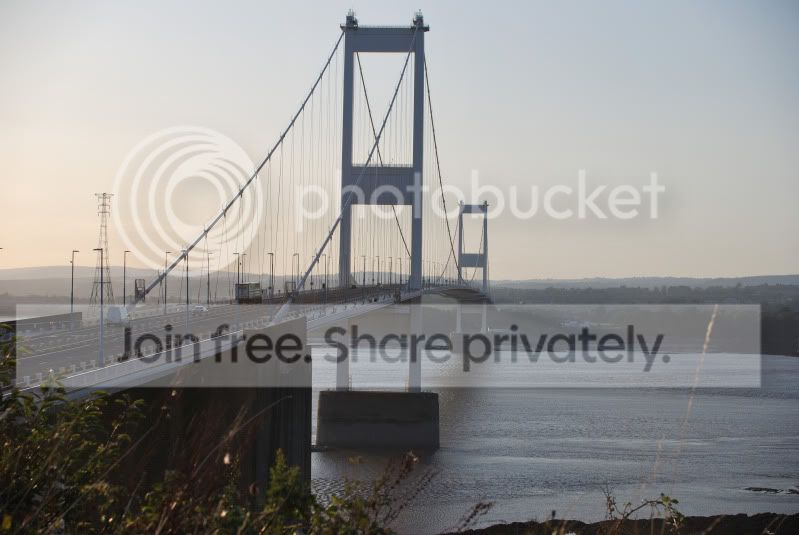
This is a sample image in the NEF format its quite detailed but when converted to Jpeg it's softer and looses detail.
 
If you're just converting straight to JPEG level 12 with no cropping or other processing, it will look 'soft' unless you apply some form of sharpening to it... and there are so many variables with this that it can give you a proper headache...
Providing you do the 'right' amount of processing then there's no reason your images shouldn't look as sharp as the preview image you saw when looking at your RAW images.

Getting the 'right' amount of processing is a battle in itself...but once learned it comes naturally...

View NX is just the free software handed out with the cameras and as such isn't as sophisticated as Nikon's own Capture NX or other 3rd-part software...
I (and a lot of other people) prefer to use some other form of processing software - I use Photoshop CS4 and just use Bridge + CS4 to do the RAW conversion...others prefer Adobe Lightroom to handle some of the processing...

The 'Workflow' you end up with will define your image style and should be looked into in some detail, given that the various software packages aren't cheap...
 
If you're just converting straight to JPEG level 12 with no cropping or other processing, it will look 'soft' unless you apply some form of sharpening to it... and there are so many variables with this that it can give you a proper headache...
Providing you do the 'right' amount of processing then there's no reason your images shouldn't look as sharp as the preview image you saw when looking at your RAW images.

Getting the 'right' amount of processing is a battle in itself...but once learned it comes naturally...

View NX is just the free software handed out with the cameras and as such isn't as sophisticated as Nikon's own Capture NX or other 3rd-part software...
I (and a lot of other people) prefer to use some other form of processing software - I use Photoshop CS4 and just use Bridge + CS4 to do the RAW conversion...others prefer Adobe Lightroom to handle some of the processing...

The 'Workflow' you end up with will define your image style and should be looked into in some detail, given that the various software packages aren't cheap...
Thanks for that, I guessed it was something like that, I will look into the software you suggest, thanks for that :thumbs:
 
Back
Top