Connecting Sony A6000 to Linux pc ???

BADGER.BRAD

Suspended / Banned
Messages
4,252
Edit My Images
Yes
Hello all,

In order to take the photos from my camera I'm having to take it's case off and remove the SD card risking a lot of wear to the camera and possibility of breaking the already not very sturdy SD card door. Have any off you managed to connect via WiFi ? For some reason it will not see the Sony via USB ( other things connect o.k) so I cannot do it via the normal way as it just says Information of the computer where the data is to be saved is not set to the device. Connect via USB ?

Has anyone done it ?
 
Here's a 5 yr old post on stackexchange explaining that (as ever) Sony have decided to make it really difficult via wifi:
But I guess if you're using linux you'll be happy enough recompiling gphoto2 and libgphoto2.

And here's one from 7 years ago explaining the changes you need to make to gphoto2 prior to recompiling in order to use usb.

As that was 7 years ago, someone may have already included it in the code
doesn't actually say what is supported, but it does tell you how to find out.
 
Last edited:
I allways wonder in this situation what are they trying to protect them selves from or what is the advantage to them of only allowing use from a Windows or Mac computer, I'm guessing money. Do most other Camera manufacturers allow/cater for access from a Linux PC via WIFI ? I may have to change any future camera purchases to one of them.
 
Last edited:
Linux support is mostly from volunteers. A few companies release Linux software for their products but they're the exception. If someone has decided this is an interesting problem and have solved it, the software may be out there but it strikes me as too rare an issue to attact anyone's attention.

In any case, I can't see the problem with taking the card out of the camera to copy it. If nothing else, removing and inserting the cards will help keep the contacts clean. I do it every day with one camera or another and it's never given me any trouble.
 
I'm a devotee of the card transfer method. You develop a discipline about it but it's not hard. Have the camera somewhere safe like a table or your lap. Take card out of camera then shut the card door, so if the camera falls over the door can't break. Also remember that the camera is without that card ...

Use card reader to download photos, then return card to camera - that's so you won't forget. Format it if necessary, once loaded.

There are variations but really that's it. And I subscribe to Andrew's point above that it keeps the contacts clean.
 
As with the others, I use the card transfer method. If the camera isn't supported to connect by usb with Linux it's not Sony, but no-one has written a driver for it.
 
My Linux system will not connect to various bits of hardware. Since the last update it will not run my scanner. This is when I boot into Windows (dual boot).
Once into Windows, it wants to load new updates, the antivirus thingy wants money from me and sundry other events to be cleared before it will let me actually use my PC.
I am always pleased to return to the sanity of Ubuntu Linux.
 
it's not Sony, but no-one has written a driver for it.
Well...
1. Sony could contribute the driver.
2. If you read the article, the guy who made it work says "Sony requires some non-standard packets to display the 'Sending...'
Typical Sony really, doing it in a non standard method.

So yes, it really is Sony :/
 
My Linux system will not connect to various bits of hardware. Since the last update it will not run my scanner. This is when I boot into Windows (dual boot).
Once into Windows, it wants to load new updates, the antivirus thingy wants money from me and sundry other events to be cleared before it will let me actually use my PC.
I am always pleased to return to the sanity of Ubuntu Linux.
It's been 20 years or so since I last used Windows, my daughter very recently gave me her laptop (Win 10) to fix and I must admit I didn't have a clue how to use the thing never mind fix it ! Most people I know use one of the Linux flavors so although I'm guessing still in the minority there are a hell of a lot of us who do use it. I've never used any antivirus software and never had a problem and the money thing was what sent me to Linux originally.

I will have to continue to use the remove card method ( I have no choice) but it's just a bit of a faff to take the case off and then mess with the door to the card It just worries me a little that if you keep messing with something ( and when I was researching the camera I found lots of comments about the door design being very flimsy) you add more chances of destroying it but again I have no choice. As a complete flip My wife the other day decided she wanted all her photos from her old phone put on her new phone and then wanted to send some of them for printing there was no problem between the two phones ( different makes and ages by about 8 years) and then no problem transferring the ones she wanted printing to the linux PC all via Bluetooth. All processes took less than 5 mins. So Sony could make it easier.
 
Last edited:
I'm a devotee of the card transfer method. You develop a discipline about it but it's not hard. Have the camera somewhere safe like a table or your lap. Take card out of camera then shut the card door, so if the camera falls over the door can't break. Also remember that the camera is without that card ...

Use card reader to download photos, then return card to camera - that's so you won't forget. Format it if necessary, once loaded.

There are variations but really that's it. And I subscribe to Andrew's point above that it keeps the contacts clean.
I can understand what you are saying but each time you do this you add to the chance of wearing the surface of the contacts of ( they sometimes only have a thin coating) or of breaking something. When I was in Electronic servicing quite a lot of stuff came in with various contacts bent,broken or worn out. That said I do agree with what you are saying about developing a system for doing it to lower the risk of damage much like the heath and safety approach of minimizing the risks if you cannot do it another way and stopping the risk entirely. So that is what I will do.
 
Last edited:
So yes, it really is Sony :/
I don't follow your reasoning. I can take the SD card out of my Sony camera and put it in the SD slot of my Linux laptop. The laptop will happily read in the data. So far as I can see there is no problem here.
 
I wrote:
Well...
1. Sony could contribute the driver.
2. If you read the article, the guy who made it work says "Sony requires some non-standard packets to display the 'Sending...'
Typical Sony really, doing it in a non standard method.

So yes, it really is Sony :/

You selectively quoted:
So yes, it really is Sony :/

And then ignored the OP's point about not wanting to remove the card from the camera, preferring wifi and mentioning USB connection
I don't follow your reasoning. I can take the SD card out of my Sony camera and put it in the SD slot of my Linux laptop. The laptop will happily read in the data. So far as I can see there is no problem here.

Of course it will (almost certainly) work if you remove the card and put it in a card reader. It's just having to deal with reading (almost certainly) fat12/16/32 through a standard mass storage style of device.


But... from a not removing the card from the camera perspective...

A lot of cameras will report as mass storage if connected via USB. It would appear (and I don't have an A6000 or linux natively on bare metal - so I can't test it) that the A6000 does not. The Sony firmware could provide a way for the camera to report as a generic mass storage device. (Sony's choice not to - Sony's fault).
It looks like you only need edit the source in libgphoto2 to enable the A6000 to be identified - so maybe it is mass storage.

I don't know enough about the packet level side of wifi, but the developer who worked out how to connect the A6000 via wifi made a point that what Sony was doing was using non standard packets to both initiate transfer (and to turn off the transfer in camera). Again this looks like a choice by Sony not to follow standards, causing an issue. To me that sounds like it's down to Sony - therefore Sony's fault.
 
To me that sounds like it's down to Sony - therefore Sony's fault.
You clearly have a strong opinion there but I don't agree with you.

Anyway, I've already voted with my wallet...

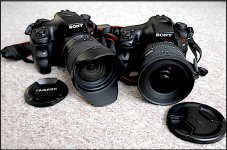
Sony A65s with Tamron and Sigma lenses GX7 P1140617.JPG
 
A lot of cameras will report as mass storage if connected via USB
It's not really a major problem to take the SD card out but clearly Sony for some reason that I do not know have decided to do things differently than the norm , Every single camera I have ever had and it must total to 15 or more (mostly fairly old but not all) has always been seen by the PC as a mass storage device when connected via USB but then part of the reasoning when buying it ( not deal clinching) was the that you could use this WIFI function to down load the files. Now I find out it can do neither I suppose partially my error for not realizing/ researching this. Next time around and it will be a few years i will make sure the Make I choose can do everything I would expect it to. I'm generally now quite happy with the Sonys performance after modding it from it's original very bland/horible .jpeg settings.
 
Last edited:
Back
Top