Southdowns
Suspended / Banned
- Messages
- 2,820
- Name
- Mark
- Edit My Images
- Yes
Hi.
I've got a HiTech Pro 10 stop filter, which has a blue cast. I've seen plenty of examples where the cast has been removed in PP very easily, but I'm struggling with it. I think, but am not sure, that the problem is most pronounced when there is a lot of green in the shot.
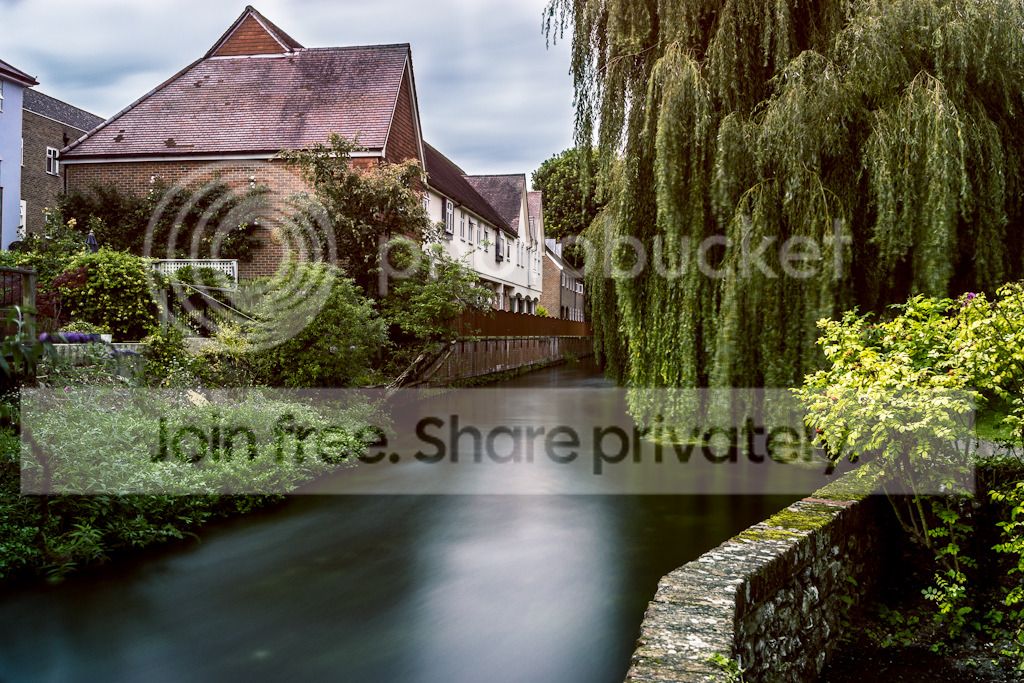
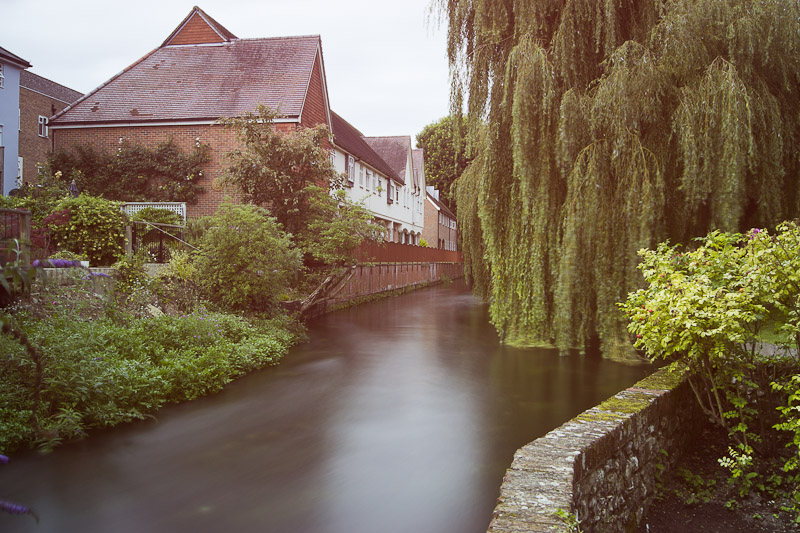
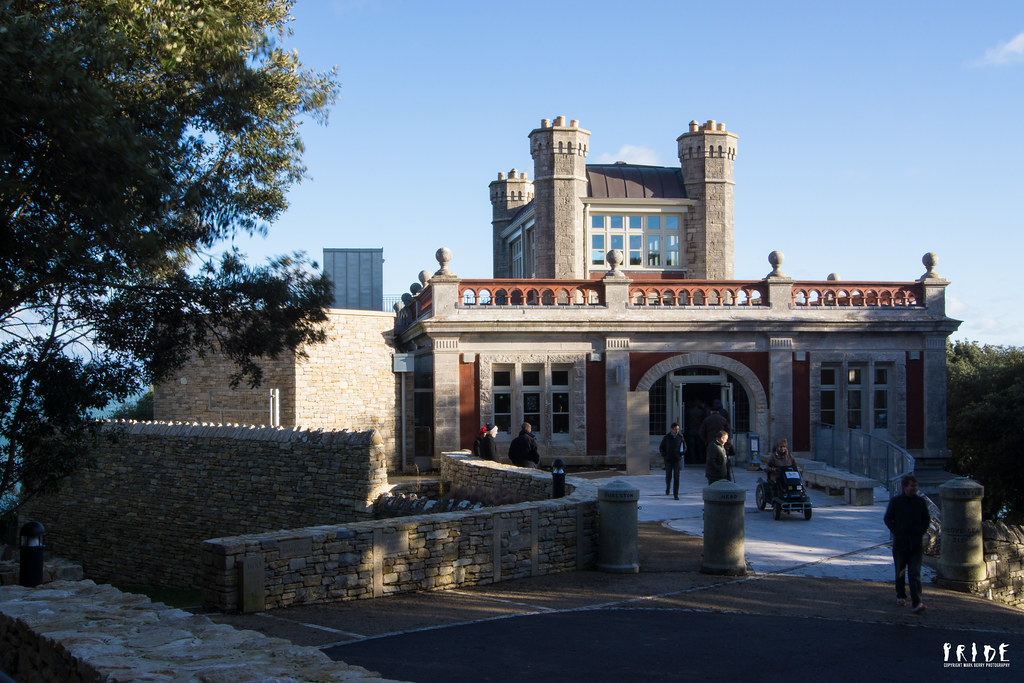
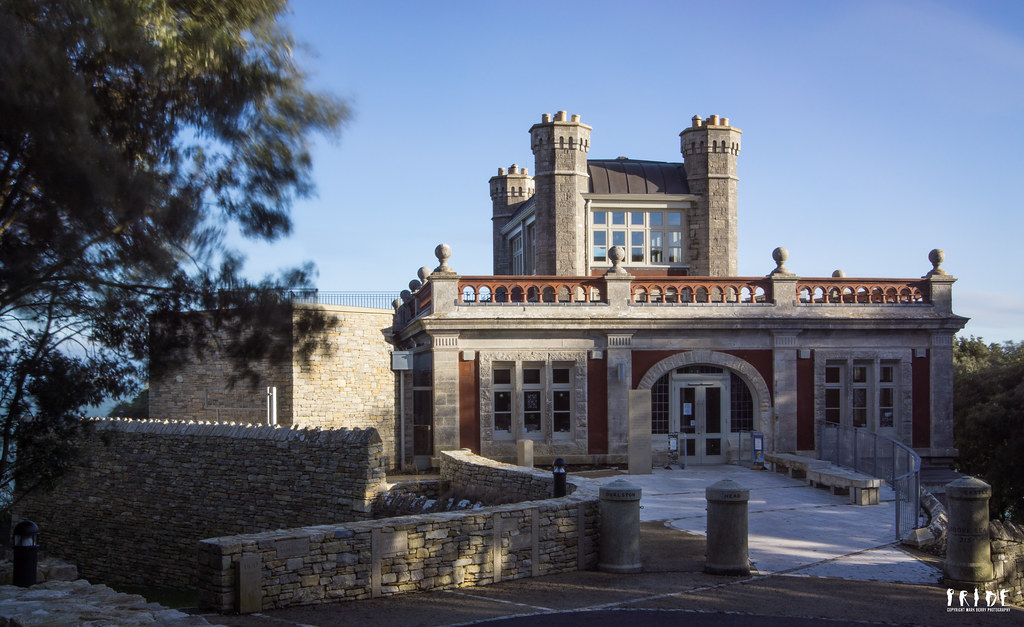
Here are three test shots (not looking for crit on the shots themselves or even the appropriateness of a 10 stopper; these were just practice shots), one without the filter and pretty accurate colours, one as shot with the filter, and one with the colour corrected as best I can in LR4 using the temperature and tint sliders. Can anyone point me to what I'm doing wrong? Or, is it going to be impossible to get back to accurate colours? Would setting up a custom white balance, either in camera or in LR, using a white or grey card shot through the filter help?
Auto WB correction in LR, i.e. by clicking on a white part of the shot with the dropper tool, results in a very washed out image with a red tinge!
If anyone feels like having a play, the raw file is available here.
#1 No Filter
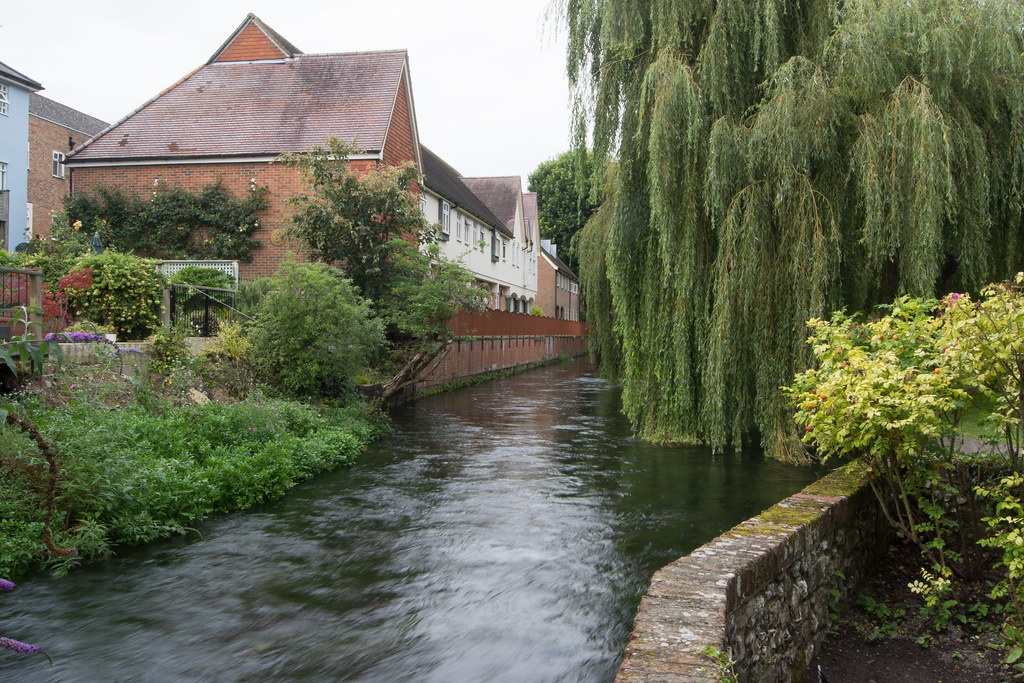
20120808-163921.jpg by MarkBerry1963, on Flickr
#2 Filter; No Correction
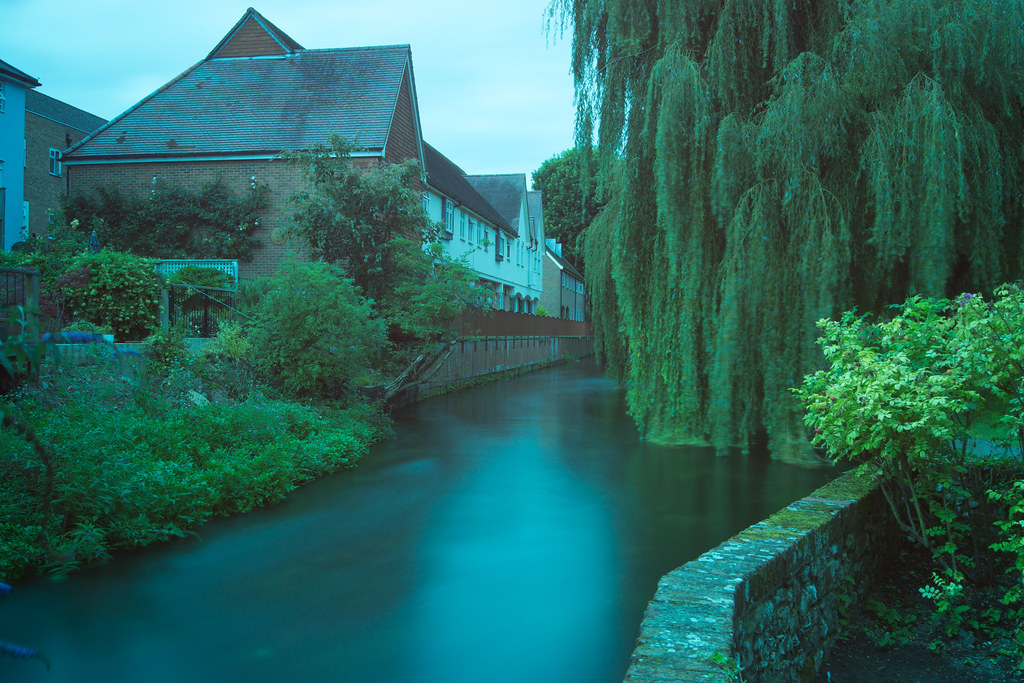
20120808-164513-2.jpg by MarkBerry1963, on Flickr
#3 Filter; Failed Correction
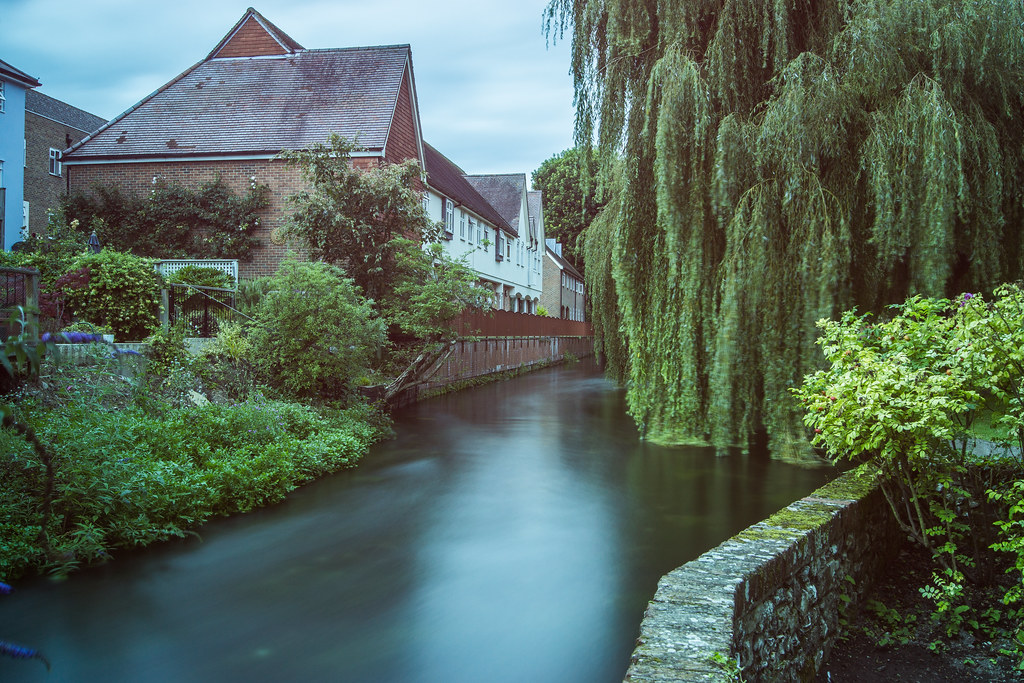
20120808-164513.jpg by MarkBerry1963, on Flickr
I've got a HiTech Pro 10 stop filter, which has a blue cast. I've seen plenty of examples where the cast has been removed in PP very easily, but I'm struggling with it. I think, but am not sure, that the problem is most pronounced when there is a lot of green in the shot.
Here are three test shots (not looking for crit on the shots themselves or even the appropriateness of a 10 stopper; these were just practice shots), one without the filter and pretty accurate colours, one as shot with the filter, and one with the colour corrected as best I can in LR4 using the temperature and tint sliders. Can anyone point me to what I'm doing wrong? Or, is it going to be impossible to get back to accurate colours? Would setting up a custom white balance, either in camera or in LR, using a white or grey card shot through the filter help?
Auto WB correction in LR, i.e. by clicking on a white part of the shot with the dropper tool, results in a very washed out image with a red tinge!
If anyone feels like having a play, the raw file is available here.
#1 No Filter
20120808-163921.jpg by MarkBerry1963, on Flickr
#2 Filter; No Correction
20120808-164513-2.jpg by MarkBerry1963, on Flickr
#3 Filter; Failed Correction
20120808-164513.jpg by MarkBerry1963, on Flickr
Last edited: