Bristolian
Suspended / Banned
- Messages
- 4,428
- Name
- Steve
- Edit My Images
- Yes
Hi folks,
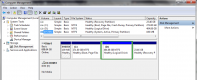
I have a nearly new HP laptop which came with a 1TB HDD installed (of which just 146GB is actually used) and I'm thinking of replacing that with an SSD to speed up booting and file handling. According to Macrium Reflect the 1TB drive has five partitions:
1. NO NAME - FAT32 LBA Primary - 260MB of which 80.3MB is used
2. (None) - Unformatted Primary - 16MB of which 16MB is used
3. Windows (C) - NTFS Primary - 915.05GB of which 146.79GB is used
4. Windows RE Tools - NTFS Primary - 980MB of which 426.7MB is used
5. RECOVERY (D) - NTFS Primary - 15.23GB of which 13.42GB is used
I don't need 1TB of space and could easily make do with 256GB and just happen to have a new, unused 256GB SSD handy.
When I try to clone the HDD it says there's not enough space on the SSD - is there a way around this?
The laptop is running W10 Home 64bit with all the current updates installed, the processor is an i5-7200U and there is 8GB of RAM installed.
TIA
I have a nearly new HP laptop which came with a 1TB HDD installed (of which just 146GB is actually used) and I'm thinking of replacing that with an SSD to speed up booting and file handling. According to Macrium Reflect the 1TB drive has five partitions:
1. NO NAME - FAT32 LBA Primary - 260MB of which 80.3MB is used
2. (None) - Unformatted Primary - 16MB of which 16MB is used
3. Windows (C) - NTFS Primary - 915.05GB of which 146.79GB is used
4. Windows RE Tools - NTFS Primary - 980MB of which 426.7MB is used
5. RECOVERY (D) - NTFS Primary - 15.23GB of which 13.42GB is used
I don't need 1TB of space and could easily make do with 256GB and just happen to have a new, unused 256GB SSD handy.
When I try to clone the HDD it says there's not enough space on the SSD - is there a way around this?
The laptop is running W10 Home 64bit with all the current updates installed, the processor is an i5-7200U and there is 8GB of RAM installed.
TIA