

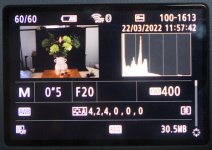
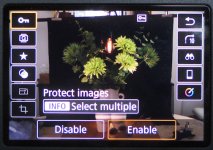
When I have taken a shot I like to check it on the rear screen. However when I select the playback button (image 1) I see all me settings used for this image which is ok . I then like to check the image in full screen (quick control button) but I get all the custom function buttons showing (image 2) and hiding image detail at the sides. Is to possible to hide the custom buttons from showing every time I want to check an image as I find them a distraction? Thanks.
1 2
1 2

