Canon 7D pics to dark?

Cpinch73

Suspended / Banned
Messages
90
Name
Chris
Edit My Images
Yes
Can someone please help me?

I recently went to Goodwood race circuit for there supercar Sunday. It was a bright sunny day with loads of amazing cars to photograph.... Except for some reason because it was so bright my 7D was really under exposing my images especially ones of White or silver cars, but in general everything! I had to turn the expo compensation up so much, surely this can't be right? Is the a menu that needs turning on like light optimiser or something? My dad with his canon 1000d and my brother with his Nikon d700 weren't having any troubles at all.

Many thanks
Chris
 
where was the sun? in front or behind you?

where you on manual or what auto set up?

what light metering were you using? spot, average.

what speed was your ISO?
 
where was the sun? in front or behind you?

where you on manual or what auto set up?

what light metering were you using? spot, average.

what speed was your ISO?

:plusone: Post up a couple of example shots with Exif intact as well.
 
My suspicion is your in spot metering or similar, that could explain what your getting (as could a few other things) but we need more information to be sure.
 
Could you post an example, preferably with EXIF attached?
 
It's a pretty normal issue that will come up in most situations where you are shooting subjects that are really light or dark. The more you fill frame the more the problem will be there. The metering is trying to even out the exposure to a middle grey, white subjects will be under exposed and dark over.

I used to shoot a lot of sports and the easiest way to get over this is to shoot manual as it takes the guess work out of things.
 
I have found the spot metering on the 7D to be really that, measuring light of a very small spot, so it's easy to get it all screwed up.

Steve
 
It's basically user-error I'm afraid. You just have to learn what's going on, use the camera and meter modes correctly, and make adjustments as and when.

I'm guessing that maybe the problem with white/silver cars is most apparent when you've got bright sun/sky reflecting directly of the roof/bonnet towards the camera. That will make a bad situation much worse and it will under-expsore big time, whereas somebody else taking a similar shot from a slightly different angle might be okay.

The meter does its best, within its limitations, but if you check the LCD/histogram/blinkies (highlight over exposure warning, in the menu) that will tell you what you have actually recorded. That's what matters, adjust from there.
 
I used to shoot a lot of sports and the easiest way to get over this is to shoot manual

Yup.

I've shot a couple of times at Goodwood and I always shoot manual. I use Av mode and spot meter the tarmac and see what shutter speed it recommends. Then I go to M mode and set the correct settings. Of course, they'll get changed as I vary the shutter speed to try to get good background blur.

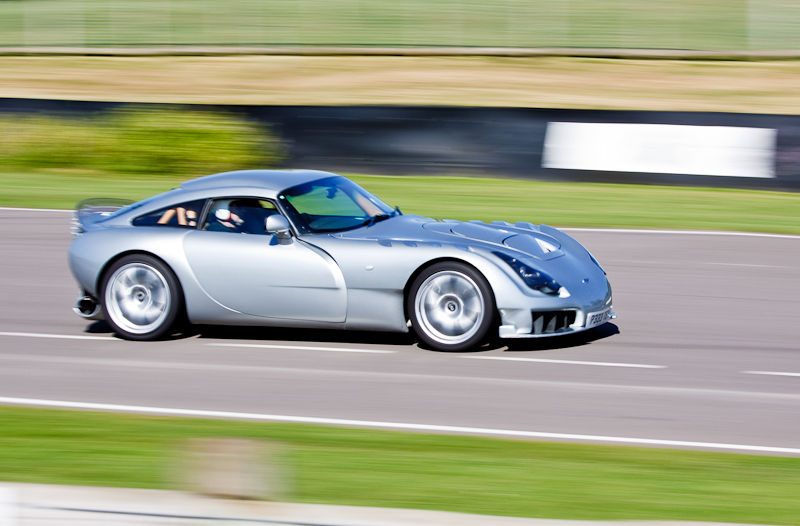
Here's my pal in his TVR a couple of years back...

Goodwood001.jpg
 
You are probably using spot metering, the camera will think a white cars really bright hence underexpose and it will think black cars are really dark and overexpose. Thats my take on it anyway
 
Guys I'm really sorry I haven't got any examples as I was so disappointed I deleted some while back. I wasn't using spot metering I was using average. I did use spot focus though but that shouldn't matter.

Reading these messages I guess I should switch straight to manual witch I'm happy to do or meter off a neutral area.
 
Grass is a good thing to meter off. Another thing to consider is to check the histogram on the back of your camera every so often, if you are getting "blinkies" or the histogram looks over exposed dial in some -ve exposure compensation.
 
Back
Top