Hello, I have a couple of issues with my seldom used old Canon EOS 30D.
The first is that it seems the plastic cover for the USB port etc. does not last fifteen years! I tried to open it and it split in two, then broke away from the camera completely. So does anyone know if and where I can buy a replacement? I can see doors on eBay for the battery compartment, but not for the rubber side cover.
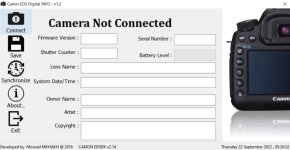
But once I took off the cover, plugged it into my MacBook running an outdated macOS 10.14 to use the EOS Utility, I discovered my computer was not outdated enough! It seems the camera only works with v1 of EOS Utility, but only v2 and v3 are supported on my operating system. But this was the only way to set the copyright and owner names, it cannot be done in camera like later models. So does anyone know if there is a way I can do this without having to get hold of a really old computer just to run the really old software?
I loved that camera, and it is still a great camera (even if I replaced it a greaterer one), just a shame Canon want to shun it.
The first is that it seems the plastic cover for the USB port etc. does not last fifteen years! I tried to open it and it split in two, then broke away from the camera completely. So does anyone know if and where I can buy a replacement? I can see doors on eBay for the battery compartment, but not for the rubber side cover.
But once I took off the cover, plugged it into my MacBook running an outdated macOS 10.14 to use the EOS Utility, I discovered my computer was not outdated enough! It seems the camera only works with v1 of EOS Utility, but only v2 and v3 are supported on my operating system. But this was the only way to set the copyright and owner names, it cannot be done in camera like later models. So does anyone know if there is a way I can do this without having to get hold of a really old computer just to run the really old software?
I loved that camera, and it is still a great camera (even if I replaced it a greaterer one), just a shame Canon want to shun it.