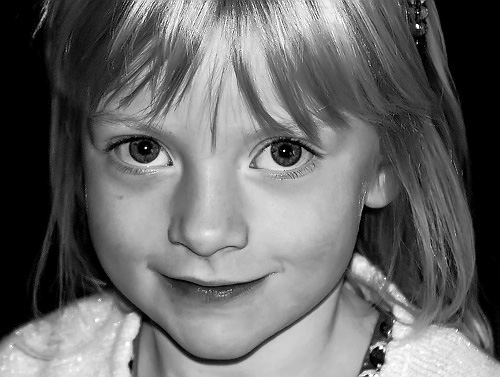
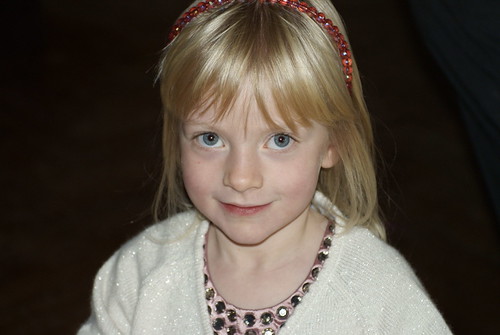
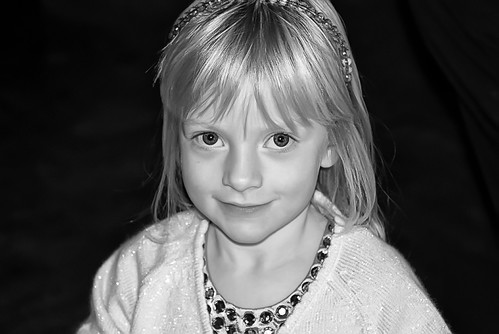
Can you help me improve this please?

Boynielaad

Suspended / Banned
Messages
906
Name
Andy
Edit My Images
Yes
A snap of a friend's daughter which I'd quite like to present to them.

Not quite happy with it.

Can anyone suggest how to improve please.

Thanks
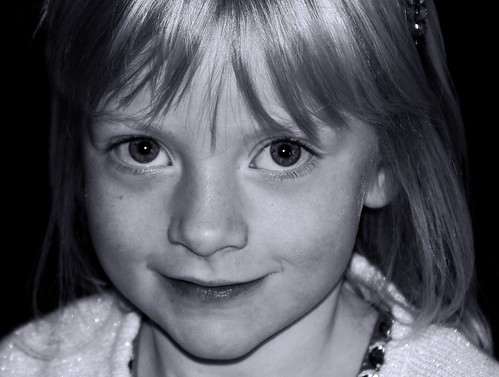
4026768737_d84b8b421c.jpg
 
Hi,

Not a bad image at all. You could try ...

make it a little 'hi-key', lightening the skin and removing some of the texture. You could dodge the iris of the eyes to bring out the detail. You already have catch-lights so thats fine. You could sharpen the eyes and remove the shine from the nose.

More creative ... You may also want to add a little film grain and maybe selective blurring. You may also want to add vignetting.

Just a few thoughts. Have you PhotoShop or something similar? I have seen this image on your Flickr and could download and have a go tomorrow if you wish.

Kind regards
 
Please feel free.

Most of what you're saying is Greek to me. I am but a novice in the arts of PP. I use GIMP.

I look forward to seeing what you can do. RAW image available if you wish.

Thanks
 
A very quick go, a bigger original would be better (preferably in colour)

4028266397_efe6f55be1_o.jpg
 
That's very good (even for a 'quick go').

I've now downloaded the original RAW file converted straight to jpeg with no changes at all - large version on Flickr
If this helps to improve the quality I look forward to seeing the end result.

ps, please talk me through how you've done it so I can improve my skills.

Thanks again.

4028353647_f63d30d3d7.jpg
 
Sorry you wanted to know what I did.
Reduced noise with noiseware pro, converted to B+W with silver effects, then a levels tweek, final step a selective sharpen of hair/eyes etc.
 
It does seem a little noisy, so I did run noiseware. I didn't pull up the exif was it shot at high iso?
 
quick attempt. Doesn't look too different to the original, though.

4026768737_d84b8b421c.jpg
 
Hiya,

Just downloaded the colour full size image into photoshop. but can't see the Exif. Looking at the image it doesnt seem noisey but 'pixelated' when I zoom in. May I ask what resolution (quaility) you used?

Kind regards

Graydon
 
It does seem a little noisy, so I did run noiseware. I didn't pull up the exif was it shot at high iso?

400. Had I remembered I'd probably have reduced it beforehand. C'est la vie!

looks a bit too ceramic or pearly, I reckon?

I like it like this

Hiya,

Just downloaded the colour full size image into photoshop. but can't see the Exif. Looking at the image it doesnt seem noisey but 'pixelated' when I zoom in. May I ask what resolution (quaility) you used?

Kind regards

Graydon

not sure what you mean. Shot in RAW.

For what its worth

4029399315_0c1922da9c_o.jpg

I like this one. Similar 'creaminess' to the complexion. How did you get the extra darkness to the side please? I like the effect it has on the image.
 
400. Had I remembered I'd probably have reduced it beforehand. C'est la vie!

I like it like this

not sure what you mean. Shot in RAW.

I like this one. Similar 'creaminess' to the complexion. How did you get the extra darkness to the side please? I like the effect it has on the image.

Boynielaad

It is quite a simple process, select the crop tool make sure the back ground colour of the swatch on the tool bar on left of screen is set to black.

Drag the crop over the entire image and release.... then grab the middle right hand crop handle and drag the crop to the right... or the left to enlarge. When you have it to the size you want just hit return and the new space will be filled with black.

You will have to remember that the original images back ground was not true black so you will have to Dodge the back ground to make it pure black and make the join disappear.

Hope that helps..

Nigel
 
Not too sure if it can be done in Gimp as I have never used that software.

Regards

Nigel.
 
Back
Top