
Can you help me edit my rig shots?

sduk

Suspended / Banned
Messages
1,005
Name
Sammy
Edit My Images
Yes
Hello, just wondering if anyone would mind giving me some pointers with editing a couple of rig shots I did...
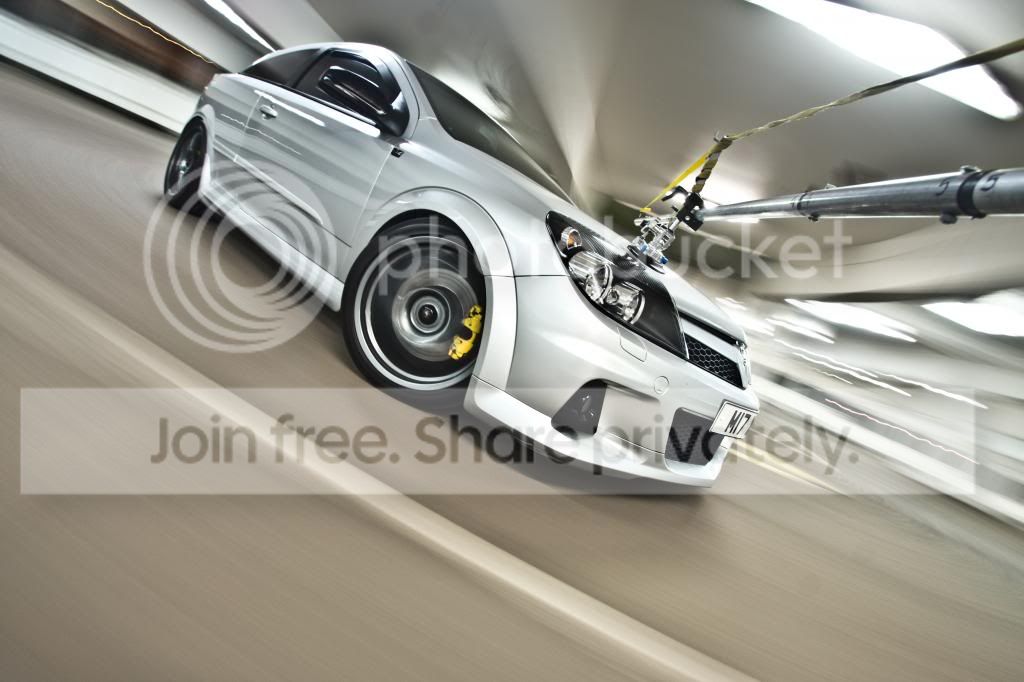
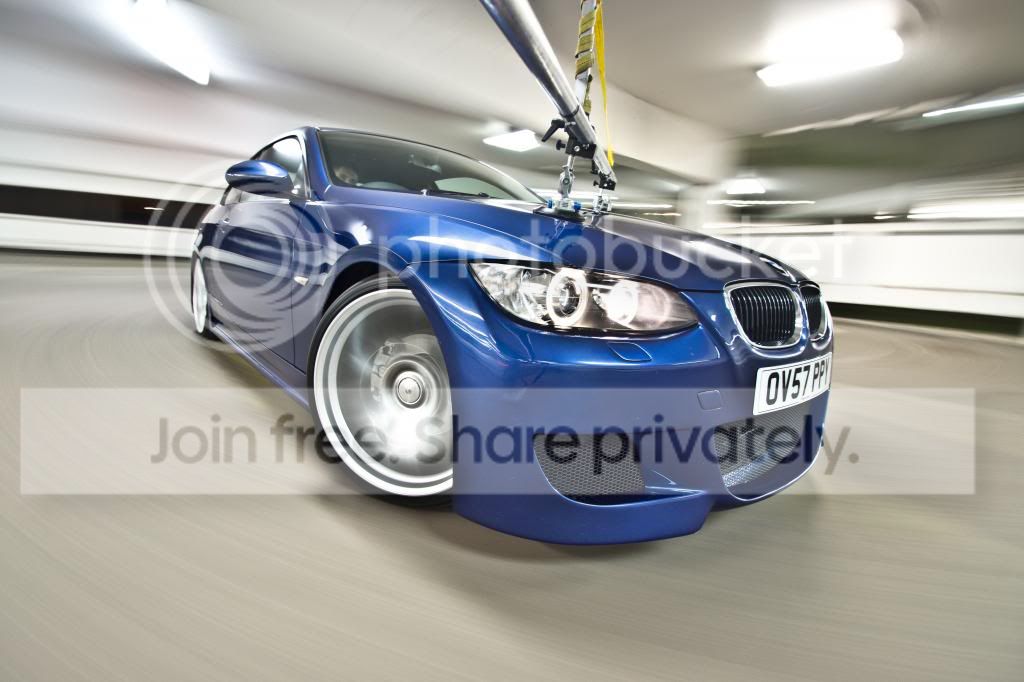


Usually my photoshopping skills are not bad but I cannot seem to get the roof of the building quite right when cloning out the rig.

It's annoying me as I am happy with the shots.

If anyone want's to have a go themselves then please do :)

Just wondering if it is possible to remove the rig or if in future i need to think more about my set up so the rig is not such a dominant feature of the shot to remove.

Sammy
 
these are tricky.... I tried the first as it looked the harder of the two.... I always have a problem with graduated areas asthis makes it harder to get a good match... seems the more time you spend on it, the worse it gets... :lol:

20 mins of cloning, blurring, cloning with various opacity and mode set to lighten or darken, also at low opacities. copied and resized the light to the back of the roof too.


Far from perfect or even usable unless at very small size. But summat to compare your efforts to :thumbs:
 
these are tricky.... I tried the first as it looked the harder of the two.... I always have a problem with graduated areas asthis makes it harder to get a good match... seems the more time you spend on it, the worse it gets... :lol:

20 mins of cloning, blurring, cloning with various opacity and mode set to lighten or darken, also at low opacities. copied and resized the light to the back of the roof too.


Far from perfect or even usable unless at very small size. But summat to compare your efforts to :thumbs:

Nicely done mate, that was a tricky one :thumbs:
 
Nicely done mate, that was a tricky one :thumbs:

thankyou Wayne....

dunno if this new fangled content aware fill would work better.... mine was all manual..
 
second one of the BMW is easier to make look right - but I wouldn;t say it;s actually easier to do if that makes sense!

CLICKIT FOR BIGGER.. :thumbs:


One thing I found, take the right hand (drivers side) of the bonnet, where the reflection of the rig was.... I would clone from one side of it across, and then the other side across..... but this gives a bad abrupt change half way through.....

So I tried duplicating the layer, then on one copy continue the clone from one side across much further than you need, then do the same (on the duplicate layer) from the other side, and again continue further than you need........ Then apply a layer mask with a gradient across the areas you;ve created. Smooth transition from one are to the next. (Use the brush on the layer mask to then tidy more.

Also got carried away and lost a few stone chips(?) and the driver. :naughty:, and desaturated the roof area ( of the car park) by about 50%.....

Maybe 30-40 mins into this one, but not something I've done before. Nice to have some good shots to work on I'd never get the chance to take myself. :thumbs:

full res version of BMW here... ;)
http://www.speedyshare.com/RzxHU/edit2-copy.jpg
 
thankyou Wayne....

dunno if this new fangled content aware fill would work better.... mine was all manual..

I did try it but It didn't do a very good job, it would have still needed a lot of fiddling to tidy it up, and then it probably wouldn't have been half as good as yours.
 
Best I could manage. Nice photos. Not gotta clue how you take them :-)


Gaz

Car_try_forum_size.jpg
 
Back
Top