

TinySpark
Suspended / Banned
- Messages
- 874
- Name
- Melissa
- Edit My Images
- Yes
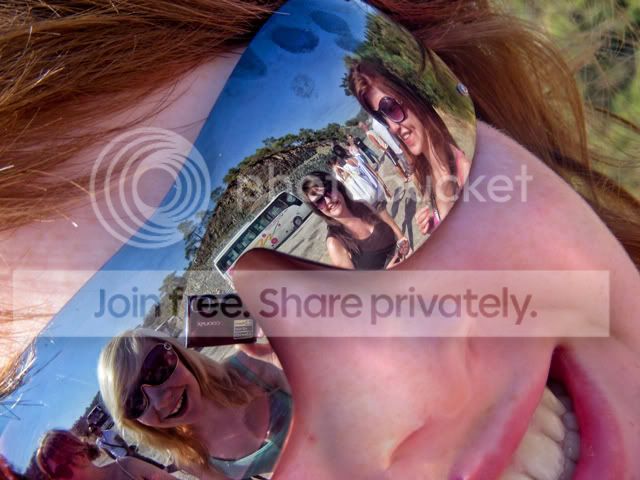
This is a photo I took recently (on holiday... without the dlsr- sad times!) withq compact camera but unfortunately my friend's nose is blown out. I was wondering if theres a way I could like, add some skin to it if you know what i mean, but so that it doesn't look out of place!
Any tips or demonstrations would be awesome
But i understand it may be a silly request, impossible!

Any tips or demonstrations would be awesome
But i understand it may be a silly request, impossible!


 Nice work.