
and please use their services
You are using an out of date browser. It may not display this or other websites correctly.
You should upgrade or use an alternative browser.
You should upgrade or use an alternative browser.
Can anyone help me with this?
- Thread starter Mojo Jojo
- Start date


D
Deleted member 3428
Guest
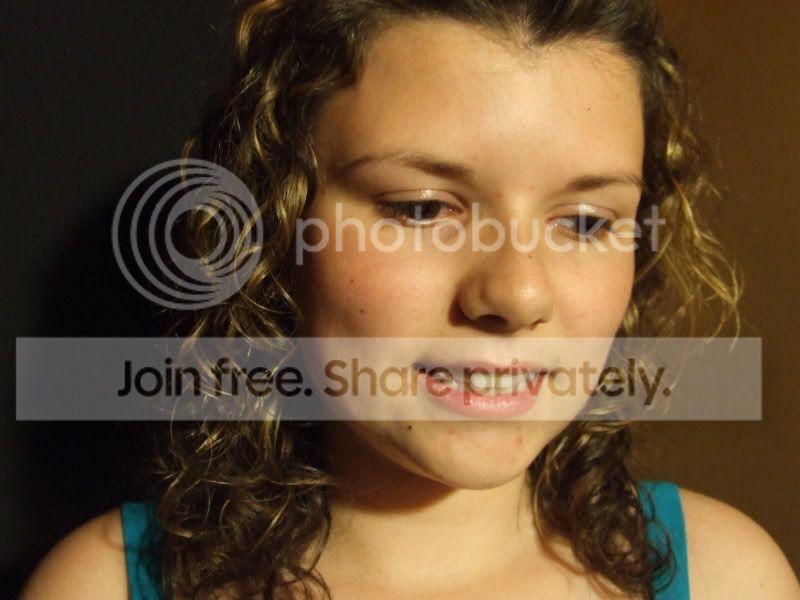
Hows this?


Damian Brown
Suspended / Banned
- Messages
- 2,685
- Name
- Damian Brown
- Edit My Images
- No
Tell her what you did 
D
Deleted member 3428
Guest
I created new blank layer and filled it black, added a mask and with a soft brush painted back the face. Also done a bit of face work removing the nose shadow by painting on a new blank layer and a soft brush with 20% opacity, same with hot spot on forehead and lips, then flattened. Created a copy and used a blurred layer and set opacity to 35% added another mask and showed the eyes, brow, nostrils and lips to keep sharp. Flattened and adjusted curves and posted. Sorry if it doesn't make sense.  Not much use as I don't use The Gimp.
Not much use as I don't use The Gimp. but apart from spending a ridiculas amount of money i dont think i can! *cries*
Ok. So this is a super rough and ready attempt but you get the general idea. I have never really edited a portrait before so dont know what i'm doing. just adapted a few principles I use with landscapes. Does this look ok to you? If so, I'll let you know how I went about it (as its a bit woffly). Edit: Ive just looked at it posted against the other versions above and its way too contrasty but oh well, at least i\ve learnt something tonight!


divine`
Suspended / Banned
- Messages
- 581
- Edit My Images
- Yes
Just to jump on the bandwagon of editing it beyond darkening the background;
Colour

Black and White

That's some fairly 'extreme' processing gone on there, so i'm guessing it won't be to everyone's taste. I was just as much experimenting with some new techniques myself really.
I'll happily take them down if you don't approve, but PM me in case I miss the post.
Colour
Black and White
That's some fairly 'extreme' processing gone on there, so i'm guessing it won't be to everyone's taste. I was just as much experimenting with some new techniques myself really.
I'll happily take them down if you don't approve, but PM me in case I miss the post.
Steve Henderson
Suspended / Banned
- Messages
- 49
- Name
- Steve henderson
- Edit My Images
- Yes
Here is another edit.
Hope you don't mind the changes

Hope you don't mind the changes


