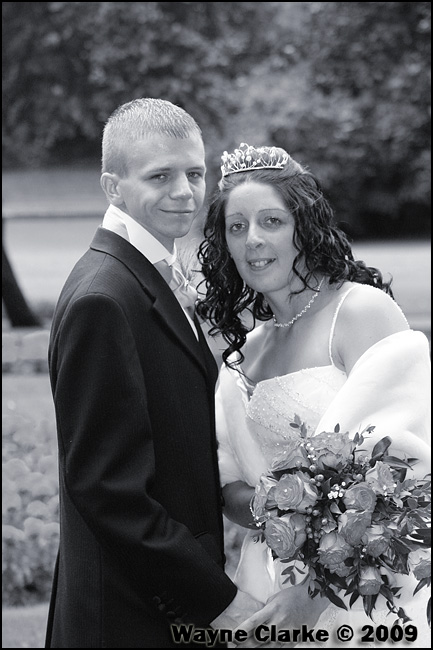
Black and white but blue tone?

What are you processing your images with?

If you're using Lightroom, you can get some great toning by dividing your tones into the highlights and shadows.

If you want to send me on your email, I can forward you some presets?
 
What are you processing your images with?

If you're using Lightroom, you can get some great toning by dividing your tones into the highlights and shadows.

If you want to send me on your email, I can forward you some presets?

I use CS4 and Nikon Capture but only use capture to convert the raw.
 
Ah, presets are no good to you then I'm afraid - There are still plenty of ways in CS4, using the Photo Filter adjustment layer being about the simplest of them - You've got the channel mixer along with plenty of other toning methods to use too! Don't forget to play with blending methods to get the tones working where you want them :)
 
Ah, presets are no good to you then I'm afraid - There are still plenty of ways in CS4, using the Photo Filter adjustment layer being about the simplest of them - You've got the channel mixer along with plenty of other toning methods to use too! Don't forget to play with blending methods to get the tones working where you want them :)

Yeah TBH I have tried for afew hours playing about but cant seeem to get them like they are in the link. :shrug: So gave up, And was hoping someone out there new how
 
Yeah TBH I have tried for afew hours playing about but cant seeem to get them like they are in the link. :shrug: So gave up, And was hoping someone out there new how

I find the biggest problem is that the toning can be quite flat, which is where being able to tone the highlights and shadows seperately works great - have you played with blending methods much? For example, a bluish tone, set to Soft Light, then reducing the opacity to about 10%?
 
Convert t he iamge to B&W then add the tone after is the easiest way .. I use Serif for all my PP and this took about three steps to achieve.

Convert then tone then play about till right result is made ... I will add I used *whispers* jpegs as my serif does not allow RAW just yet (it is in the new one) will post example later.. or as above states add a tone layer and blend it is honestly pretty simple effect to achieve.
 
A quick way of getting close is image/ajustment/hue saturation, click the colourise box take the hue to around 225 and the saturation to 5, that looks fairly close-ish.
3840210457_3f0d406819_o.jpg
 
Back
Top