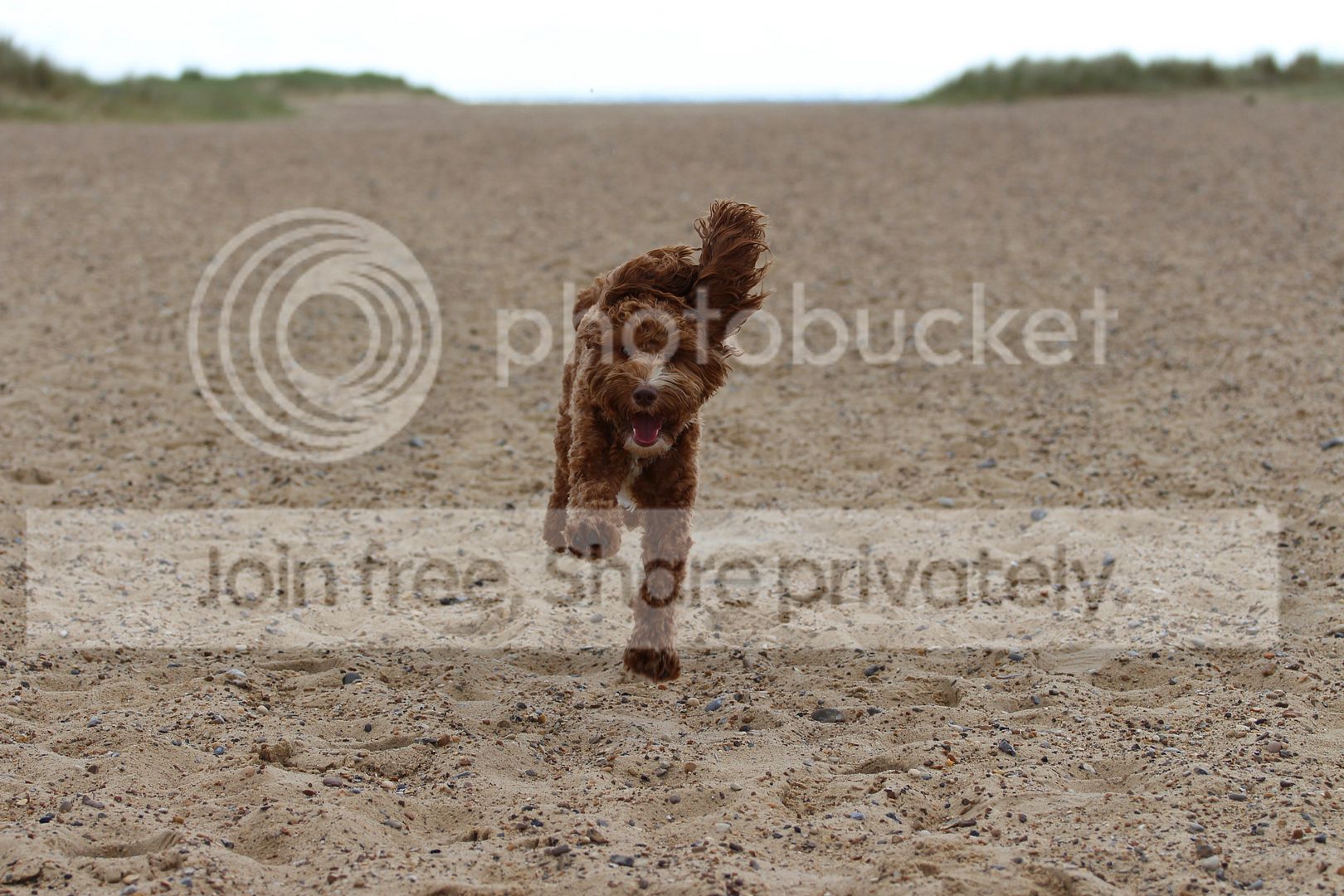
Beginner Best way to shoot action shots

Matt-

Suspended / Banned
Messages
308
Name
Matt
Edit My Images
Yes
Hi everyone since having my camera I've been getting used to everything I can do with it and always try not to shoot in full auto mode. Normally switching between TV and AV modes.


I often use my camera for taking photos of the dogs in action and sometimes they will come out poor (blurry, dark faces and fussy (noise?).

One problem is that when I look back at the photos I don't know what setting I have used so it's hard to remember what to start with or use next time.

I usually shoot in good light (often sunny) handheld, in TV or AV mode, AI servo, continuous shoot and I have a Canon 700d with a 70-200 f4 l lens.


I would like to know the best way to set my camera up for these kind of shots?
Is it best to shoot with the light coming from behind me?
If I shoot in TV mode and turn the shutter speed really high would this be bad because it doesn't allow enough light in?


I do get some pretty good shots (for me) but would like to improve. I have thought about upgrading to the 70d because it's faster but think that might not be the way to go yet!


Sorry for the silly questions, thanks.
 
The way I shoot birds - not the same as dogs but it may help. Camera - 550D, so quite basic. 'M' mode set on the dial. Shutter speed around 800 - 1000 (higher if the light's good), aperture around 7.1. This may not give you enough depth of field for a dog, it depends how close you let it get. ISO on auto. Spot metering, centre spot focus. AI servo and continuous shooting (with the 550 it's so slow I have continuous set but rarely fire off more than 2). It will help if the light is behind you so you get similar lighting on both the dog and the background. The camera may still get it slightly wrong if, say, you have an all white dog in strong sunlight (it may underexpose) or a black dog on a dull day (overexpose) but it should give you a starting point. Always look at the settings the camera wants to use. Then if it doesn't work out you can go fully manual and adjust as necessary.
A lot pf people will use Tv or Av along with EV (exposure compensation). I personally find it easier as above.
I don't think a new camera will help if you can't get the basics right with the one you have (that's my excuse for sticking with the 550!)
 
The only way your camera is letting you down is in its speed, but I don't think that's got a lot to do with your issues.

I'd stick with TV and a high shutter speed. 1/1000 as a start point.
The camera will likely open your aperture to f4 but that should be enough DoF for a dog anyway.
In good light don't be afraid of high ISO's you'll get a better quality shot out of a correctly exposed shot at 800 than you will an underexposed one at 100. Pulling detail from underexposed images will make them noisy.

Other than that, practice.
I'd recommend BBF and focus on the dog as soon as you can so the camera will track it effectively whilst you shoot.
 
Thanks for the reply Jannyfox, I appreciate the pointers.

I should maybe add a few photos later this evening, some of the better and worse ones!

With spot metering if I press the focus button, will the camera normally stay focused on the subject as long as it's still in the frame? Even if it's moving? Or do I need to keep re-pressing the focus button?

Thanks.
 
The only way your camera is letting you down is in its speed, but I don't think that's got a lot to do with your issues.

I'd stick with TV and a high shutter speed. 1/1000 as a start point.
The camera will likely open your aperture to f4 but that should be enough DoF for a dog anyway.
In good light don't be afraid of high ISO's you'll get a better quality shot out of a correctly exposed shot at 800 than you will an underexposed one at 100. Pulling detail from underexposed images will make them noisy.

Other than that, practice.
I'd recommend BBF and focus on the dog as soon as you can so the camera will track it effectively whilst you shoot.

Thanks Phil. That's pretty much answered my question above too.

I had read about BBF recently and have actually been using it which I like. I will also try and stick with the same modes every time I go out and make small changes, rather than changing everything about between shots. Then I might be able to work out what the changes are doing better.

Like you say, I just need more practice. I know I don't really need a new camera but like the idea of the fast burst mode on the 70d.

Cheers.
 
One problem is that when I look back at the photos I don't know what setting I have used so it's hard to remember what to start with or use next time.
Right, well, that's easily fixed. All digital cameras store the detailed settings within each image file. It's called EXIF data and all imaging software can read and display it. Even Windows Explorer can show it to you. (Right click on file, Properties.) If you tell us which software you're using for viewing / organising / editing your images, we can show you how to find the EXIF data if you can't work it out.

I often use my camera for taking photos of the dogs in action and sometimes they will come out poor (blurry, dark faces and fussy (noise?).... I usually shoot in good light (often sunny) handheld, in TV or AV mode, AI servo, continuous shoot and I have a Canon 700d with a 70-200 f4 l lens.
You have very capable equipment and you're shooting in good light, so there is no reason why you shouldn't be able to get decent images if you know what you're doing.

It's not about Av or Tv mode though. Either can be used successfully or unsuccessfully. What's important is the settings (aperture, shutter speed, ISO) which you end up with, and obviously these aren't right. Trouble is, the symptoms you're describing are all over the place and could have multiple causes:
* "blurry" could mean camera shake due to the shutter speed being too slow, or you might not have focused properly
* "dark faces" suggests under exposure, which could be due to inappropriate metering, or perhaps using Tv mode and requiring an aperture which your lens can't achieve
* "fussy (noise?)" suggests high ISO, but would make the other two problems less likely.

I think the best way forward right now would be for you to find some photos which exhibit these problems, and post them here with the EXIF data. Then we can see what you're actually doing and take it from there.

I have thought about upgrading to the 70d because it's faster but think that might not be the way to go yet!
I hope you're joking. That would be a very stupid thing to do. Your photos would not be any different at all because you are not being limited by the abilities of your camera.
 
Last edited:
Stewart R, thanks for your reply.

I used to use my laptop with Windows 8 I think. On that I'd use canons programme for uploading photos. Recently, because my laptop is pretty slow, I've been using the iPad which probably isn't the best thing to use but it's convenient.

I do get decent images (I think), it's just that sometimes they tend to go wrong and I was thinking of ways to learn & improve! I think I change the setting too much when I'm using the camera so that will be something I cut down on.

No I wasn't joking, I am a beginner and wasn't sure, which is why I mentioned it. Thanks.
 
I used to use my laptop with Windows 8 I think. On that I'd use canons programme for uploading photos.
Which Canon programme? If all you're doing is uploading photos, not editing them in any way, you don't need any programme to do that. You just connect the camera to the laptop with a USB cable, or alternatively take the SD card out of the camera and put it in the computer. No software required.

Anyway, in Windows 8 you can see the EXIF date in File Explorer. Locate the image, right-click, Properties, Details.

So now you can look at some of your problematic photos and see how you took them. Please do this, and post examples here.
 
Which Canon programme? If all you're doing is uploading photos, not editing them in any way, you don't need any programme to do that. You just connect the camera to the laptop with a USB cable, or alternatively take the SD card out of the camera and put it in the computer. No software required.

Anyway, in Windows 8 you can see the EXIF date in File Explorer. Locate the image, right-click, Properties, Details.

So now you can look at some of your problematic photos and see how you took them. Please do this, and post examples here.

It was the programme that came with the camera. I can't recall the name, sorry.

Thanks for the pointers, I have done that before to look at more details but didn't know it had all that data in there.

Say for instance this (this would be one of the worst ones I have, they're not all this bad I promise! Haha).
image_zps6nlytbhv.jpeg


I have found the data for that
F11
Iso 100
Shutter speed value? 7.37
Focal length 75
Exposure programme AV

image_zpsqwrougfl.jpeg

Dark, no detail.
F5.6
Iso 100
Shutter speed value 10.37
Focal length 70
Exposure programme shutter priority.


Like I mentioned before, I get a lot of photos I like, I would just like to learn what I could be doing wrong at times rather than just shooting in different modes and hoping I get some nice shots.


I'll do another post with a few I like.
 
image_zps7huzdbag.jpeg

F4
1/800
70mm focal length
Auto?


image_zpsgj4iplsm.jpeg


image_zpserx5phiv.jpeg

A bit dark but came out after editing in photoshop on iPad. This is the original.
 
Last edited:
you should have the Canon programme Digital Photo Professional, that will give you all the info about your shots, it will even show you the focus points so you know exactly what your camera focussed on. Find the good shots and have a look at the info (Exif Data) and remember the settings for future use. TBH I'm not the best togger on here, far from it as I have problems of my own. It just seems like I need to put into practice what I know....

Pic 1 was shot at
Canon EOS 700D | 70mm F11 1/160 ISO100 | 2016:09:04 08:12:47

Pic 2 was
Canon EOS 700D | 84mm F4 1/1250 ISO100 | 2016:07:17 11:34:25
 
you should have the Canon programme Digital Photo Professional, that will give you all the info about your shots, it will even show you the focus points so you know exactly what your camera focussed on. Find the good shots and have a look at the info (Exif Data) and remember the settings for future use. TBH I'm not the best togger on here, far from it as I have problems of my own. It just seems like I need to put into practice what I know....

Pic 1 was shot at
Canon EOS 700D | 70mm F11 1/160 ISO100 | 2016:09:04 08:12:47

Pic 2 was
Canon EOS 700D | 84mm F4 1/1250 ISO100 | 2016:07:17 11:34:25

That's the one I have, cheers Scotty!

Also helpful for the info.

I've been messing around with an app on the iPad. Much easier on a laptop but it's so slow!
 
It was the programme that came with the camera. I can't recall the name, sorry.

Thanks for the pointers, I have done that before to look at more details but didn't know it had all that data in there.

Say for instance this (this would be one of the worst ones I have, they're not all this bad I promise! Haha).
image_zps6nlytbhv.jpeg


I have found the data for that
F11
Iso 100
Shutter speed value? 7.37
Focal length 75
Exposure programme AV

image_zpsqwrougfl.jpeg

Dark, no detail.
F5.6
Iso 100
Shutter speed value 10.37
Focal length 70
Exposure programme shutter priority.


Like I mentioned before, I get a lot of photos I like, I would just like to learn what I could be doing wrong at times rather than just shooting in different modes and hoping I get some nice shots.


I'll do another post with a few I like.


I have an EXIF viewer on Google Chrome. I can see the EXIF on the photos that you've just put up ;)

This first one has a shutter speed of just 1/160, which is why it's blurry. The F11 aperture has caused this with the ISO only being 100. Open the aperture up to as fast as it can go. For my dogs on the move I stay above 1/800.

The second one is dark because the sun is on the other side of him, so you've got the shadow side. Standing with the sun over your shoulder would've worked here (y)
 
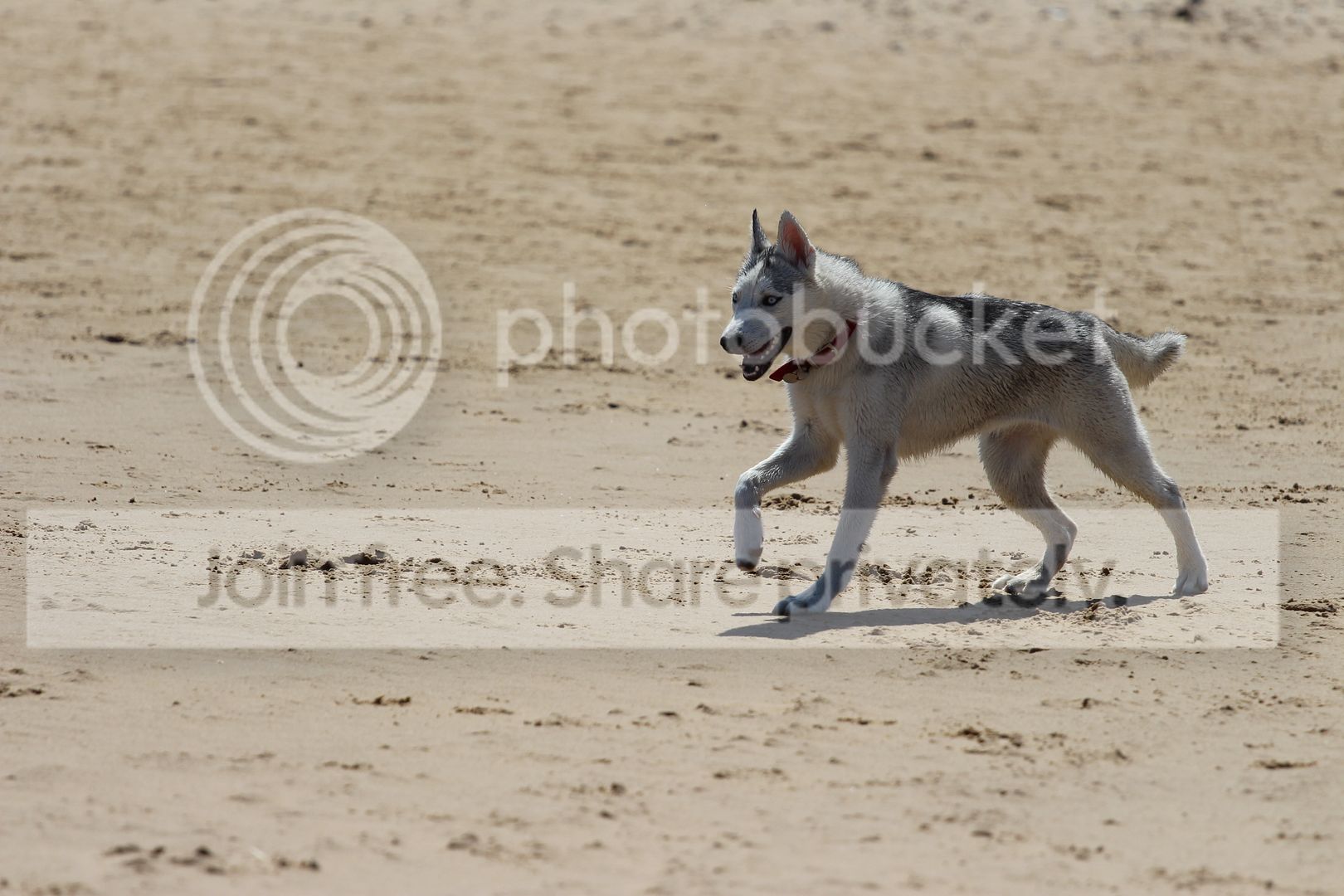
see the screen shot of your image of the husky (if that is correct) all the red squares are your focus points...


Screen%20Shot%202016-09-12%20at%2019.07.39_zpsaztrlah5.png
 
All those are giving you exposure problems due to the sand, as a start point try a stop of + exp compensation. (Maybe more- check the histogram.

Pick your focus point, the camera has to work hard trying to refocus and decide what to focus on.

As above a faster shutter speed will help, and if you want 'interesting' rather than 'OK' images, think about the light, contrasty light will give you punchy images, but you need to consider its direction. Shadows are vital to create form.
 
Put iso into auto (set an upper limit if you feel the need, say 1600), noise is improbable, blur isn't. Af is better set to AI servo, i find setting the mode wheel to Tv is better than Av (but not everyone does). I use centre point focus, i find that sometimes the camera gets a bit confused as to what to focus on when all points are used (not so bad when pointing the camera at a bird in the sky).
I'm most definitely no expert, it's just how i go about it.
 
Info from the first image, problem has been the shutter


Canon
Canon EOS 700D
1024x683
Y, Cb, Cr, -
EOS High-end
2016:09:04 08:12:47
2016:09:04 08:12:47
2016:09:04 08:12:47
1/160"
F11.0
F4
0.019 mm
23.49 m
Aperture-priority AE
0
Evaluative
Off, Did not fire
100
Auto
70.0 mm
70.0 mm (35 mm equivalent: 110.9 mm)
sRGB
Normal
Normal
3
Canon EF 70-200mm f/4L
 
Hi everyone since having my camera I've been getting used to everything I can do with it and always try not to shoot in full auto mode.
Unless you are overriding the camera to make it perform BETTER, (which is not the case here) you will get more good shots on AUTO.
Once you understand the EXIF you can see which settings were applied for your favourite doggie photos and maybe apply them in manual.Tv/Av whatever.
Modern cameras are really very good on AUTO.
(I'm still wholly confused about how your iPad is better than your laptop for editing : is your laptop from 1999?)
 
Thank you all for your replies. I will look back at it regularly for help.

Ulfric M Douglas, I don't think I said it was better for editing. I just find it easier to view and upload pictures to. It's more likely me just being lazy but it takes forever for my laptop to get going and it's slow. It's only about five years old!
 
Just to add to the technical stuff above, try getting lower as well, at least down to the dogs' eye level. I do a LOT of dog photography and spend my life either kneeling or lying down, and as someone above mentioned be aware of where the sun is and use it to your advantage. At this stage I would keep it behind you.
 
Just to add to the technical stuff above, try getting lower as well, at least down to the dogs' eye level. I do a LOT of dog photography and spend my life either kneeling or lying down, and as someone above mentioned be aware of where the sun is and use it to your advantage. At this stage I would keep it behind you.

Thank you MadWoman I will give that a try.
 
Thanks for a good reply Matt ;
Ulfric M Douglas, I don't think I said it was better for editing. I just find it easier to view and upload pictures to. It's more likely me just being lazy but it takes forever for my laptop to get going and it's slow. It's only about five years old!
There is probably some stuff starting/running on your laptop that you should clear out. I have a few years old one with win8 and it wakes up almost instantly, but I restrict the "guff" to the minimum if that makes any sense. (I'm afraid "What'sRunning" doesn't work on that OS, unless there's a newer version, but it is a brilliant cleaner/diagnostic.)
For viewing I use FastStone which is a free, and lean, viewer/basic editor. Everyone should have it on windows, it really is superb. So fast!
For proper editing I use whatever programme is best for the type of editing I'm doing : PhotoNinja, pain-shop-pro, ACR, GIMP, photomatix.
 
For viewing I use FastStone which is a free, and lean, viewer/basic editor. Everyone should have it on windows, it really is superb. So fast!

Since someone recommended it on this forum, I tried it and I have to say that it's the best (raw) photo viewing program that I've ever used. Speedy as anything! Highly recommend (y)
 
Thanks for a good reply Matt ;

There is probably some stuff starting/running on your laptop that you should clear out. I have a few years old one with win8 and it wakes up almost instantly, but I restrict the "guff" to the minimum if that makes any sense. (I'm afraid "What'sRunning" doesn't work on that OS, unless there's a newer version, but it is a brilliant cleaner/diagnostic.)
For viewing I use FastStone which is a free, and lean, viewer/basic editor. Everyone should have it on windows, it really is superb. So fast!
For proper editing I use whatever programme is best for the type of editing I'm doing : PhotoNinja, pain-shop-pro, ACR, GIMP, photomatix.

Thank you.

When I get some time I'll look at my laptop, save anything I need to a memory stick and reset my laptop from new. I'm about as good on PC's as I am on cameras though!! Haha. I only use it to store photos, music and to back up my phone.

Once that is sorted I'll get FastStone and see how I get on.

Cheers, Matt.
 
Thank you.

When I get some time I'll look at my laptop, save anything I need to a memory stick and reset my laptop from new. I'm about as good on PC's as I am on cameras though!! Haha. I only use it to store photos, music and to back up my phone.

Once that is sorted I'll get FastStone and see how I get on.

Cheers, Matt.
If it's a typical 'high street brand' laptop, doing a factory reset will get rid of loads of recent crap but will likely reinstall a load of crap any way.

I appreciate that you are happy to dwell in the ignorance of 'I'm no good with computers', but I have to put my IT support hat on and say 'get a grip'. It's not rocket science, it's not a black art, and if I'm blunt, it's not difficult.

Just uninstall all the programs you don't use, Windows makes this easy, it's also pretty good nowadays at not botching up your drive space.

Then install Malwarebytes and let it do a deep clean of your system.

That should speed it up. Any more problems, start a new thread in the computers section, we'll help you sort it.

It's an evenings work that you can do whilst watching telly.
 
Last edited:
Back
Top