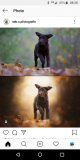
increase contrast - spot added more clarity and sharpness in the fur to increase the structure there
background - spot lightening with brush and to create a bit of shine
create a gentle vignette with the radial filter
Photoshop*
Use the high pass* filter to increase the sharpness, since the dog wasn't completely in focus**
Clean dog with stamp tool* to remove dirt etc.
Mask out the dog
Apply various layers, e.g. gradation curve, colour balance, brightness, contrast and gradient map*
Apply a soft gradiant to the background with a large soft brush
Added stock bokeh photo
Change fill method to screen* and de-mask areas that shouldn't be visible???
Dodge and burn (eyes and coat)
Sharpen
*some of the tool names may not translate 100% - I don't own LR and only have PS Elements, so I'm guessing at some of the names. Check this out: https://www.drweb.de/photoshop-englisch-deutsch/
**don't shoot the translator - I know this doesn't work
This site uses cookies to help personalise content, tailor your experience and to keep you logged in if you register.
By continuing to use this site, you are consenting to our use of cookies.