

TinySpark
Suspended / Banned
- Messages
- 874
- Name
- Melissa
- Edit My Images
- Yes
Was at the Pussycat dolls & Lady Gaga concert on Tuesday night, great concert, disappointing venue and pics though!
I'm used to the vast amount of light in the other venue i would usually go to (where i took the chris brown and mcfly concert pics i posted here), but whenever Lady Gaga came on stage there was only lights in the centre on the stage, and absolutely none when she came over to my side, grr!
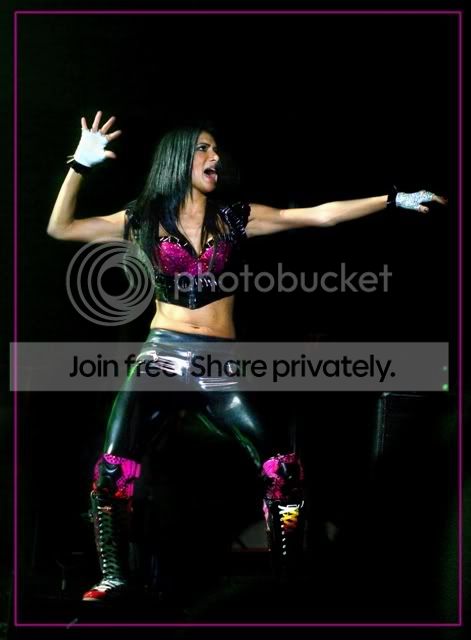
Ragin. There was a bit more for the main act Pussycat Dolls as you see- (blacked out the background here though)
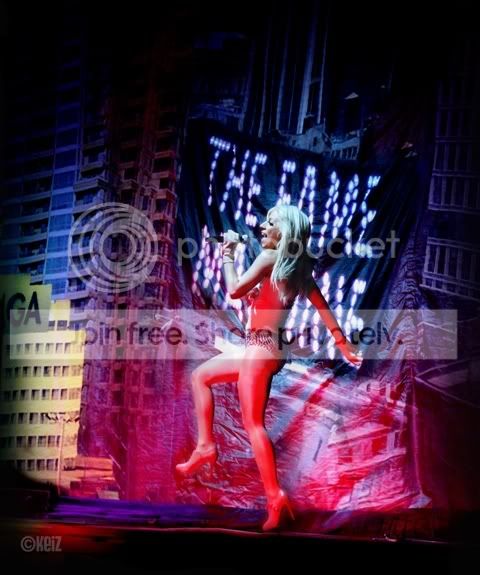
And this is one of Lady Gaga moving towards the only source of light, way to far away for my little nifty fifty though, and the people infront didn't appreciate me hanging over them for a few shots)
But then I got all excited when she appeared about 4 metres away from me, but no light to use! (usually there would be a spotlight on them) My aperture was v low, but the pics turned out noisy and crap!
My question is...
Anyway to improve this a little (just to stick on bebo like!) I was thinking of putting the better lit curtain (same bit) from another pic over the curtain here. But how can i improve the singer? (took in raw, straight from camera, only pushed exposure so she's not a friggin' shadow)
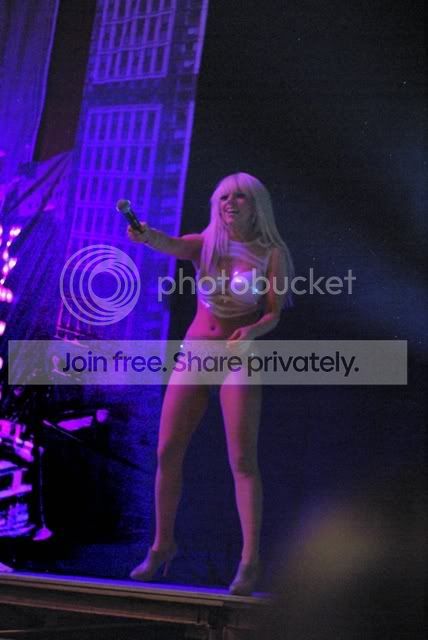
Any ideas, even if they don't make vast improvements (it's gone like lol) i will appreciate!
If only i could get into the togger's pit....
I'm used to the vast amount of light in the other venue i would usually go to (where i took the chris brown and mcfly concert pics i posted here), but whenever Lady Gaga came on stage there was only lights in the centre on the stage, and absolutely none when she came over to my side, grr!
Ragin. There was a bit more for the main act Pussycat Dolls as you see- (blacked out the background here though)
And this is one of Lady Gaga moving towards the only source of light, way to far away for my little nifty fifty though, and the people infront didn't appreciate me hanging over them for a few shots)
But then I got all excited when she appeared about 4 metres away from me, but no light to use! (usually there would be a spotlight on them) My aperture was v low, but the pics turned out noisy and crap!
My question is...
Anyway to improve this a little (just to stick on bebo like!) I was thinking of putting the better lit curtain (same bit) from another pic over the curtain here. But how can i improve the singer? (took in raw, straight from camera, only pushed exposure so she's not a friggin' shadow)
Any ideas, even if they don't make vast improvements (it's gone like lol) i will appreciate!
If only i could get into the togger's pit....


