Kell
Suspended / Banned
- Messages
- 5,130
- Name
- Kell
- Edit My Images
- Yes
I used to use a PC at home and a Mac at work, and couldn't ever really get a LR catalogue set up on one to work on the other. Even though in theory they should - in the same way as my Photoshop files would work on both.
I kind of worked around it, but only by running two separate work streams.
But now I've bought myself a Mac for home and am having issues with one particular catalogue.
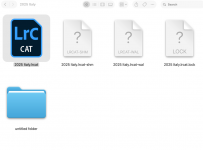
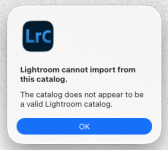
LR will still open on both Macs, but I attempted to open a catalogue on my work Mac that I created on my home Mac. It wouldn't open - but didn't give me any error messages either.
Figuring maybe it was still a sync or network error, now I'm home I tried to open it on the Mac it was created on and it still won't open.
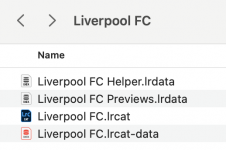
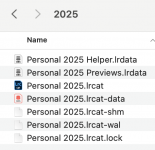
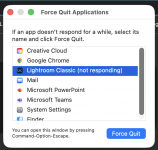
All my other catalogues will, but this one just hangs and I get the spinning beachball.
I left it over lunch (1 hour) and came back but still not responding.
I've tried Googling, but nothing seems to be hitting the spot in terms of solving it.
Any ideas?
Thanks in advance
I kind of worked around it, but only by running two separate work streams.
But now I've bought myself a Mac for home and am having issues with one particular catalogue.
LR will still open on both Macs, but I attempted to open a catalogue on my work Mac that I created on my home Mac. It wouldn't open - but didn't give me any error messages either.
Figuring maybe it was still a sync or network error, now I'm home I tried to open it on the Mac it was created on and it still won't open.
All my other catalogues will, but this one just hangs and I get the spinning beachball.
I left it over lunch (1 hour) and came back but still not responding.
I've tried Googling, but nothing seems to be hitting the spot in terms of solving it.
Any ideas?
Thanks in advance
Last edited: