Affinity v 2.6 released...

Box Brownie

Suspended / Banned
Messages
17,645
Edit My Images
No
I have yet to install it but this 'dot' release includes some machine learning models that should improve Affinity Photo for the likes of "object selection" and IIRC ON1 have very much pushed their object selection processes.....so Affinity have/are catching up ?

 
I have always thought Affinty's object selection was good once you get the way to do it, it does not seem the quickest at first, but to get to the finished stage it is the quickest for me ( I have not used ON1)

But now it is really good. To get to what I would call the final stage was the most time consuming part, now that is almost instant, and not much tidying up/refining to do.
 
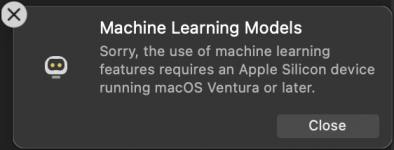
I cannot use mine :(
Affinity ML.png
 
I,ve updated mine, very exciting, object selection is something I struggle with
Affinity is getting better and better
 
I,ve updated mine, very exciting, object selection is something I struggle with
Affinity is getting better and better
Looks like I could saved money updating ON1 as the apparent processes are quite akin re: object selection but I like Affinity better as a complimentary tool with DxO PL.......now if/when DxO PL gets such a refined object selection tool then :D but for now as per my "take" on post processing, no single software does everything....they(?) each have their roles.

Here is another YT that I found linked on DPReview but this includes wildlife subjects.

View: https://youtu.be/tUMQDEczRD8?si=m7ZnyVZYPEzXB9A0
 
Last edited:
I,ve updated mine, very exciting, object selection is something I struggle with
Affinity is getting better and better

I just processed a photo taken in near darkness with a TZ1, should have been binned, but I keep all!

In the photo there is an arm that is in a waterfall, fairly well obscured, but the new selection too selected it perfectly.

It could of course have been done manually, but not just in a few seconds.

It is a major improvement, I use the selection too often, this is going to make a huge difference to ease of use.
 
Looks like I could saved money updating ON1 as the apparent processes are quite akin re: object selection but I like Affinity better as a complimentary tool with DxO PL.......now if/when DxO PL gets such a refined object selection tool then :D but for now as per my "take" on post processing, no single software does everything....they(?) each have their roles.

Here is another YT that I found linked on DPReview but this includes wildlife subjects.

View: https://youtu.be/tUMQDEczRD8?si=m7ZnyVZYPEzXB9A0

Thanks for sharing that it is very helpful will have a look at that this afternoon :)
 
I just processed a photo taken in near darkness with a TZ1, should have been binned, but I keep all!

In the photo there is an arm that is in a waterfall, fairly well obscured, but the new selection too selected it perfectly.

It could of course have been done manually, but not just in a few seconds.

It is a major improvement, I use the selection too often, this is going to make a huge difference to ease of use.

I’ve got a few images that I haven’t done anything with because of the background, will now go back and work on them
I have tried before but never got the hang of separating detailed images from the background, this new feature in Affinity will help people like myself a lot :)
 
Back
Top