advice wanted please

kris1990

Suspended / Banned
Messages
2
Name
Kris
Edit My Images
Yes
im new to photo editing, I love the concept of it and i really enjoy doing it. I signed up on here to improve my skills and learn new ones. Everything i have learned to do is off online tutorials at the moment. I have some pics below before and afters i would like peoples opinions and any helpful pointers would be great. Thanks guys

1) Me and my son.
I wanted to whiten my teeth but i think i have gone way to white. Then i wanted to brighten it up and bring out the blue in the sky

Before
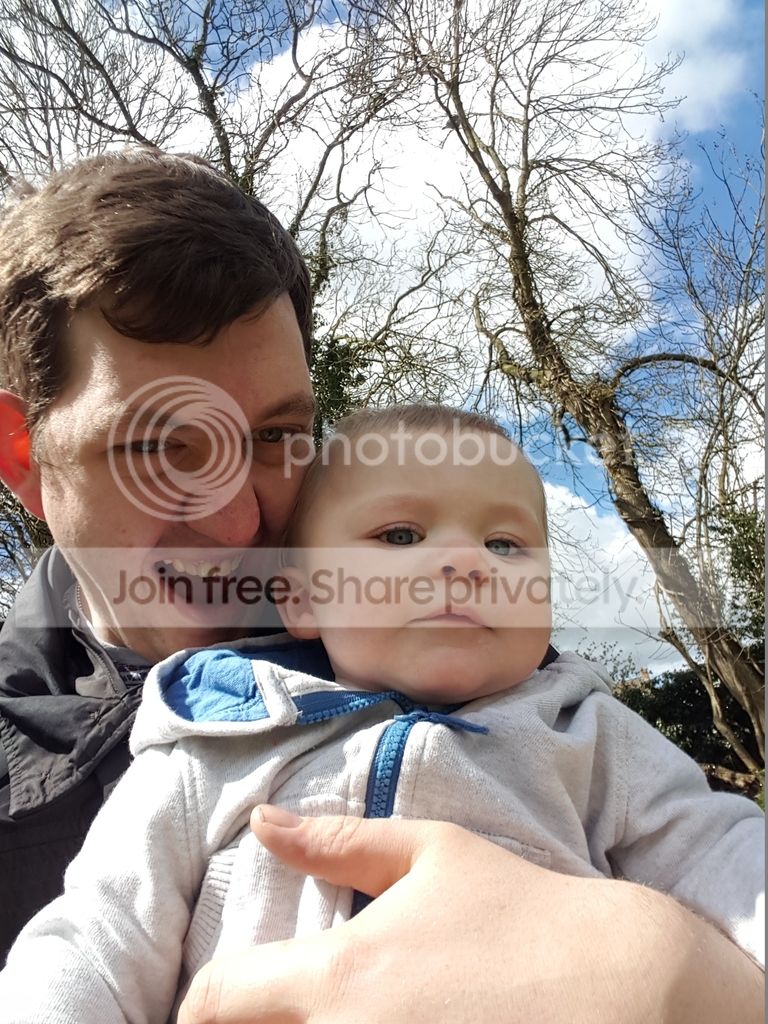

After
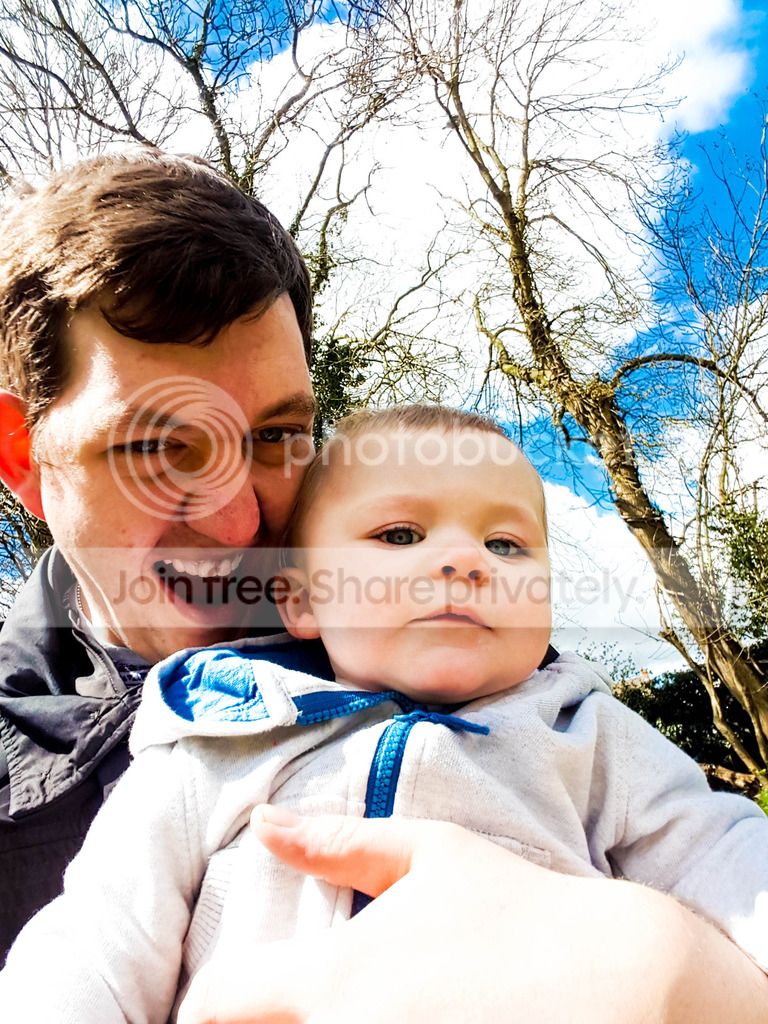


2) My Girlfriend
I wanted to brighten it up and really bring out the green in the dress and the bushes behind, Wanted to get more detail in the over hanging trees also removed some spots for her.

Before
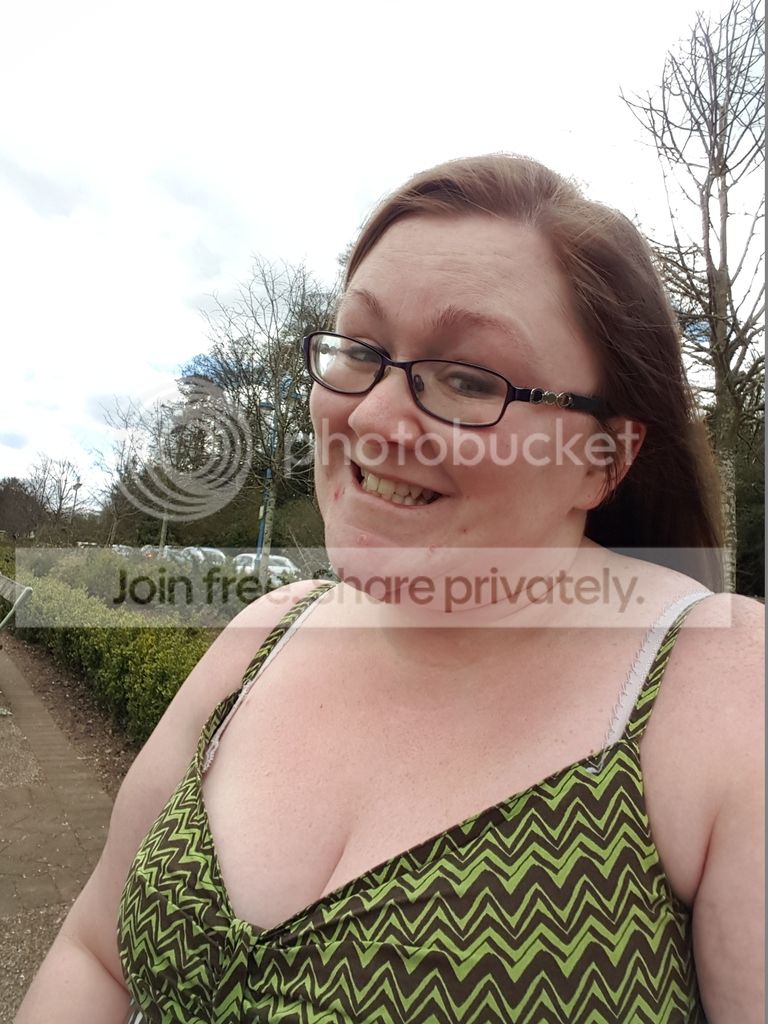


After
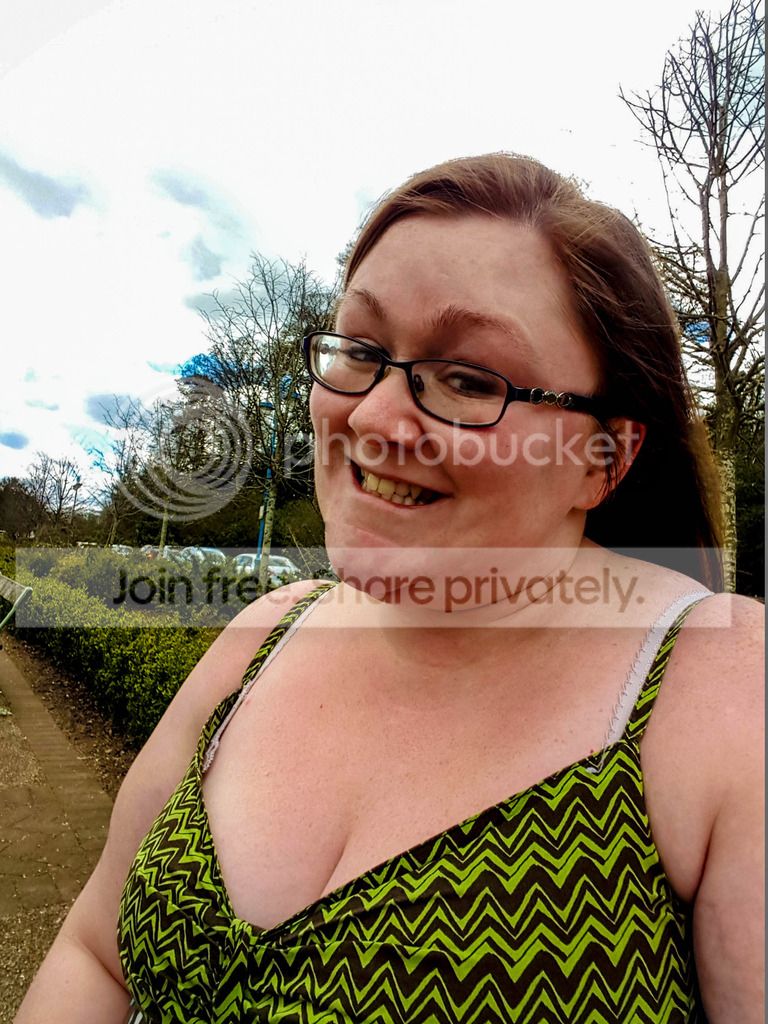

3) Me, My son and my girlfriend
I cropped out some of the unwanted background. removed some of my girlfriends spots and lightened the image up.

Before
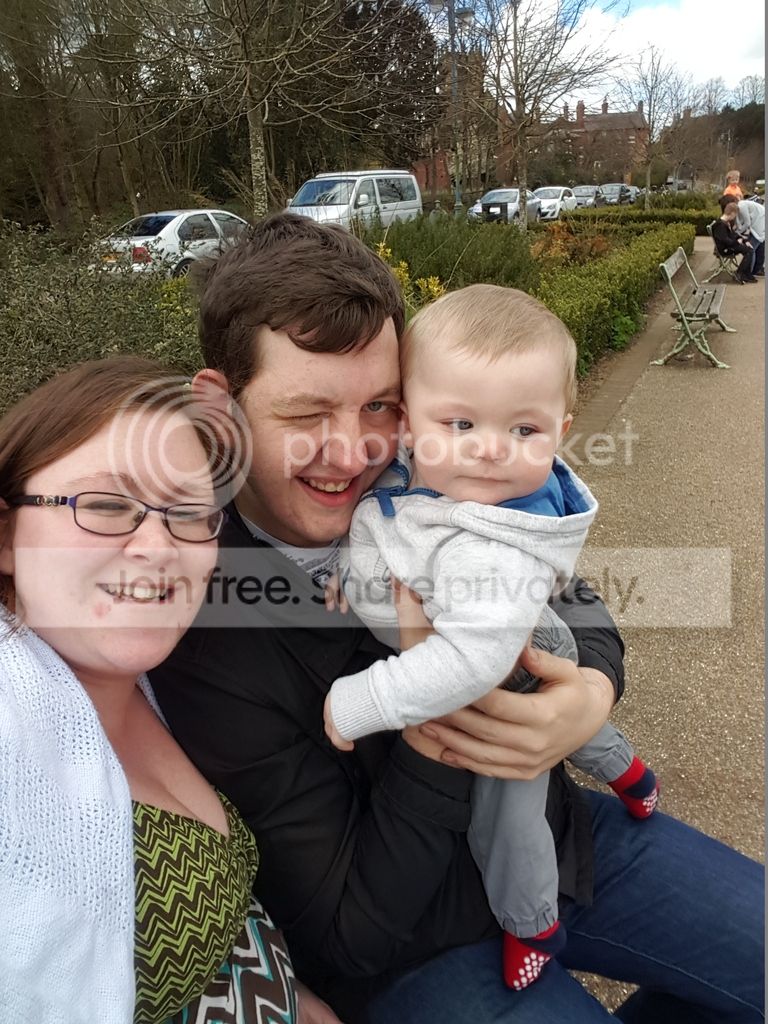


After
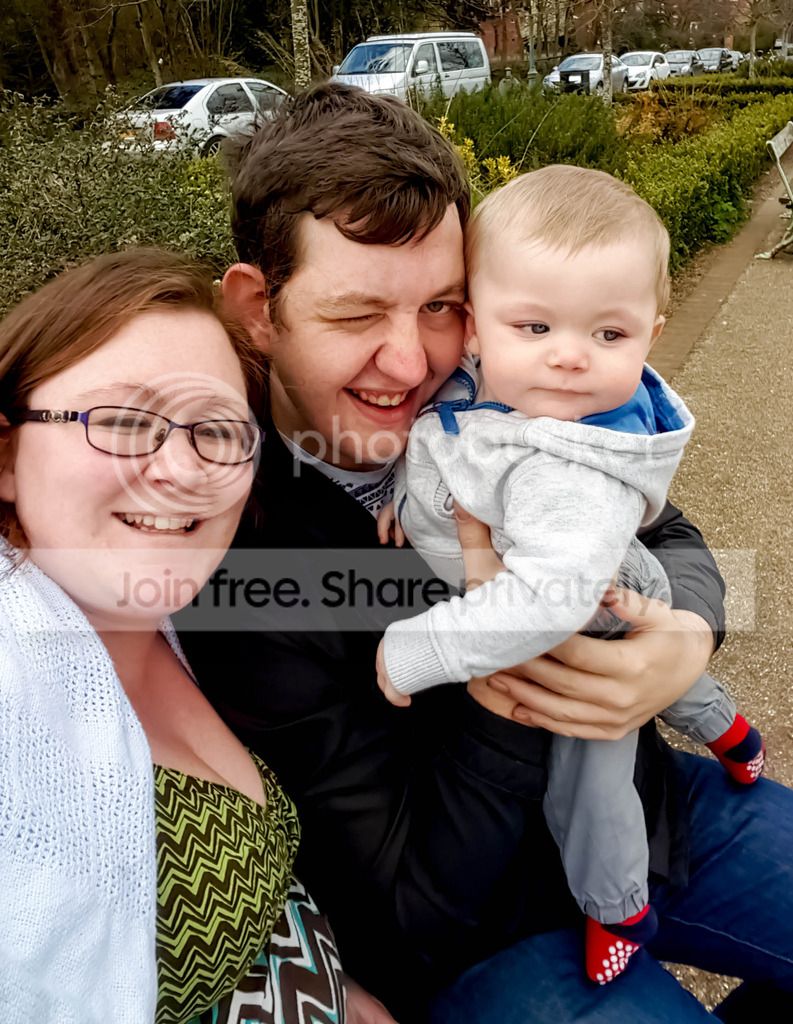

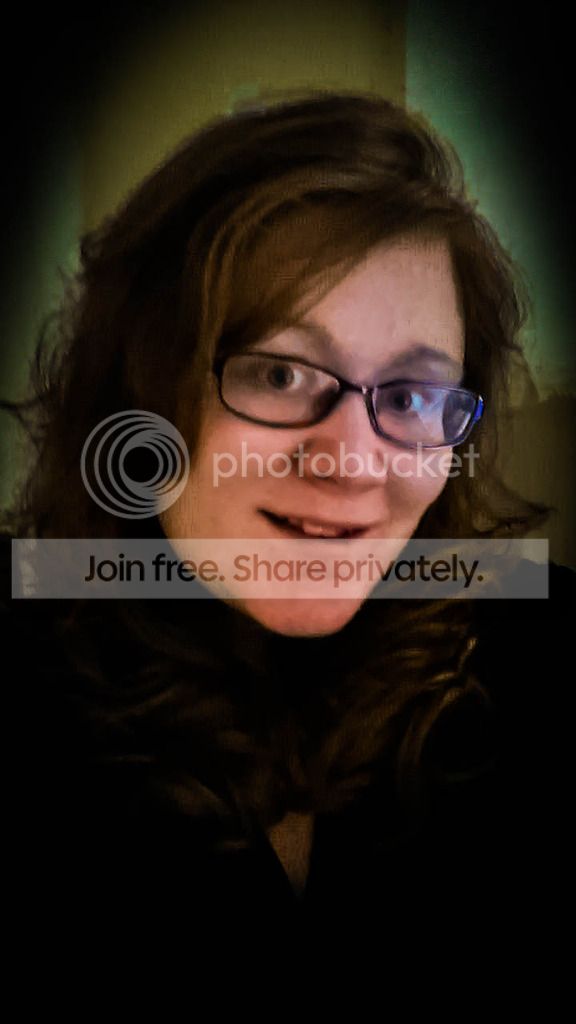
4) My girlfriend
This was an old picture of my girlfriend that i just wanted to bring some nice colour into it and bring it to life. and make the focus of the picture my girlfriend

Before


After
 
What are you using for your editing? It looks like you've maybe edited the whole image to try and achieve what you wanted where you really only want to change a couple of elements, your teeth and the sky in the first pic for example.

Layers would help greatly and Photoshop or Lightroom would be ideal for this, here's a very very quick edit just really focusing on your teeth, which I've overdone to make obvious, using a layer in Photoshop, with a bit of time you can then focus on other elements of the pic you aren't happy with. I don't have Lightroom so can't comment on how you would do it in there but I believe they are similar.

Edit.jpg

He's a bonny lad btw :)
 
What are you using for your editing? It looks like you've maybe edited the whole image to try and achieve what you wanted where you really only want to change a couple of elements, your teeth and the sky in the first pic for example.

Layers would help greatly and Photoshop or Lightroom would be ideal for this, here's a very very quick edit just really focusing on your teeth, which I've overdone to make obvious, using a layer in Photoshop, with a bit of time you can then focus on other elements of the pic you aren't happy with. I don't have Lightroom so can't comment on how you would do it in there but I believe they are similar.

View attachment 62698

He's a bonny lad btw :)

Definitely agree with that, try to make adjustments to just the parts of the image that need it, instead of effecting the whole image, so you don't create problems elsewhere. So use selections and layers in Photoshop to brighten teeth or increase saturation in the dress etc...
 
I've edited a version of the first image for you to have a look at, I hope you don't mind?

3_zpsxurioemn edited.jpg

Just a rush job in Photoshop so not perfect by any means, but this is what I did:

  1. Duplicate layer in Photoshop
  2. Make new layer to whiten teeth, change blend mode to colour and used a white brush to paint over the teeth to white, adjusted opacity till it looked right.
  3. Duplicated the whiten teeth layer and change blend mode to overlay and adjust opacity till it looks right.
  4. Used the same technique as step 3 on the eyes to brighten them up a bit (overlay layer).
  5. Create a New layer and dodge and burn yourself and the baby to brighten faces and reduce exposure on the parts of your hand that are too bright (Google Dodge and Burn for an explanation/tutorial)
  6. Used a gradient layer for the sky, blend mode set to overlay and then created a mask so it only effected sky
It may seem overwhelming but spend a few hours watching youtube tutorials and practising and you will be able to do the same or even better to your own images in no time.
 
im new to photo editing, I love the concept of it and i really enjoy doing it. I signed up on here to improve my skills and learn new ones. Everything i have learned to do is off online tutorials at the moment. I have some pics below before and afters i would like peoples opinions and any helpful pointers would be great. Thanks guys

1) Me and my son.
I wanted to whiten my teeth but i think i have gone way to white. Then i wanted to brighten it up and bring out the blue in the sky

Before


After


2) My Girlfriend
I wanted to brighten it up and really bring out the green in the dress and the bushes behind, Wanted to get more detail in the over hanging trees also removed some spots for her.

Before


After


3) Me, My son and my girlfriend
I cropped out some of the unwanted background. removed some of my girlfriends spots and lightened the image up.

Before


After


4) My girlfriend
This was an old picture of my girlfriend that i just wanted to bring some nice colour into it and bring it to life. and make the focus of the picture my girlfriend

Before


After


You've gone way overboard with everything. The processed images are far too contrasty, far too saturated, and far too dark.

Less is more with processing.


Just mask the teeth off with quick mask or any other masking tool, then brighten SLIGHTLY.... the gratest effect comes from not "whitening" them, but merely desaturating the colour content. Not totally... but subtly.

Remember, the reason for retouching an image is to have it impossible to tell it has been retouched. It has to look natural or people will just look at it, and go "You've whitened the teeth haven't you?"

You don't need to go any further than this.

3_zpsxurioemn.jpg


It's not the kind of image that really needs to be "processed"... it's just a family snapshot. Process it too heavily and when you're 60 and looking back on your life you'll be wondering "What the **** was I thinking?" All your family memories will be these horribly over processed images, and you'll regret it.


Instead of spending time on learning how to process images... spend time learning how to take them. It will reward you more in the end.
 
Last edited:
Back
Top