Advice please.

gremlin16

Suspended / Banned
Messages
2,616
Edit My Images
Yes
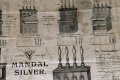
ok, I’ve been given a poster which is basically a newspaper sheet that’s nearly 100 years old. The guy wants it photographing and then printing so they can basically display the new one and preserve the old one.

The problem is, it’s so thin you can see through the other side and the print of both sides is visible.

Any tips on how to photograph it or what to put behind to try and stop the reverse showing through?

I’m thinking maybe a Matt black surface behind and plenty of light on the front?

Thanks in advance.
 
ok, I’ve been given a poster which is basically a newspaper sheet that’s nearly 100 years old. The guy wants it photographing and then printing so they can basically display the new one and preserve the old one.

The problem is, it’s so thin you can see through the other side and the print of both sides is visible.

Any tips on how to photograph it or what to put behind to try and stop the reverse showing through?

I’m thinking maybe a Matt black surface behind and plenty of light on the front?

Thanks in advance.
That’d be my start point too
 
iv'e done similar but using a flat bed scanner rather than a camera
i think i used black card to cover the back and got the desired results
it's a while ago and your post has just jogged my memory and i'm pretty sure that's how i managed it
 
thanks @Phil V I'm going to try this first. @cosmicma thats a good idea, but they already tried that and they failed, hence why it came to me. I'll get set up and see whats what.

did they try it with a black card ?
i seem to remember there was quite a bit of fiddling with the scanner presets ( brightness / contrast etc.. ) before i got a useful scan but like i said it was a while ago
 
It looks like the ink has soaked in from the other side on what is now semi-translucent paper, so a black backing sheet may not be able to entirely mitigate the breakthrough you're getting.
I too would try for a flatbed scan rather than a photo, to reduce the appearance of folds and creases, and go for multiple hi-def one bit monochrome (not greyscale)scans, with the cut off starting at 5% black, then 10%, 15%, etc, and see which one cuts out most of the breakthrough.
You'll likely have to deal manually with breakthrough on flat plain areas like that pewter covered bar top right, but that would be a much smaller photoshop job.
 
Well, i managed to get the best frame through underexposing would you believe. From this starting point, there is a massive amount of PP to do, in both LR and PS. But i am please with the first attempts. Thanks for the advice.
 
Back
Top