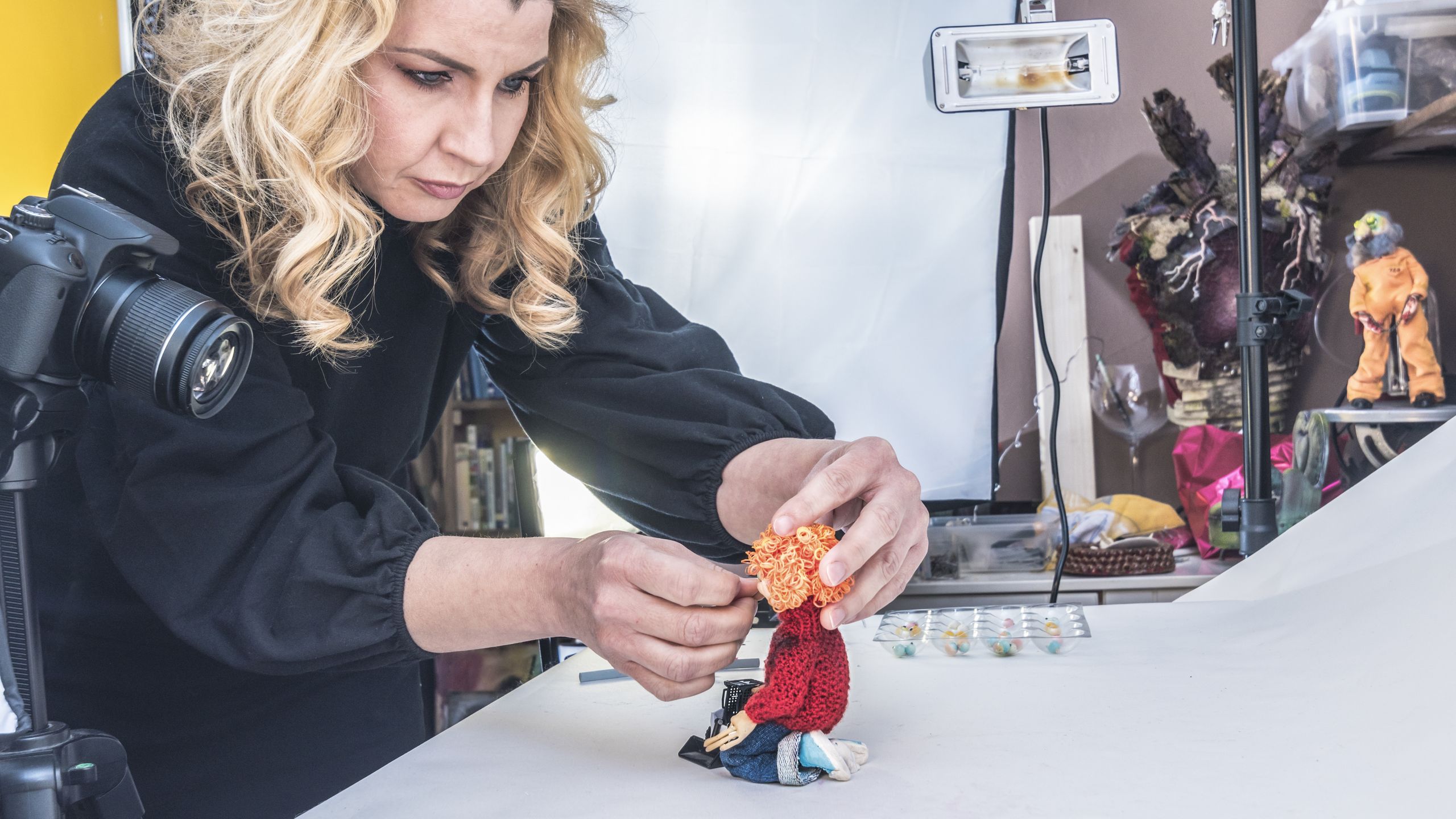
Beginner Advice needed to purchase a camera for stop go animation

Athelstan

Suspended / Banned
Messages
5
Name
eric
Edit My Images
Yes
Hi

I thought I had better ask the experts because I need a camera for stop go animation, I have made a few films but really struggle with the webcam I use the logitech C920 hd webcam and it's inability to focus all the time and if you get to close the focus is blurry, I have also noticed that a lot of animators get much bigger clear closeups. So I guess I want a camera that does great closeup photos with autofocus and also I did an animation in my sons sandpit over the weekend and the sun just made the film unusable so what is the issue here because when the sun went behind a cloud the photos were darker but great, not sunny. I Find reading about cameras on the internet very confusing because there are so many cameras and some of them are extremely expensive, My budget is limited, Any advice would be gratefully appreciated.
 
Camera phone should be fine, as the simplest choice.
 
But surely there is a reasonable priced camera (probably second hand) that you can take good stills on that gives you autofocus and hopefully can compensate for outdoor lighting as well.
 
If no one can help me here, can anyone suggest somewhere else I could ask. I don't want to spend a lot of money on a camera if I can buy a cheaper camera, there is a lot of difference between £2.5k and £500.......
 
I’ve no experience of stop animation but as @CavGez said, a smartphone will do. Probably not many here do it. You don’t give much details of the ‘subjects’ nor how you are creating the animations -- what software?

It’s pretty obvious, I think, that almost any camera will do the job since you are just taking still photos.

I expect there are sites on the web devoted to this, have you searched? YouTube even, In fact likely since the result is video!
 
Last edited:
You might get more help if your title wasn’t “Advice needed to purchase a camera” as that’s all that shows up in the list! Better would be “Stop Animation advice needed”.
 
So I guess I want a camera that does great closeup photos with autofocus and also I did an animation in my sons sandpit over the weekend and the sun just made the film unusable so what is the issue here because when the sun went behind a cloud the photos were darker but great, not sunny.

I've done a little bit of stop motion in the distant past - I just used a web cam on a mini tripod and some free software.
Autofocus and changing external light are not your friends!
Even small changes in the light will be exaggerated when you start to show images taken minutes apart in the same second.
The same is true for focus - a change small enough that you don't notice when taking the images will be dramatic and distracting.

Ideally you want to control the light completely - dark room with artificial light - it doesn't have to be powerful as you can take longer exposures (slow shutter speed) of a static set.
Just desklamps will be enough to get some reasonable results for learning.

You want to fix the focus, aperture and shutter speed across every image at least to begin learning. When you're more experienced then changing focus etc. can be introduced.

It sounds like you are getting closer to the subject than the minimum focus distance of the logitech web cam?
Work out what the minimum distance that the camera can manage and make sure you keep the subject further away than that unless you want to deliberately blur the subject.

I'd start animating larger subjects that you can fill the image with at a distance where the camera doesn't struggle - larger objects will also be more forgiving when you are handling them. Everyone loves Lego Minifigs but they're very fiddly to manipulate carefully enough for smooth animation.

In the long run you will probably want a better camera but I think you need to spend some time watching tutorials and practising with what you have before you start spending money.

It's very rewarding when you get something at the end of a couple of hours playing around.
Good luck and have fun!
 
Great answer thanks

Also liked the answer when someone said you are just taking stills basically and yes that is it. webcam/tripod/free software/ the autofocus and light are the issues.

I have been using a logitech webcam and stop go motion anime software - I have been animating lego - plastic army soldiers and model tanks like 1/35th scale tiger tanks
animating them is not the issue - the focus and lighting is, but from what you say below a darkroom and artificial lighting might be worth investigating, maybe just animate outdoors on cloudy days? as the sun has been the issue so far.


The below answer is top dog thanks.

I have done loads of reading camera reviews on the net thanks, thats what led to me being confused and coming on here. In regard to a phone, truth fully I am a dinosaur and have no great knowledge or love for modern phones but wondered how you would fix a phone in place and then press the button to take a shot constantly on an animation.?

Many thanks for the people that responded and took time.


I've done a little bit of stop motion in the distant past - I just used a web cam on a mini tripod and some free software.
Autofocus and changing external light are not your friends!

Even small changes in the light will be exaggerated when you start to show images taken minutes apart in the same second.
The same is true for focus - a change small enough that you don't notice when taking the images will be dramatic and distracting.

Ideally you want to control the light completely - dark room with artificial light - it doesn't have to be powerful as you can take longer exposures (slow shutter speed) of a static set.
Just desklamps will be enough to get some reasonable results for learning.

You want to fix the focus, aperture and shutter speed across every image at least to begin learning. When you're more experienced then changing focus etc. can be introduced.

It sounds like you are getting closer to the subject than the minimum focus distance of the logitech web cam? yes i do get some good results but not consistent on focus, good shot, blurred shot.
Work out what the minimum distance that the camera can manage and make sure you keep the subject further away than that unless you want to deliberately blur the subject.

I'd start animating larger subjects that you can fill the image with at a distance where the camera doesn't struggle - larger objects will also be more forgiving when you are handling them. Everyone loves Lego Minifigs but they're very fiddly to manipulate carefully enough for smooth animation.

In the long run you will probably want a better camera but I think you need to spend some time watching tutorials and practising with what you have before you start spending money.

It's very rewarding when you get something at the end of a couple of hours playing around.
Good luck and have fun!

Images: Olympus OM-D E-M10ii
Images: Olympus f8.0 9mm Body Cap - Olympus f1.8 17mm - Panasonic f1.7 25mm - Olympus f1.8 45mm
Images: Olympus 12–40mm F2.8 PRO - Olympus f3.5-5.6 14-42mm EZ - Olympus f4-5.6 40-150R - Olympus f4.8-6.7 75-300mm
Like Like Quote Quote
Report
 
Back
Top