A couple of basic post-processing questions

briansy

Suspended / Banned
Messages
165
Name
Brian
Edit My Images
Yes
Hi guys, I am a total novice and getting all of my questions out of the way now!

I downloaded DXO denoise software and applied it to a dozen or so pictures. I can either see no difference or it changes slightly underexposed pictures to massively overexposed looking and which look terrible. This is odd to me as people seem to rave about it? Especially not being able to tell any difference for most. Does this simply mean there is no noise in the image? Also, should i save the results as a dng? Or some other format?

Secondly, when I am done with my editing in lightroom, should I then save as a jpeg? I can't really see where to do that and don't know where my edits are saving - I know I can save to the cloud but presumably that compresses the image? I.e. I have a bit of a play with a 20mb C raw file and upload it to the cloud and the result is like 1mb? Maybe that's cos I cropped a lot? Apologies, this is really basic stuff, perhaps I need a few hours tuition in using lightroom and denoise software.
 
Last edited:
Hi guys, I am a total novice and getting all of my questions out of the way now!

I downloaded DXO denoise software and applied it to a dozen or so pictures. I can either see no difference or it changes slightly underexposed pictures to massively overexposed looking and which look terrible. This is odd to me as people seem to rave about it? Especially not being able to tell any difference for most. Does this simply mean there is no noise in the image? Also, should i save the results as a dng? Or some other format?
What particular DxO software are using? Why do I ask.....well, DxO does not make a specific/only denoising program.

So, is it DxO PureRaw or DxO PhotoLab?
Furthermore, are you shooting raw or jpeg?

Secondly, when I am done with my editing in lightroom, should I then save as a jpeg? I can't really see where to do that and don't know where my edits are saving - I know I can save to the cloud but presumably that compresses the image? I.e. I have a bit of a play with a 20mb C raw file and upload it to the cloud and the result is like 1mb? Maybe that's cos I cropped a lot? Apologies, this is really basic stuff, perhaps I need a few hours tuition in using lightroom and denoise software.
I no longer use LR but are using Classic where all the images are held locally on your PC or the Cloud version?
 
Last edited:
Hi box, I was using pure raw 4. I'm shooting Craw.

I was using the cloud version as the classic was confusing. Maybe I should be using classic and there is a save function there? Presumably save to jpeg once I'm done with editing the images?

Really appreciate you replying. Not exactly the sexiest of topics!!!
 
Addressing the second part of your question, I use Lr Classic; don't know about the mobile version.

The changes are stored as entries in a database, not in an image file. If you want a JPG file with the changes, you need to File > Export > Format - JPG. But there are slew of options, just take your time to work through it.

But you said "should I save as a JPG". No, you don't need to. Your image lives in Lr - an image file and database entries.
 
I have DxO PhotoLab (not PureRaw) but, with the better quality noise reduction methods, you don't see the effect of it until you export (e.g. save as JPEG). I guess it takes too much processing power to preview it over the full image. Perhaps try exporting, and see if you can see the results in the saved file
 
OK brilliant, I have the lightroom question sorted. Thank you!!

Any thoughts on the denoise question? DXO seems a bit intimidating - is topaz just as good / more user friendly?
Just try the Lightroom Denoise and see how you find it. Does a decent enough job in my view - but I'm not a pixel-peeping-perfectionist. It's free (well, it's not free exactly, but you don't pay extra for it over your lightroom cost).
 
Lightroom has its own Denoise implementation built, have you not tried that ?

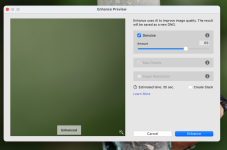
just click in the preview window and it shows before and after

Screenshot 2025-03-14 at 21.07.55.png
 
Last edited:
Hi guys, I am a total novice and getting all of my questions out of the way now!

I downloaded DXO denoise software and applied it to a dozen or so pictures. I can either see no difference or it changes slightly underexposed pictures to massively overexposed looking and which look terrible. This is odd to me as people seem to rave about it? Especially not being able to tell any difference for most. Does this simply mean there is no noise in the image? Also, should i save the results as a dng? Or some other format?

Secondly, when I am done with my editing in lightroom, should I then save as a jpeg? I can't really see where to do that and don't know where my edits are saving - I know I can save to the cloud but presumably that compresses the image? I.e. I have a bit of a play with a 20mb C raw file and upload it to the cloud and the result is like 1mb? Maybe that's cos I cropped a lot? Apologies, this is really basic stuff, perhaps I need a few hours tuition in using lightroom and denoise software.
What are you feeding into pure raw. If you give is a noise free 100ISO image you’re not really going to see much difference.
 
That is exactly what PureRaw is
I was under the impression it does more than just(?) wrangle the noise suppression! Hence my query & surmise.

And those other processing effects as stated by @briansy in the OP are nothing directly associated with de-noising.
 
Last edited:
Guys, I tried lightroom denoise. Does the job perfectly. I can't be bothered with using a separate bit of software, nor paying for it! That being said, I haven't really learned how to use lightroom properly yet. I'm using certain overlays to bring out colours in underexposed bits and doing a wee bit of brightening and adjusting of colour temp and tint. Seems to do most of what I want tbh. I believe using these methods I can shoot in jpeg?
 
Guys, I tried lightroom denoise. Does the job perfectly. I can't be bothered with using a separate bit of software, nor paying for it! That being said, I haven't really learned how to use lightroom properly yet. I'm using certain overlays to bring out colours in underexposed bits and doing a wee bit of brightening and adjusting of colour temp and tint. Seems to do most of what I want tbh. I believe using these methods I can shoot in jpeg?
It will always be a case of what you are comfortable with & happy with the final image.

Though, I would offer one caveat................if you are intending to print, either at home or using a printing company, it is worth shooting in raw and learning the the benefits of that when it comes to bringing out the very best in the image compared to the 'cooked' version of a jpeg loses out on.
 
I was under the impression it does more than just(?) wrangle the noise suppression! Hence my query & surmise.

And those other processing effects as stated by @briansy in the OP are nothing directly associated with de-noising.
It does lens corrections too, but that’s it.
 
Guys, I tried lightroom denoise. Does the job perfectly. I can't be bothered with using a separate bit of software, nor paying for it! That being said, I haven't really learned how to use lightroom properly yet. I'm using certain overlays to bring out colours in underexposed bits and doing a wee bit of brightening and adjusting of colour temp and tint. Seems to do most of what I want tbh. I believe using these methods I can shoot in jpeg?
Definitely use RAW. Once you get the hang of Lightroom - you can dip back into earlier photos and reprocess them for ever if you want. RAW makes that much easier.

And also - despite some of the comments, if you're starting out with Lightroom, give 'Auto' a go. It's a good pointer and starting point and enables you to get an idea of what it is you like / don't like.
 
I'm quite impressed with the newish adaptive colour profile
 
I'm quite impressed with the newish adaptive colour profile

I was quite impressed with is yesterday. I've not been out with the camera for a long while but yesterday we went on a walk exploring a quarry in Snowdonia. I just took my M5 with a kit lens as it was mid morning and the light was harsh so pointless lugging the big camera about.

I was exposing to the right to keep the highlights in check which meant the shadows were very dark. The adaptive colour profile did a very good job at recovering those shadows before I even started any editing.
 
Sorry guys, follow up question for you. So I am running my compressed raw CR3 files through lightroom denoise function and doing a bit of cropping / touching up etc. I get a DNG file after the denoise that is quite large - 80+MB. Not a problem, but then I upload the DNG to the lightroom cloud and download it as a jpeg on my PC and the file size is anywhere from like 300K to at most 2.5-3 mb. The image is still looking really good but obviously I got an R5 mark ii for the detail and image quality. Would it be better if I just saved the DNG file as a jpeg on my windows laptop to retain all of the detail? I am guessing uploading it to the cloud is where I'm losing all of the data?

Please bear in mind that I am using lightroom and not lightroom classic. I find the latter really confusing so just bear that in mind.
 
Sorry guys, follow up question for you. So I am running my compressed raw CR3 files through lightroom denoise function and doing a bit of cropping / touching up etc. I get a DNG file after the denoise that is quite large - 80+MB. Not a problem, but then I upload the DNG to the lightroom cloud and download it as a jpeg on my PC and the file size is anywhere from like 300K to at most 2.5-3 mb. The image is still looking really good but obviously I got an R5 mark ii for the detail and image quality. Would it be better if I just saved the DNG file as a jpeg on my windows laptop to retain all of the detail? I am guessing uploading it to the cloud is where I'm losing all of the data?

Please bear in mind that I am using lightroom and not lightroom classic. I find the latter really confusing so just bear that in mind.
As previously mentioned I no longer use LR......

Do you use it only your PC/Mac at home or do you need access on multiple devices?

If only at home then AFAIK LR cloud doesn't IMO make sense as Classic means whatever file types you are saving your work as, it kept on your computer and you can back up appropriately.

My impression is that Cloud and Classic are aimed at different target users.
 
Back
Top